cesarferreira / cesarferreira/MaterialComponent.Banner
Missing divider and icon position is not properly
- Dominant language
- Kotlin
- Stars
- 112
- Forks
- 8
- PR merge metrics
- No merged PRs in 30d
Description
Hey,
if you check this picture from the material design page, you can see there is a divider which is necessary if your banner and screen content background is white.
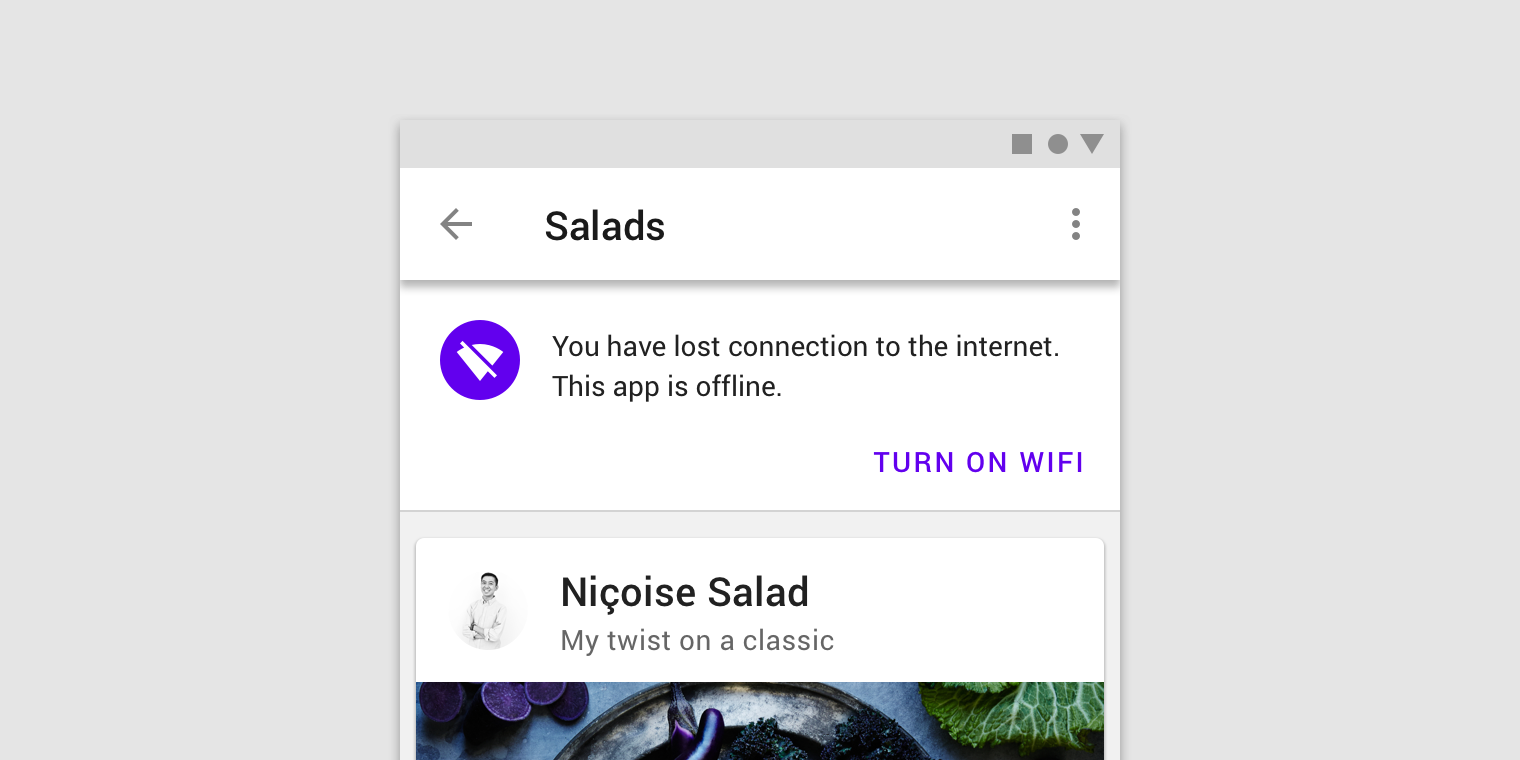
Also the icon has the same baseline like the text. Thats what it currently looks like:
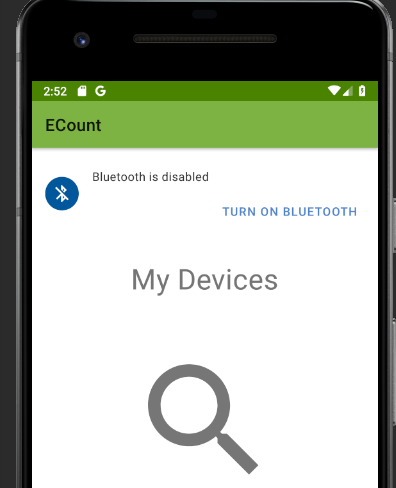
I would appreciate if you can adjust the icon position and add a divider. Unfortunately I'm not really familar with kotlin.
Thanks in advance
Edit:
I chcked your source code:
You just have to remove the bottom constraint of the imageView (icon) and add a top margin of 24dp. And for the divider you just add:
`
`
to the layout. Sorry I don't know how this pull requests works ^^
Contributor guide
No contributing guide indexed for this repository
Research direction
The issue identifies the banner layout as the place to inspect, but no file or test is named. Compare it with the attached Material Design reference, adjust the icon position and add the requested divider, then verify the banner visually against the screenshots.
Written by the indexing model from the issue text.
Assessment
- Tech stack
- android, kotlin
- Domain
- design, mobile-dev
- Issue type
- Bug
- Difficulty
- 2/5
- Estimated time
- 1-3 hours
- Activity status
- Stale
- Clarity
- Mostly clear
- Newbie friendliness
- 50/100