camelot-dev / camelot-dev/excalibur
Save columns configuration
- Dominant language
- Python
- Stars
- 1.8k
- Forks
- 238
- PR merge metrics
- No merged PRs in 30d
Description
I have a PDF that I need to process by Stream. I defined multiple columns on many pages, then I pressed "View and Download Data". After the check, I decided I need to make corrections. I started again from Files with "Extract Again". I used "Select Saved Rule" and loaded defined tables but columns were lost. It was a disappointment because the PDF I work with has 20 pages and it was time-consuming to define all columns.
Please add saving columns.
I am using Excalibur 0.4.3 on Linux and Firefox.
Columns I set up:
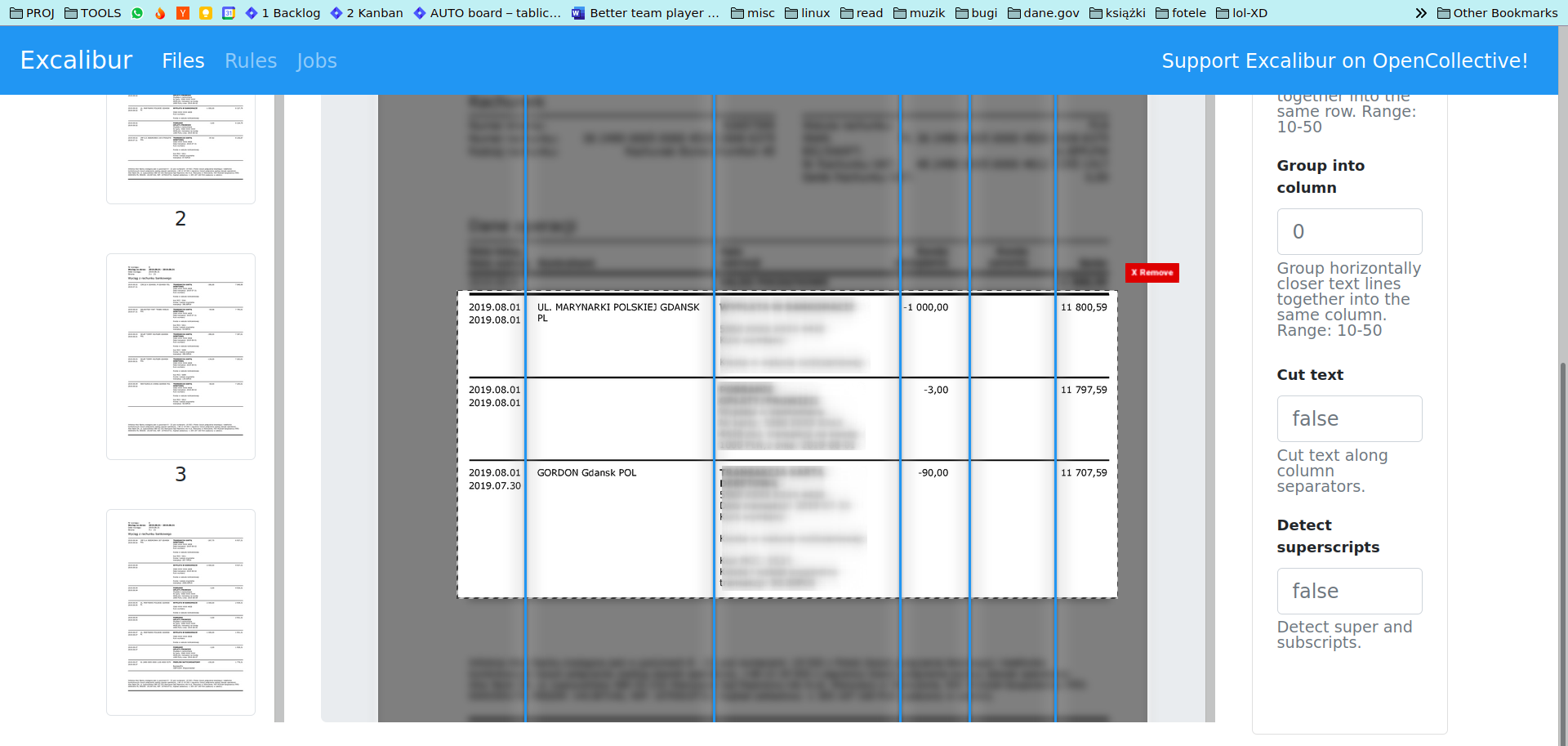
Columns after rule load:
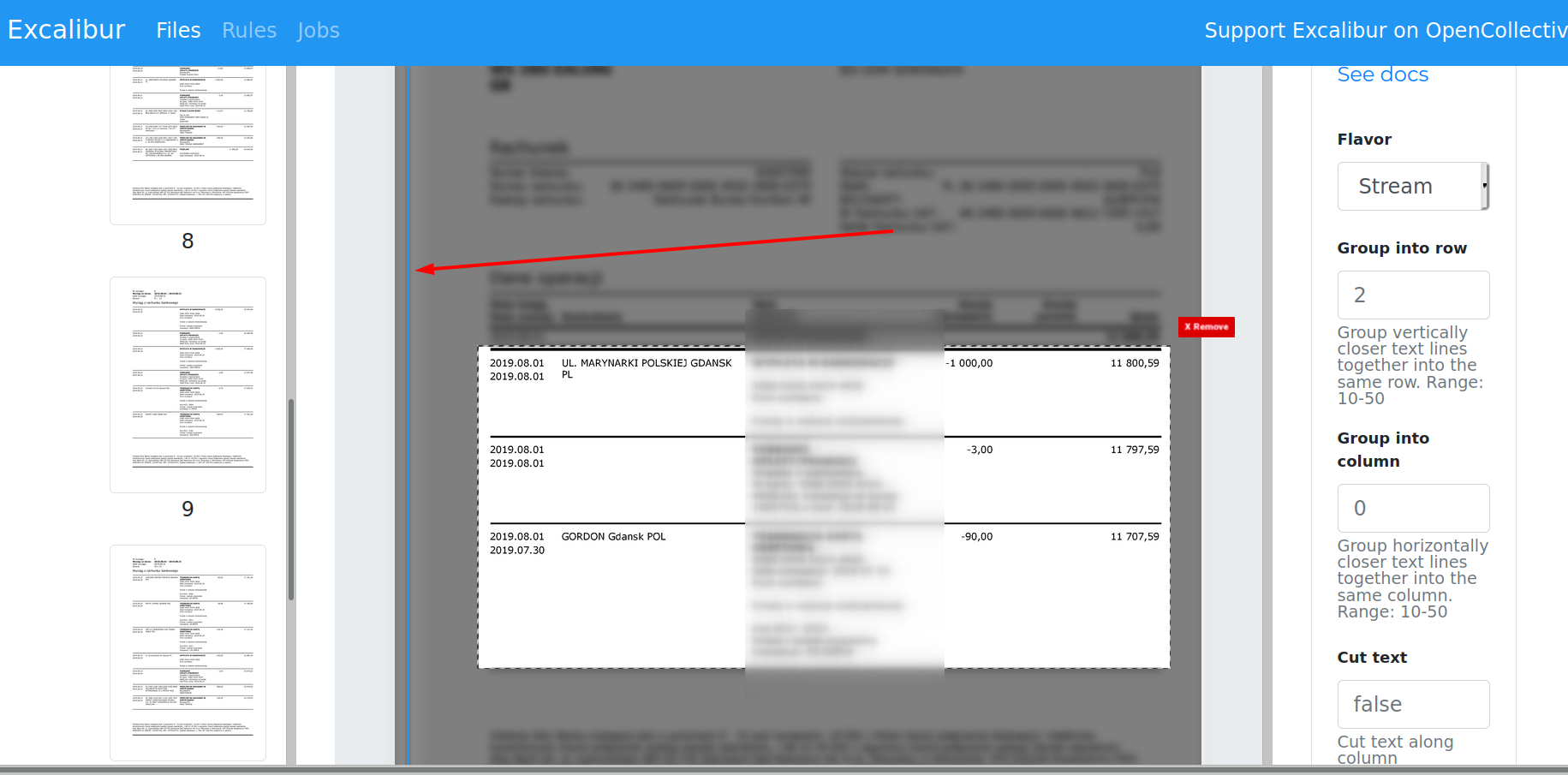
PS:
When I checked on http://0.0.0.0:5000/rules, JSON object properties "columns" have all the data! It just does not want to load properly.
Contributor guide
Research direction
Reproduce the workflow in Excalibur 0.4.3: define columns, use “View and Download Data,” choose “Extract Again,” then load the rule with “Select Saved Rule.” Start at the /rules entry point and inspect how the saved JSON columns are loaded. Done means previously saved columns are restored after loading a rule.
Written by the indexing model from the issue text.
Assessment
- Tech stack
- python
- Domain
- frontend, web-dev
- Issue type
- Bug
- Difficulty
- 3/5
- Estimated time
- 1-2 days
- Activity status
- Stale
- Clarity
- Mostly clear
- Newbie friendliness
- 45/100