camelot-dev / camelot-dev/camelot
How to force only one table per page?
- Dominant language
- Python
- Stars
- 3.8k
- Forks
- 546
- Avg merge
- 3d 17h
- Merged PRs (30d)
- 3
Description
I have docs with some cells span over several pages, that can eventually lead to several tables being detected per page.
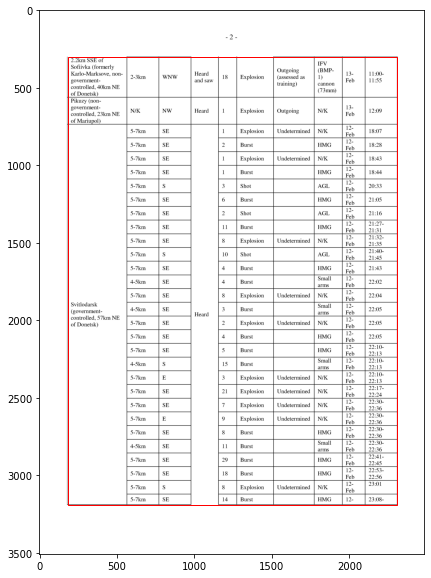
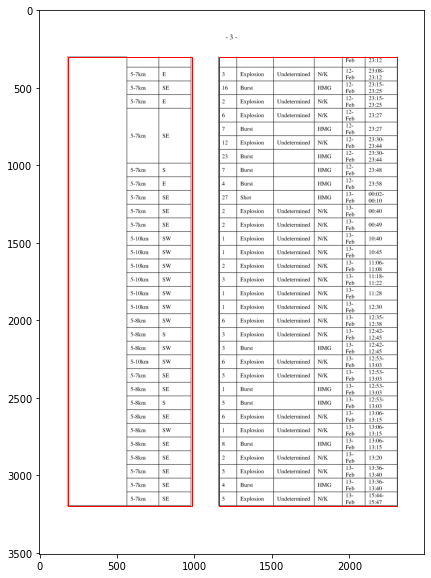
I can't fix it with with `table_areas = ['40, 790, 560, 50']`, since tables placement may slightly vary on the page, so fixed sizes without detection are no good.
What can be done in that case?
Contributor guide
No contributing guide indexed for this repository
Research direction
The issue names the table_areas setting and provides screenshots of PDFs whose cells span pages, but it does not identify a source file or test. Start by reproducing the multi-table detection with a representative PDF and trace the table-detection behavior. Done would be a clearly defined way to keep one table per page without relying on fixed placement coordinates.
Written by the indexing model from the issue text.
Assessment
- Tech stack
- python
- Domain
- data
- Issue type
- Feature
- Difficulty
- 5/5
- Estimated time
- Over a week
- Activity status
- Stale
- Clarity
- Needs clarification
- Newbie friendliness
- 25/100