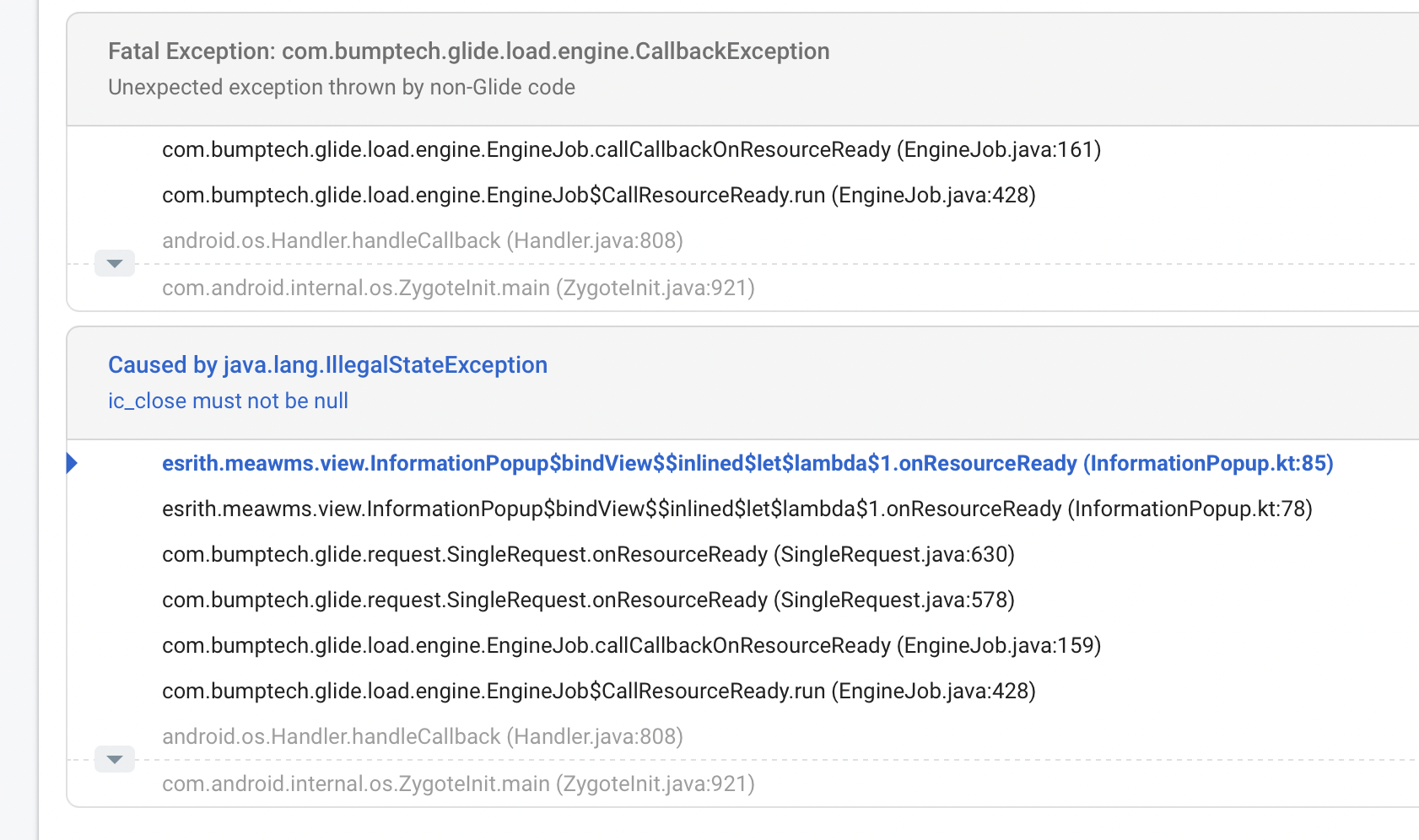
View inside onResourceReady is null, in DialogFragment
- Dominant language
- Java
- Stars
- 35k
- Forks
- 6.2k
- Avg merge
- 1d 11h
- Merged PRs (30d)
- 8
Description
**Glide Version**: 4.12.0
**Device/Android Version**: on some device
**Issue details / Repro steps / Use case background**: What I expected is when image loaded then the close button will appear. What I facing is when app launched and image loaded, some user cannot click on close button or some crash. bind view using Kotlin synthetic.
**Glide load line / `GlideModule` (if any) / list Adapter code (if any)**:
```java
override fun onViewCreated(view: View, savedInstanceState: Bundle?) {
super.onViewCreated(view, savedInstanceState)
//set dialog full screen
dialog?.let {
it.apply {
requestWindowFeature(Window.FEATURE_NO_TITLE)
window?.setLayout(WindowManager.LayoutParams.MATCH_PARENT,
WindowManager.LayoutParams.MATCH_PARENT)
window?.setBackgroundDrawableResource(android.R.color.transparent)
}
setStyle(STYLE_NO_INPUT, android.R.style.Theme)
}
arguments?.let {
popData = PopupData(
it.getInt(POPUP_ID, 0),
it.getString(IMG_URL, ""),
it.getString(DEST_URL, "")
)
}
bindView()
}
private fun bindView() {
popData?.let {
Glide.with(context!!)
.load(it.imgUrl)
.diskCacheStrategy(DiskCacheStrategy.AUTOMATIC)
.apply(RequestOptions().override(1000, 1000))
.listener(object : RequestListener {
override fun onLoadFailed(e: GlideException?, model: Any?, target: Target?, isFirstResource: Boolean): Boolean {
dialog?.dismiss()
return false
}
override fun onResourceReady(resource: Drawable?, model: Any?, target: Target?, dataSource: DataSource?, isFirstResource: Boolean): Boolean {
ic_close.visibility = View.VISIBLE
return false
}
})
.into(img_information)
}
img_information.setOnClickListener(this)
view_background.setOnClickListener(this)
ic_close.setOnClickListener(this)
}
```
**Layout XML**:
```xml
```
**Stack trace / LogCat**:
Contributor guide
Assessment
This issue has not been assessed yet.