Glide centerCrop() not working with CustomTarget ImageView
- Dominant language
- Java
- Stars
- 35k
- Forks
- 6.2k
- Avg merge
- 1d 11h
- Merged PRs (30d)
- 8
Description
**Glide Version**: 4.12.0
**Integration libraries**: N/A
**Device/Android Version**: All
**Issue details / Repro steps / Use case background**:
Run the following code
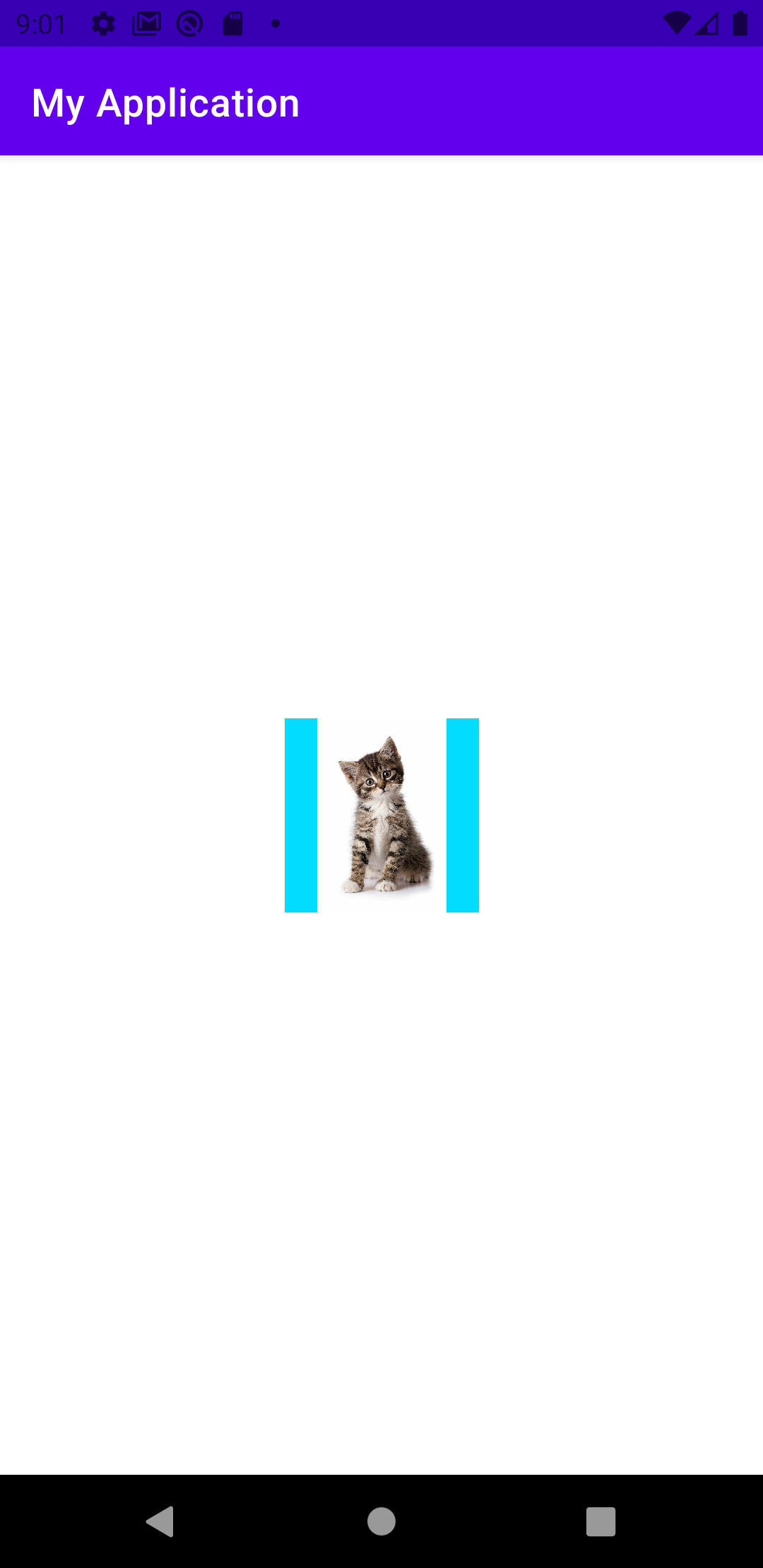
Observe that the result is actually centerInside not centerCrop
_Actual behaviour_

_Expected behaviour_

**Glide load line / `GlideModule` (if any) / list Adapter code (if any)**:
```kotlin
class MainActivity : AppCompatActivity() {
override fun onCreate(savedInstanceState: Bundle?) {
super.onCreate(savedInstanceState)
setContentView(R.layout.activity_main)
// available in this demo but nullable across my app e.g. in notification or certain screens
val imageView: ImageView? = findViewById(R.id.image)
Glide.with(this)
.asBitmap() // required for image in notification
.load("https://www.lomsnesvet.ca/wp-content/uploads/sites/21/2019/08/Kitten-Blog-1600x2400.jpg")
.centerCrop()
.into(object: CustomTarget() { // again since ImageView not always available, this is the best choice I know of
override fun onResourceReady(resource: Bitmap, transition: Transition?) {
imageView?.setImageBitmap(resource)
// SUCCESS CALLBACK here
}
override fun onLoadCleared(placeholder: Drawable?) {
TODO("Not yet implemented")
}
override fun onLoadFailed(errorDrawable: Drawable?) {
// FAILURE CALLBACK here
}
})
}
}
```
My requirements:
1. ImageView are not always available e.g. notifications. But when the imageView is available, I'd like to use "center crop" instead of "center inside"
2. Callbacks are always necessary
**Layout XML**:
```xml
```
**Stack trace / LogCat**: N/A
Cross-posting [here
](https://stackoverflow.com/questions/66071616/glide-centercrop-not-working-with-customtarget-imageview)
Contributor guide
Assessment
This issue has not been assessed yet.