Cannot enter correct Chinese double quotation marks `“”`
- Dominant language
- Swift
- Stars
- 6.9k
- Forks
- 748
- PR merge metrics
- No merged PRs in 30d
Description
### Checklist
- [x] Using latest version on the [App Store](http://itunes.apple.com/app/id1156707581)
- [x] Read the [docs](http://blink.sh/docs/)
- [x] Searched for [existing GitHub issues](https://github.com/blinksh/blink/issues)
### Configuration
Blink 14.0.5 (409)
iPad OS 15.2
### Describe the bug
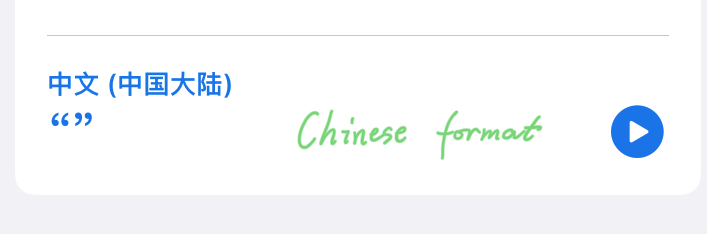
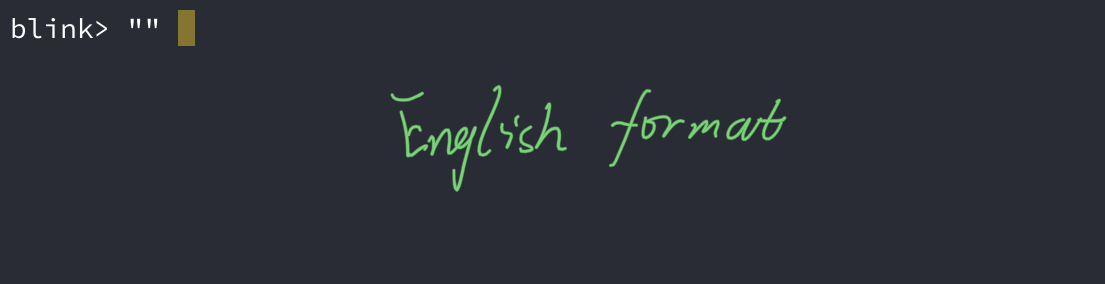
Whether I use Chinese input method or English input method, I can only enter double quotation marks in English form. Now I'm going to use Chinese double quotes, and I have to copy it from other apps on the iPad.
Contributor guide
No contributing guide indexed for this repository
Research direction
No source file, test, or entry point is named. Reproduce the issue in Blink 14.0.5 on iPadOS 15.2 using both Chinese and English input methods; done means Chinese double quotation marks “ and ” can be entered directly rather than copied from another app.
Written by the indexing model from the issue text.
Assessment
- Tech stack
- ios, swift
- Domain
- mobile-dev
- Issue type
- Bug
- Difficulty
- 3/5
- Estimated time
- 1-2 days
- Activity status
- Stale
- Clarity
- Mostly clear
- Newbie friendliness
- 35/100