Progress bar doesn't stay in a single line on iPhone
- Dominant language
- Swift
- Stars
- 6.9k
- Forks
- 746
- PR merge metrics
- No merged PRs in 30d
Description
### Checklist
- [x] Using latest version on the [App Store](http://itunes.apple.com/app/id1156707581)
- [x] Read the [docs](http://blink.sh/docs/)
- [x] Searched for [existing GitHub issues](https://github.com/blinksh/blink/issues)
### Configuration
Blink version: 14.0.0
iOS version: 15.0.2
iPhone model: iPhone X
### Describe the bug
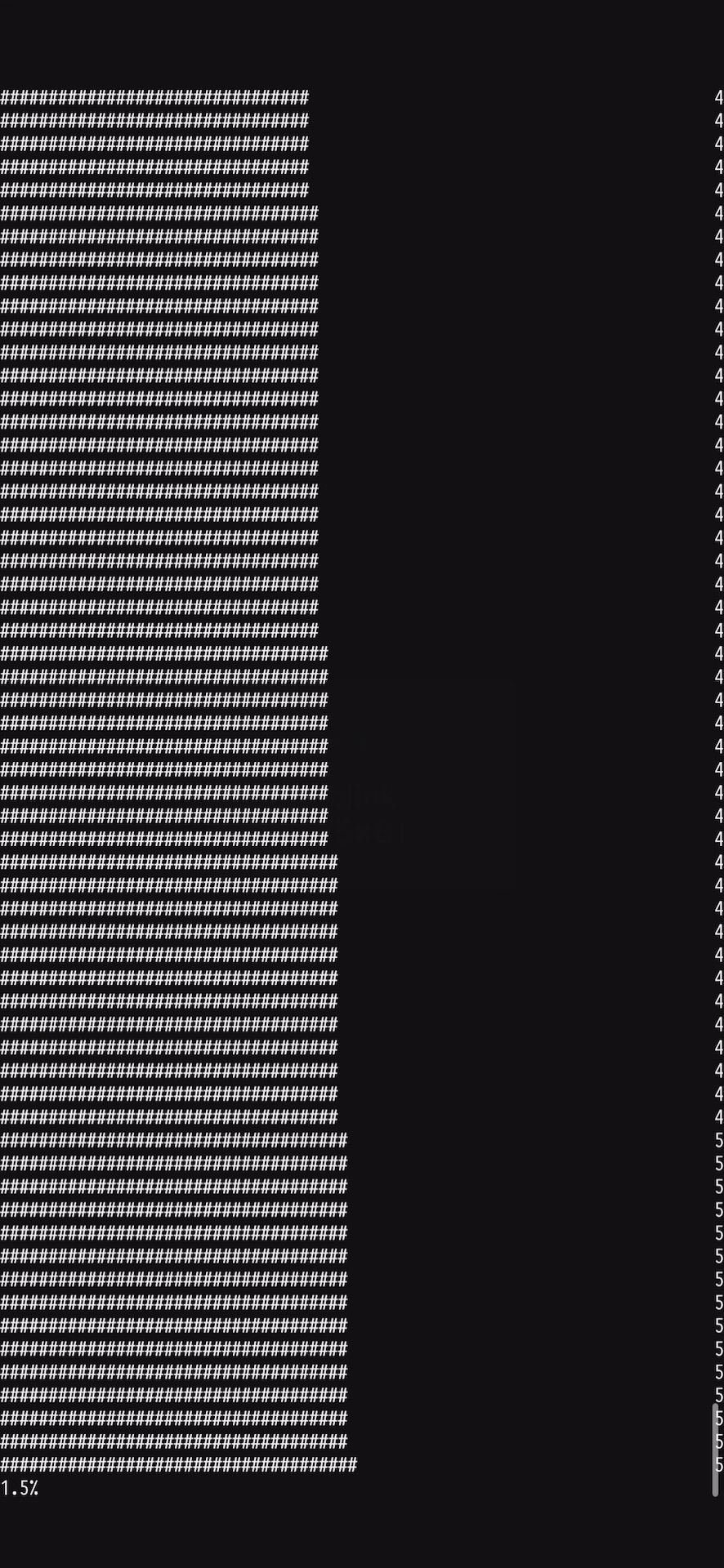
SSH into a Mac and upgrade Homebrew (`brew upgrade -g`). During the download process, the progress bar would use a new line each time the progress updates, instead of staying in the same line.
In my tests, this bug only appears on the iPhone's portrait mode, but not the iPhone's landscape mode or the iPad.
The download progress bar should stay in the same line, from 0% to 100%.
Contributor guide
No contributing guide indexed for this repository
Research direction
Reproduce `brew upgrade -g` over SSH on an iPhone in portrait mode, then compare the progress output with landscape mode and iPad behavior. Trace the terminal progress rendering path and consider the issue done when updates remain on one line from 0% to 100% in portrait mode without regressing the other layouts.
Written by the indexing model from the issue text.
Assessment
- Tech stack
- ios, swift
- Domain
- mobile
- Issue type
- Bug
- Difficulty
- 3/5
- Estimated time
- 1-2 days
- Activity status
- Stale
- Clarity
- Mostly clear
- Newbie friendliness
- 35/100