bitshares / bitshares/bitshares-ui
WSOD when entering dashboard from desktop client
- Dominant language
- JavaScript
- Stars
- 520
- Forks
- 575
- Avg merge
- 12h 7m
- Merged PRs (30d)
- 5
Description
**Describe the bug**
I click dashboard and get WSOD
**To Reproduce**
attempted to view "dashboard" by clicking the main link
**Screenshots**
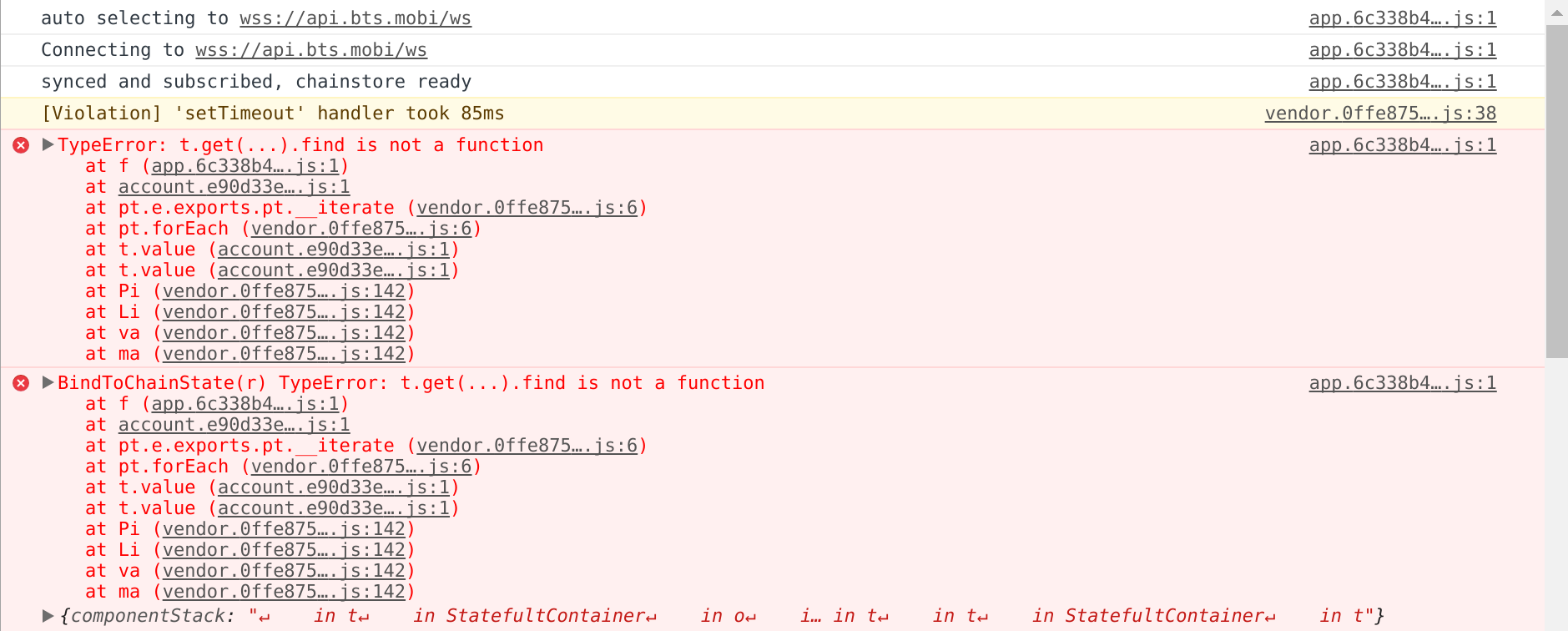
it repeats the above error serveral times then I get error:
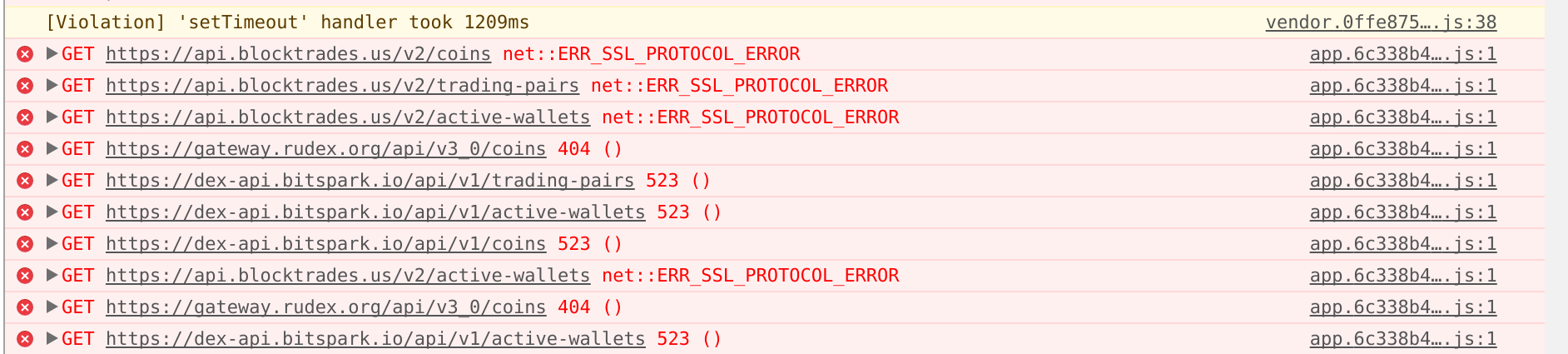
then it begins to repeat this error:

**Desktop (please complete the following information):**
linux cinnamon mint fully updated
bitshares desktop client 191120 signed in with cloud login
Contributor guide
Research direction
Start by reproducing the dashboard navigation from the BitShares desktop client on Linux Mint and compare the displayed errors with the attached screenshots. Trace the dashboard entry point and identify why the page reaches a white screen and repeats errors; done means the dashboard loads without those repeated failures.
Written by the indexing model from the issue text.
Assessment
- Tech stack
- javascript, react
- Domain
- desktop, frontend
- Issue type
- Bug
- Difficulty
- 3/5
- Estimated time
- 1-2 days
- Activity status
- Stale
- Clarity
- Needs clarification
- Newbie friendliness
- 25/100