bitshares / bitshares/bitshares-ui
Navigation bar is hidden when screen is zoomed out and cannot be clicked
- Dominant language
- JavaScript
- Stars
- 520
- Forks
- 575
- Avg merge
- 12h 7m
- Merged PRs (30d)
- 5
Description
**Describe the bug**
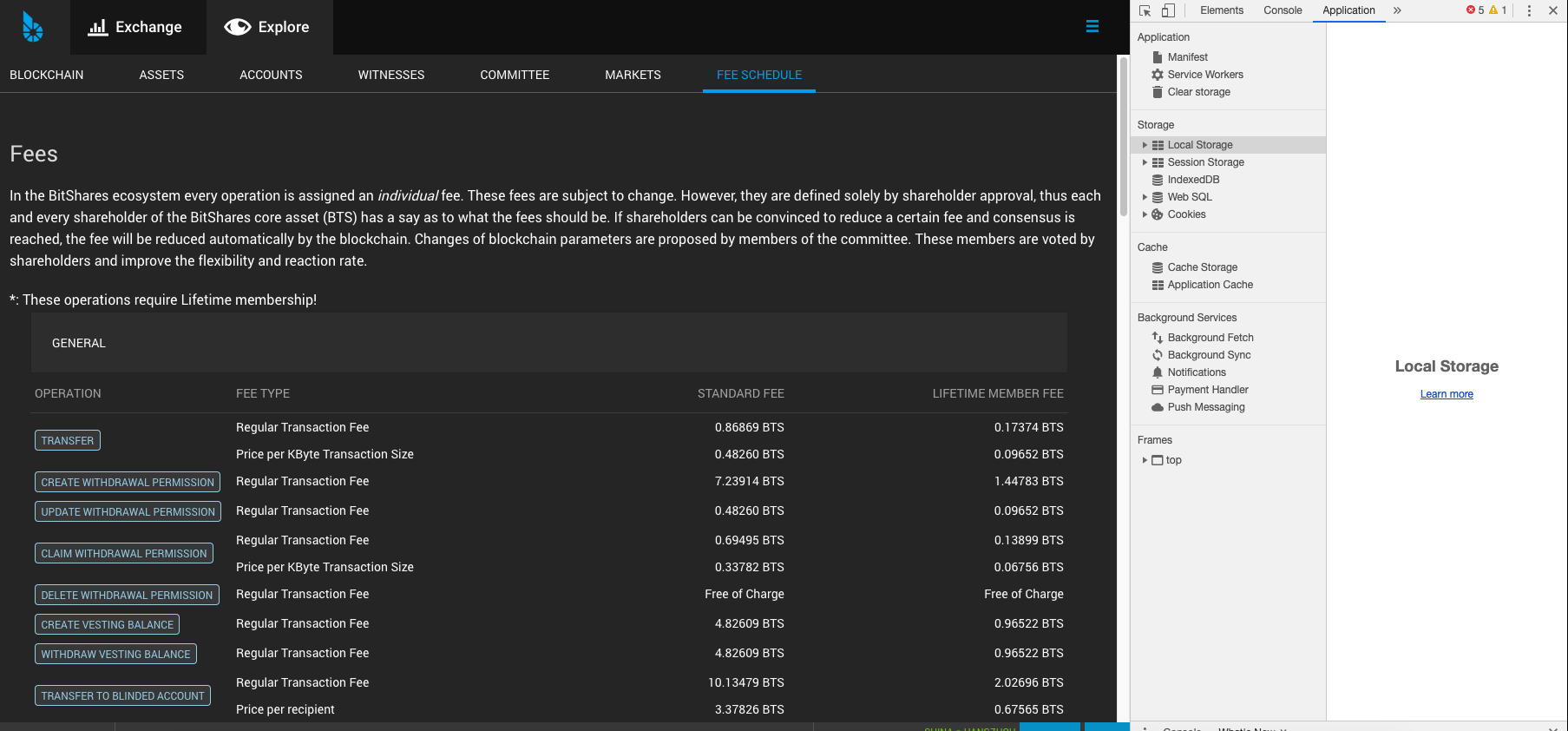
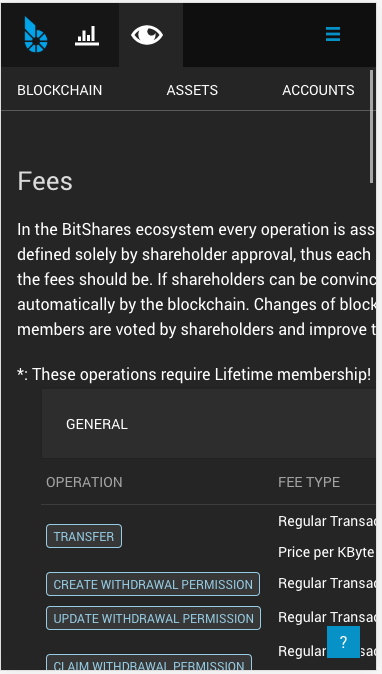
The navigation bar under the Explore menu is too long, and the rightmost option is hidden when the screen is zoomed out
**To Reproduce**
Steps to reproduce the behavior:
1. Go to 'https://develop.bitshares.org/#/explorer/blocks'
2. Click on ''
3. Scroll down to '....'
4. See error
**Expected behavior**
When the screen is zoomed out, scroll buttons are added to the left and right of the navigation bar.
**Screenshots**
If applicable, add screenshots to help explain your [problem.]
**Desktop (please complete the following information):**
- OS: [macOs]
- Browser [Google Chrome the latest version of]
- Version [3.1.190618-rc1]
**Smartphone (please complete the following information):**
- Device: [android/iPhone8]
- OS: [e.g. iOS8.1]
- Browser [Google Chrome]
- Version [3.1.190618-rc1]
**Additional context**
Add any other context about the problem here.
Contributor guide
Research direction
Start at https://develop.bitshares.org/#/explorer/blocks and inspect the navigation bar under the Explore menu at reduced browser zoom. Reproduce the hidden rightmost option, then verify that left and right scroll buttons appear and allow every navigation option to be clicked.
Written by the indexing model from the issue text.
Assessment
- Tech stack
- javascript, react
- Domain
- frontend, web-dev
- Issue type
- Bug
- Difficulty
- 3/5
- Estimated time
- 1-2 days
- Activity status
- Stale
- Clarity
- Mostly clear
- Newbie friendliness
- 35/100