bitshares / bitshares/bitshares-ui
[Wallet Redesign] Dashboard
- Dominant language
- JavaScript
- Stars
- 520
- Forks
- 575
- Avg merge
- 12h 7m
- Merged PRs (30d)
- 5
Description
# Dashboard
A Dashboard is a place where a user wants to combine all important features of the wallet and be able to access them really fast.
Examples of features users want to access fast:
- Check the balance of some asset
- Check the price of some asset
- Make deposit
- Make withdraw
- Check & Fund fee pool of some asset
The dashboard is a full-screen component with unlimited height (depending on how many widgets user put on his dashboard)
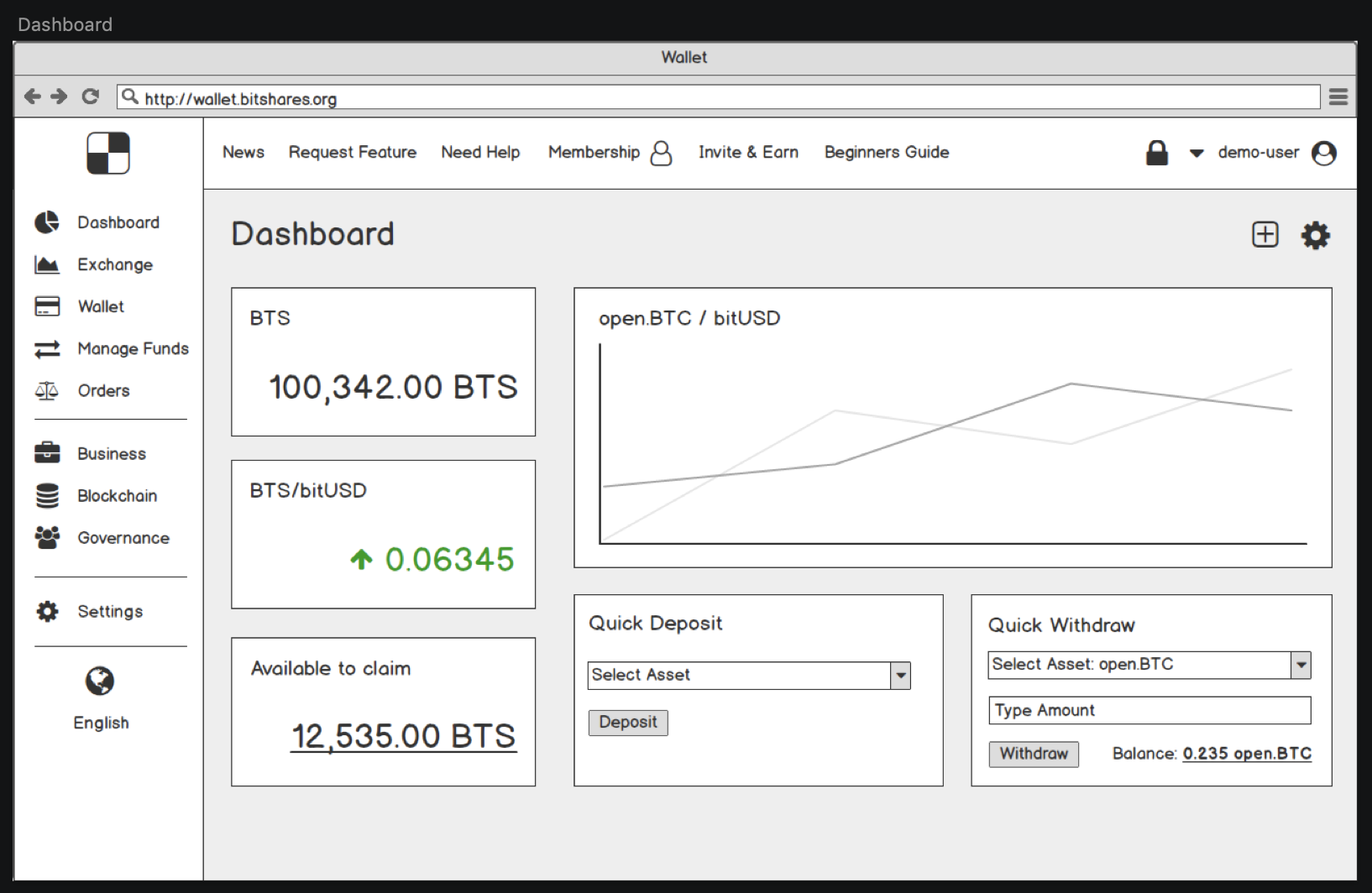
User can interact with each widget:
- Change configuration of a specific widget
- Change the position of a specific widget
- Resize the widget if it is allowed for specific widget type (it is for widgets like Price History Chart)
To interact with widget user should click on “cog” (configure) icon in the top right side of a Dashboard.
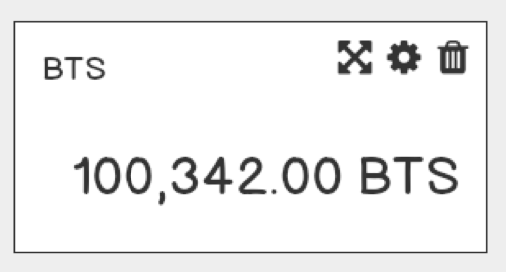
Then the user will see “tools” of each widget in the top right corner:
## Add widget
To add widget user should click on a “Add” icon in the top right corner.
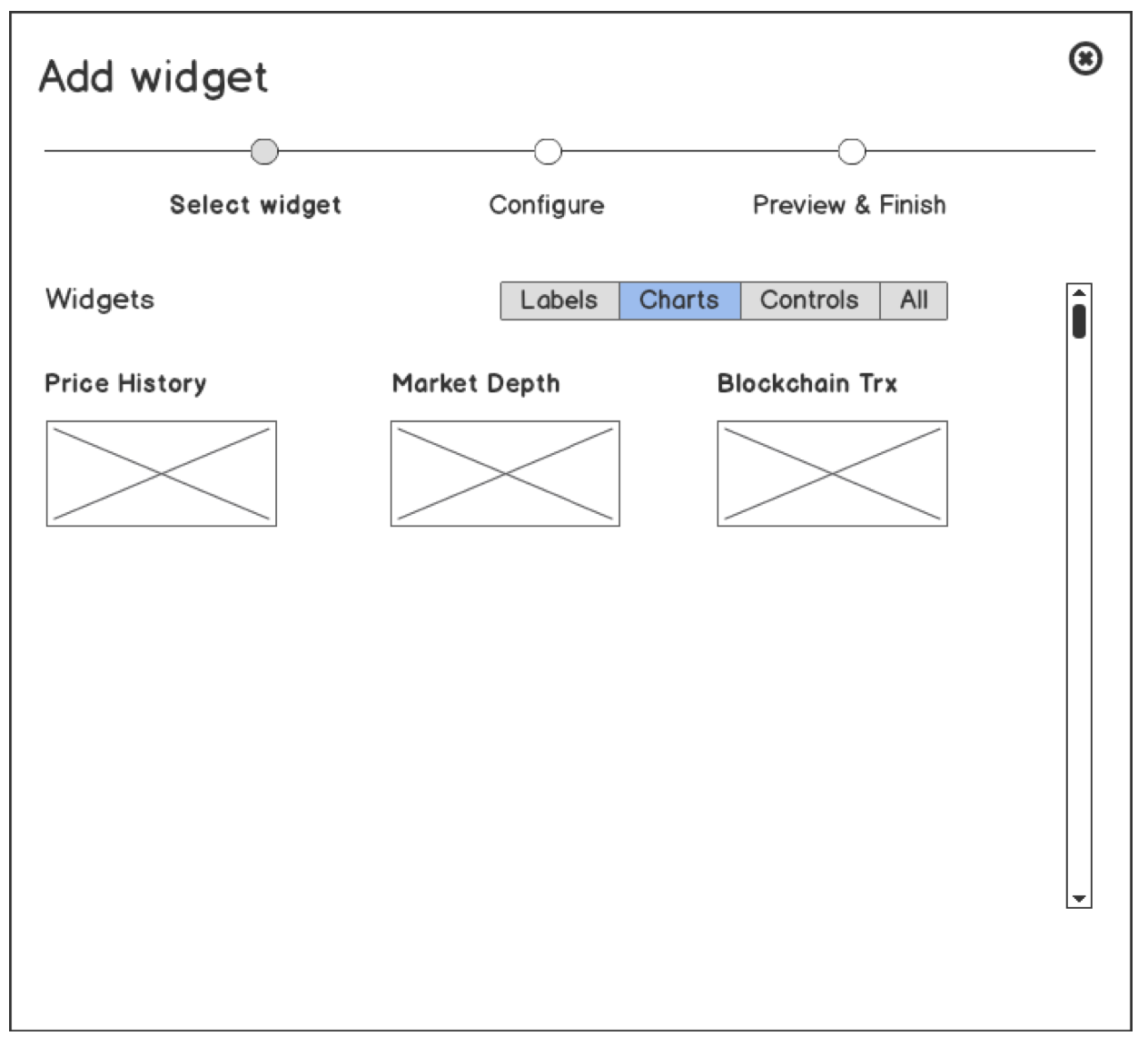
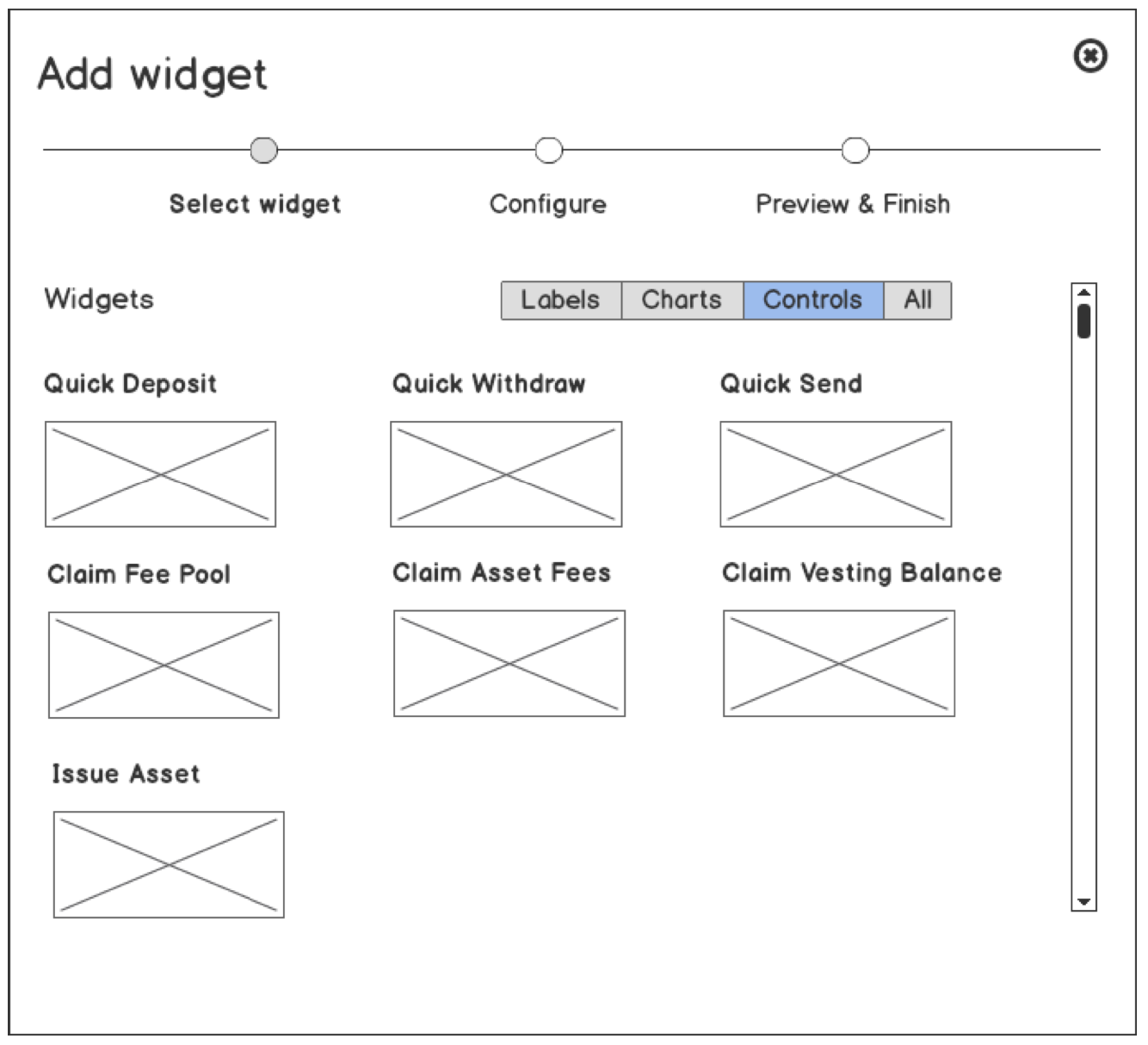
After that user will see a “Widget Add” popup:
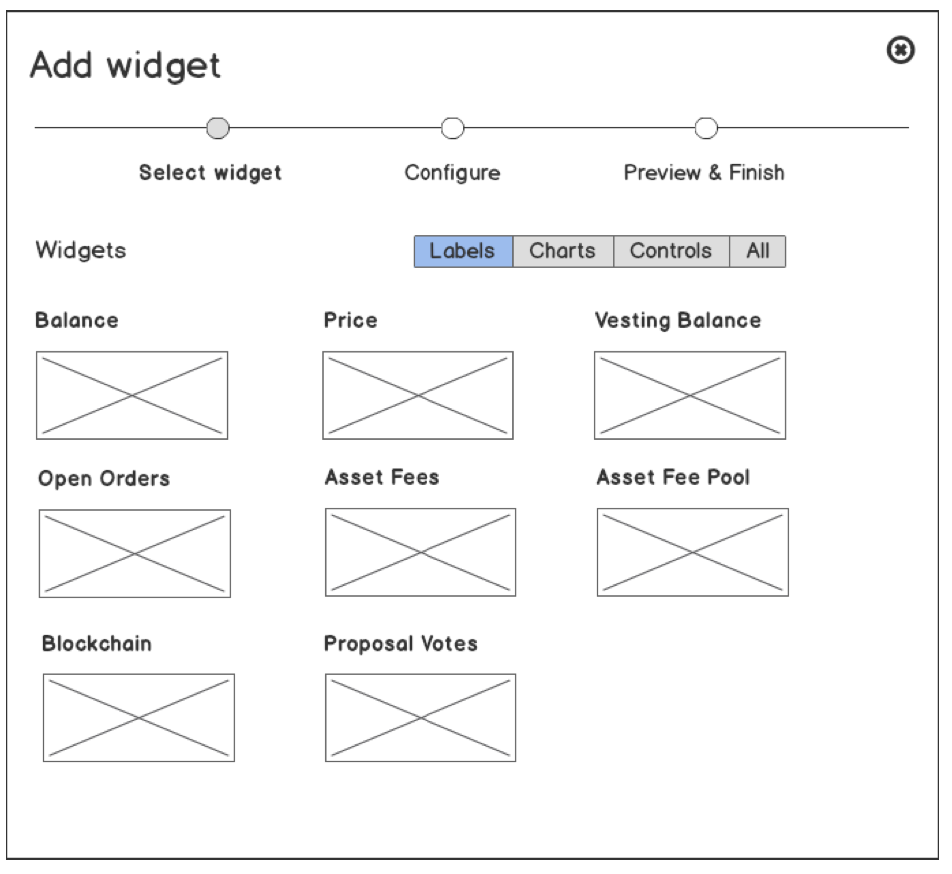
The process is split by 3 steps:
1) Select widget type
2) Select widget configuration
3) Preview & Save
Widget configuration is unique for each widget type. There is an example of configuration for “Balance” widget:
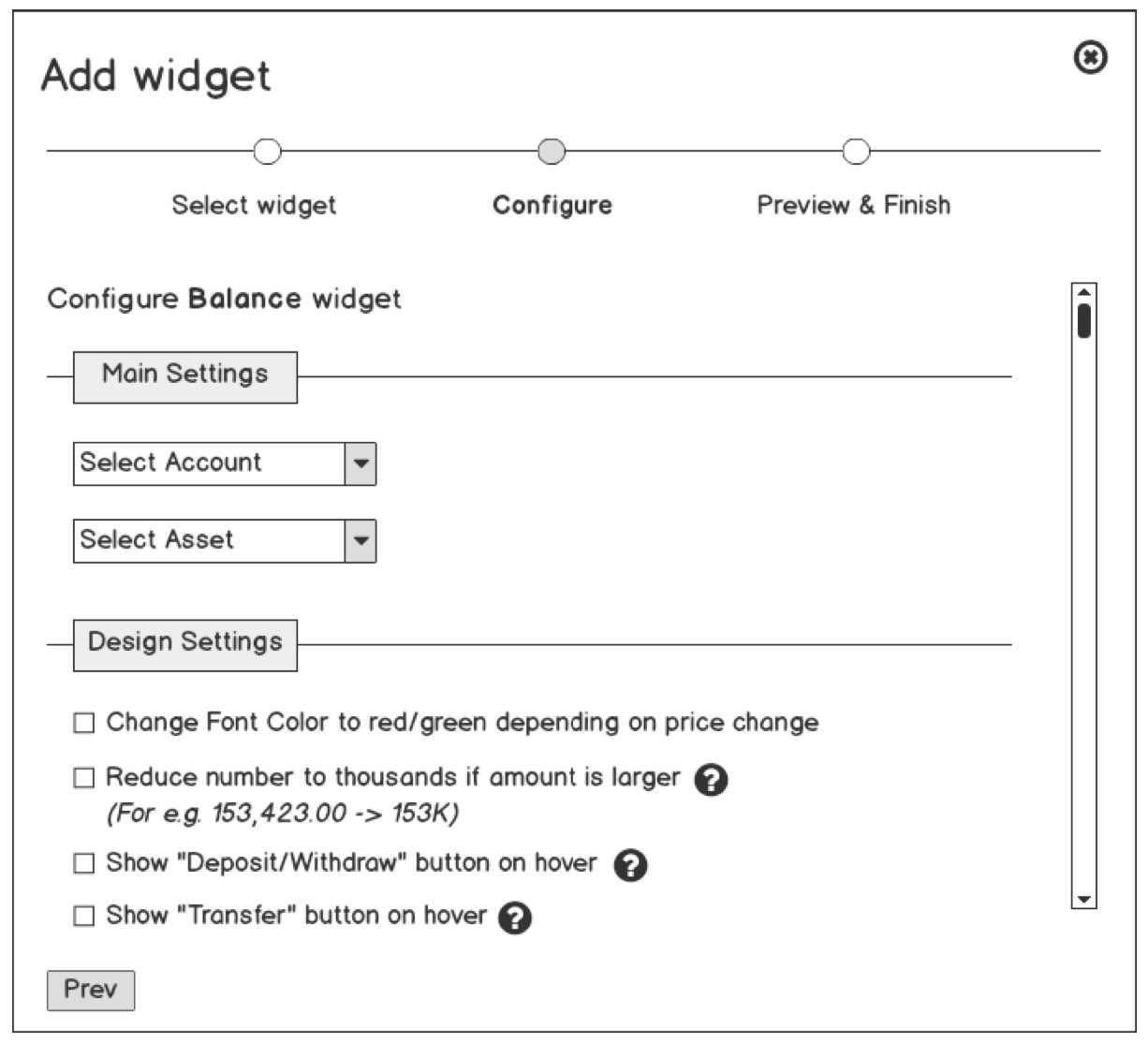
### Main Settings
- **Select Account** - the user should specify account of balance owner
- **Select Asset** - the user should specify a balance of which asset user wants to see
### Design Settings
- **Change Font Color to red/green depending on a price change** - the color of the price will be red or green depending on price changes
- **Reduce number to thousands if the amount is large** - this option will reduce long numbers to the short format. Examples:
100.32 BTS - > 100.32 BTS
1535.32 BTS -> 1.53K BTS
10535.32 BTS -> 10.53K BTS
120535.32 BTS -> 120.5K BTS
When a user does a mouse over on amount he will see the accurate value of this balance.
- **Show the “Deposit/Withdraw” button** - when the user moves the mouse over the widget the buttons like “deposit, withdraw” will appear and be clickable.
- **Show the “Send” button** - when the user moves the mouse over the widget the button “Send” will appear and be clickable. On a click on this button user will see the “Send” Modal
## Preview & Finish
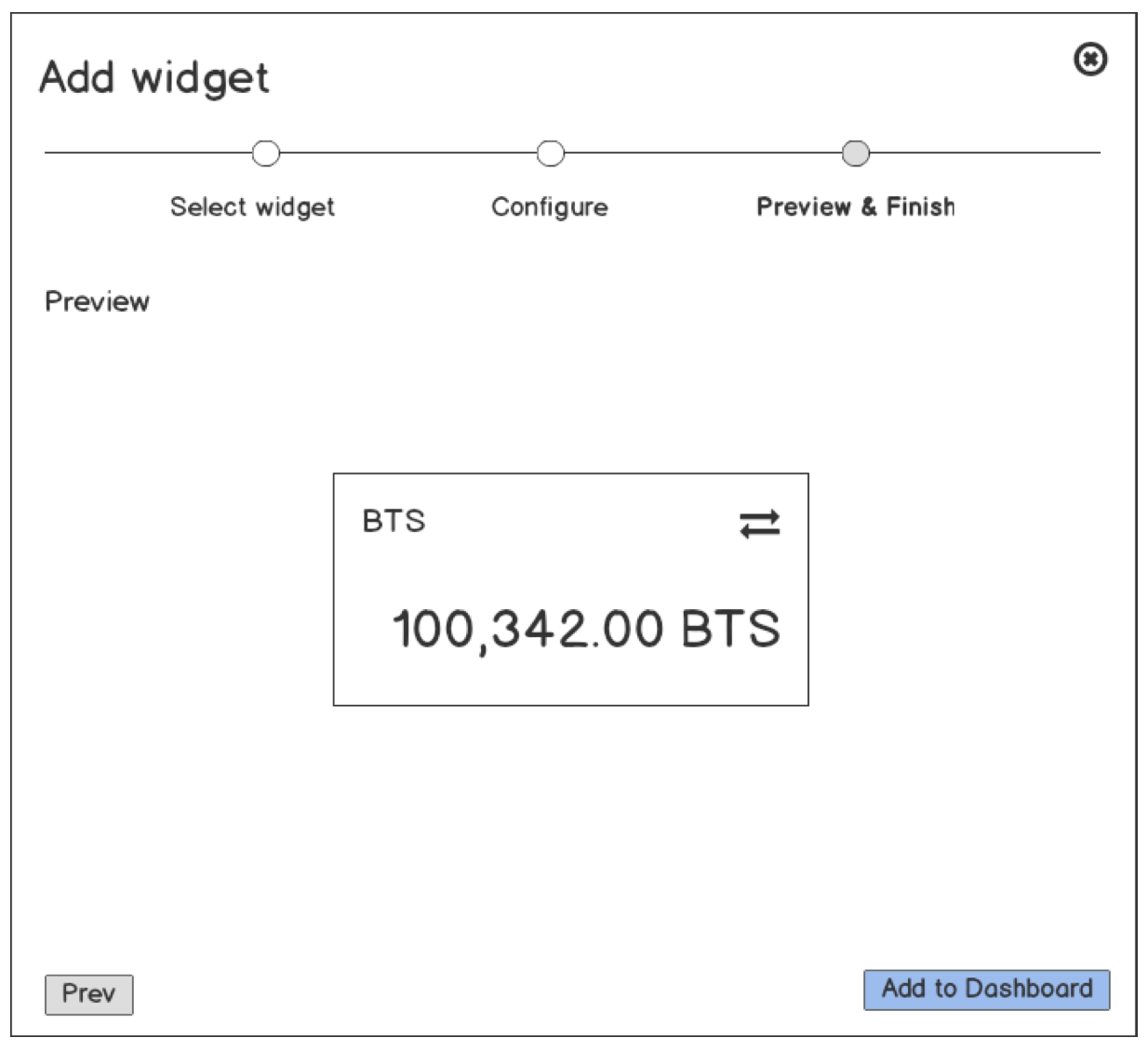
This is a pretty simple finals step. User can test his configuration and interactions with a widget.
## Widgets Groups
I would like to separate all widgets types by 3 groups:
- **Labels** - there are simple widgets which render some specific value (For e.g. balance of asset or value of fee pool)
- **Charts** - there are all kinds of charts for specific cases (For e.g. price history)
- **Controls** - there are widgets which operates with a blockchain (For e.g. “Quick Deposit” widget)
Contributor guide
Research direction
The issue names no files, tests, or entry points. Start by locating the wallet UI entry points and determining how dashboard widgets, configurations, positions, and persistence are represented. Done would require the described dashboard, widget-add flow, configuration, preview, and widget interactions.
Written by the indexing model from the issue text.
Assessment
- Tech stack
- javascript
- Domain
- blockchain, frontend
- Issue type
- Feature
- Difficulty
- 5/5
- Estimated time
- Over a week
- Activity status
- Stale
- Clarity
- Needs clarification
- Newbie friendliness
- 15/100