Autocomplete menu height can't extend below control panel height
- Dominant language
- JavaScript
- Stars
- 56
- Forks
- 32
- PR merge metrics
- No merged PRs in 30d
Description
This (along with #445) was something I noticed while testing #433 that ... turns out that it's already a problem in the main version of Empress. So it isn't strictly related to #433, I guess.
Basically, when the control panel `
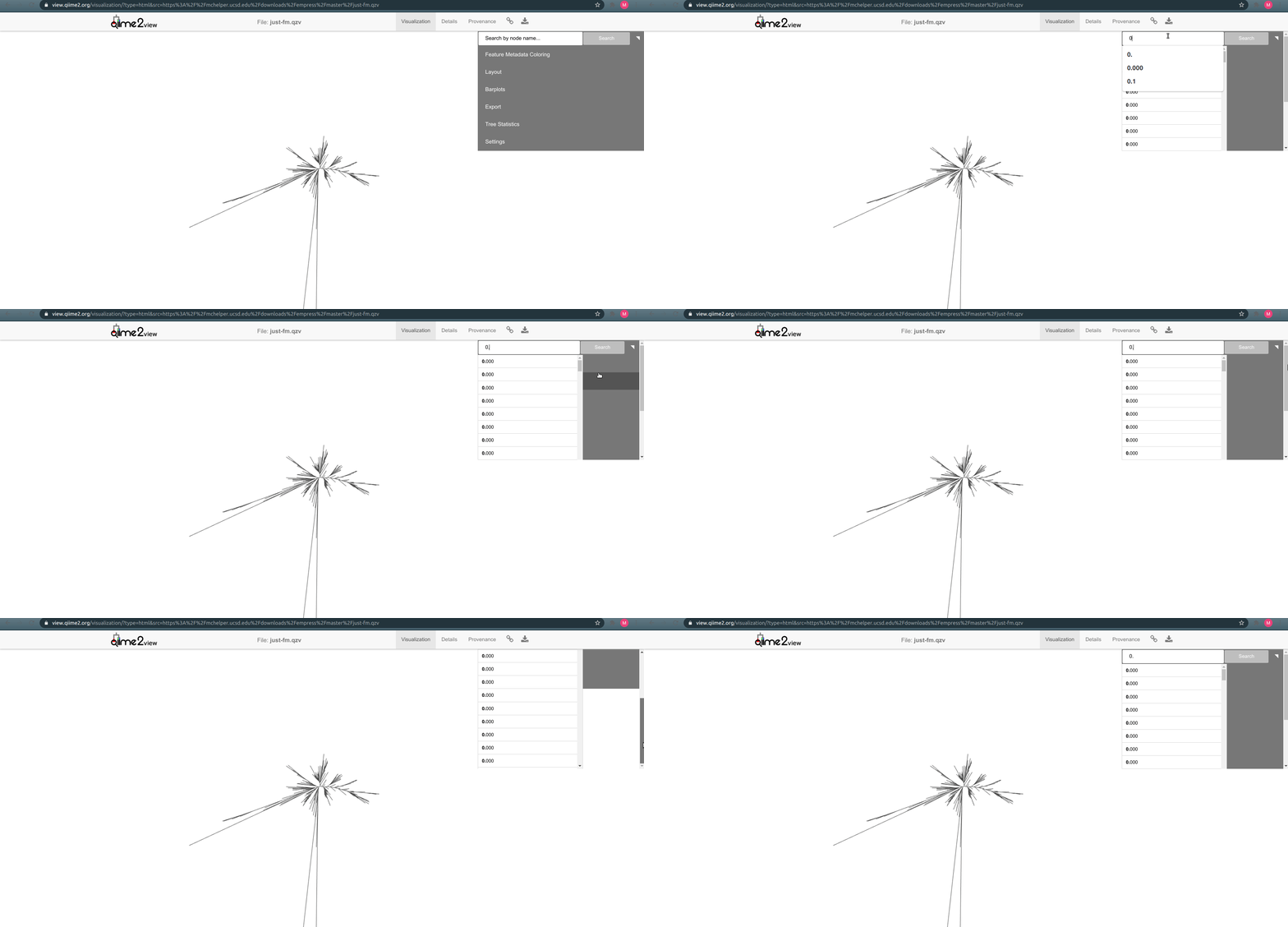
I think the expected behavior here should be modifying things so that the autocomplete menu can clearly extend below the control panel, arbitrarily low on the screen (since it has its own scroll bar already, even if it would go beyond the bottom of the screen that should still be ok).
I think this would be solvable through some CSS magic (maybe by restructuring things so that the autocomplete UI elements are not contained within the control panel, and are positioned absolutely? Not too familiar with the code here.) This is also pretty low priority, I guess, but would be good to address.
Contributor guide
Research direction
No source file or test is named. Start by locating the control panel div and autocomplete UI, then reproduce the short-panel case described in the issue; done means the autocomplete menu remains visible below the panel, with its own scrollbar and without the extra control-panel scrollbar.
Written by the indexing model from the issue text.
Assessment
- Tech stack
- css, javascript
- Domain
- frontend
- Issue type
- Bug
- Difficulty
- 3/5
- Estimated time
- 1-2 days
- Activity status
- Stale
- Clarity
- Mostly clear
- Newbie friendliness
- 35/100