ClearColor set to full BLACK covers whole window, full WHITE shows glitches instead of sprite
- Dominant language
- Rust
- Stars
- 48.2k
- Forks
- 4.8k
- Avg merge
- 4d 8m
- Merged PRs (30d)
- 147
Description
## Bevy version
0.9.1
## \[Optional\] Relevant system information
```ignore
`AdapterInfo { name: "Intel(R) HD Graphics 4600 (HSW GT2)", vendor: 32902, device: 1046, device_type: IntegratedGpu, driver: "Intel open-source Mesa driver", driver_info: "Mesa 21.2.6", backend: Vulkan }`
```
(I also have a discrete GPU but couldn't find a way to make it recognize by Bevy)
Dependency testing:
- [`wgpu`](https://github.com/gfx-rs/wgpu) for rendering problems
$ cargo nextest run --no-fail-fast
```
1 failed test:
FAIL [ 3.726s] wgpu::example/msaa-line msaa_line
test result: FAILED. 0 passed; 1 failed; 0 ignored; 0 measured; 0 filtered out; finished in 3.70s
...
--- STDERR: wgpu::example/msaa-line msaa_line ---
MESA-INTEL: warning: Haswell Vulkan support is incomplete
thread 'msaa_line' panicked at 'Image data mismatch! Outlier count 77230 over limit 65536. Max difference 255', wgpu/examples/msaa-line/../../tests/common/image.rs:134:13
note: run with `RUST_BACKTRACE=1` environment variable to display a backtrace
thread 'msaa_line' panicked at 'UNEXPECTED TEST FAILURE DUE TO PANIC', wgpu/examples/msaa-line/../../tests/common/mod.rs:307:9
...
Summary [ 6.416s] 56 tests run: 55 passed, 1 failed, 0 skipped
FAIL [ 3.726s] wgpu::example/msaa-line msaa_line
```
$ cargo run --bin wgpu-info -- cargo nextest run --no-fail-fast
failed on linking, so I don't have test results for this one, unfortunately.
## What you did
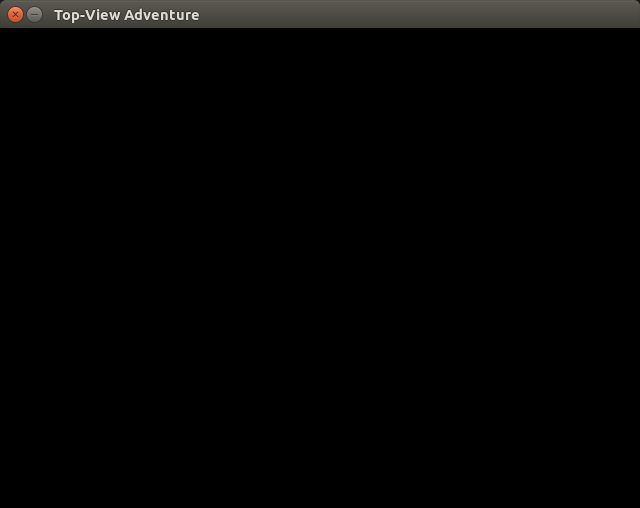
I wanted to use pure BLACK or WHITE for my ClearColor (either the global one, or via ClearColorConfig), but it leads to either full pitch black with no sprites shown, or almost full white with graphical glitches apparently showing stripes on my moving sprite in a super downscale (I can see it because it moves when I try to move the sprite with keyboard arrows).
Other ClearColor values are fine.
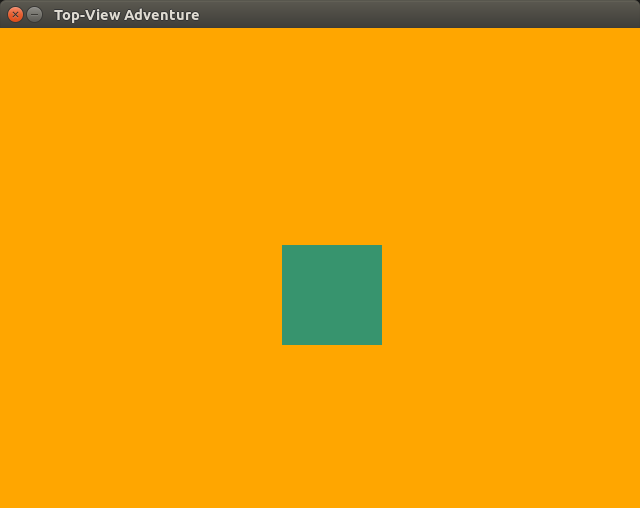
Orange: normal behaviour

## What went wrong
- what were you expecting?
Showing the green square sprite at all times
- what actually happened?
The sprite is either invisible, or shown as very small codebar-like stripes in the top-left area of the window
## Additional information
- logs
[2023-01-16 log rust info.txt](https://github.com/bevyengine/bevy/files/10426922/2023-01-16.ClearColor.set.to.full.BLACK.covers.whole.window.full.WHITE.shows.glitches.instead.of.sprite.-.log.rust.info.txt)
- theories about what might be going wrong
It may come from wgpu considering that the line test failed, I'm having a discussion on their repo see if I should report a bug on their side (basically if they think they should support my card). That said, Only the line test failed, and I think sprites are about quad/tri-drawing with texture, so I'm not sure that explains it all. Nor why BLACK/WHITE specifically fail as ClearColor, so it may also be a bevy logic issue. I'll need people with different setup to test to confirm.
- workarounds that you used
For now I just use a color very close to BLACK or WHITE but not exactly, such as (0.1, 0.1, 0.1).
I'd also like to enable my GPU but I'm not sure how use another Adapter.
- links to related bugs, PRs or discussions
I will link to the wgpu bug report if I eventually open one.
- project repro
Setting a ClearColor should be trivial, but if you need it, I can upload my project too. It uses an orthographic camera and renders a square sprite that moves when pressing arrow keys.
Contributor guide
Assessment
This issue has not been assessed yet.