Gltf Materials exported not that well in 0.9.0
- Dominant language
- Rust
- Stars
- 48.2k
- Forks
- 4.8k
- Avg merge
- 3d 16h
- Merged PRs (30d)
- 171
Description
## Bevy version
bevy = { version = "0.9.0", features=["jpeg"] }
## \[Optional\] Relevant system information
latest everything
If your bug is rendering-related, copy the adapter info that appears when you run Bevy.
2022-11-25T14:34:10.304264Z INFO bevy_render::renderer: AdapterInfo { name: "NVIDIA GeForce RTX 3090", vendor: 4318, device: 8708, device_type: DiscreteGpu, driver: "NVIDIA", driver_info: "526.98", backend: Vulkan }
2022-11-25T14:34:10.891988Z INFO bevy_rapier3d::render::lines: Loaded 3d debug lines plugin.
## What you did
Create a new plane in Blender.
Add a texture as the color,
change metallic to 0, lower specular a lot, increase roughness
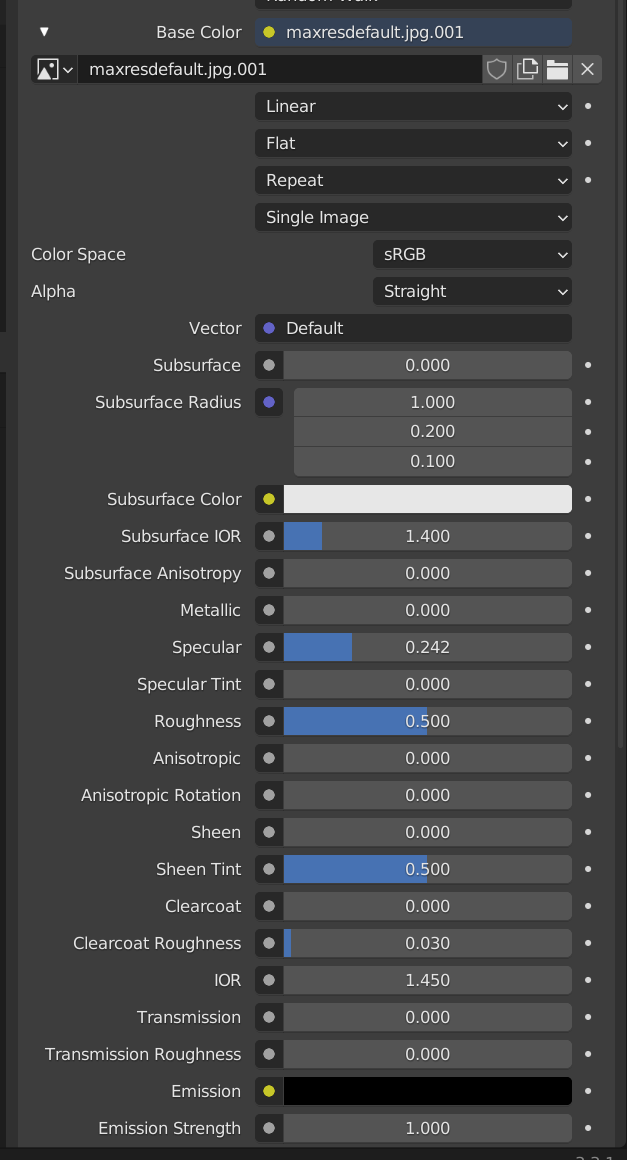
export as gltf embedded
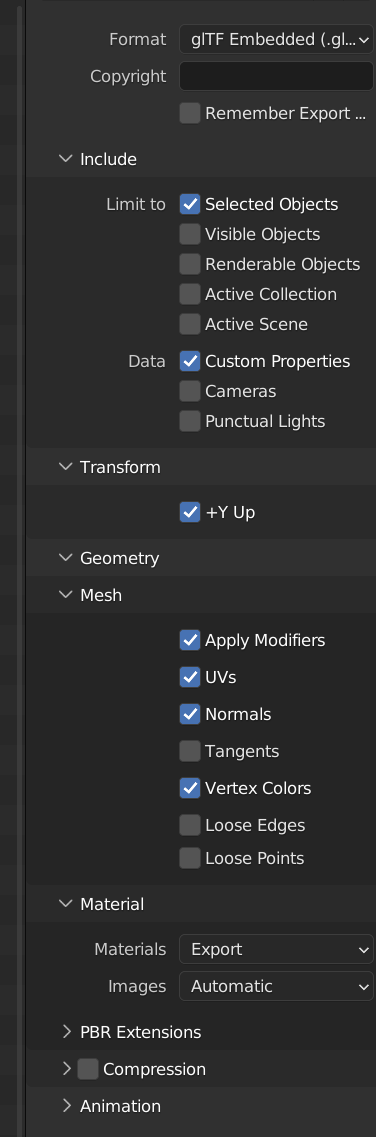
## What went wrong
If it's not clear, break this out into:
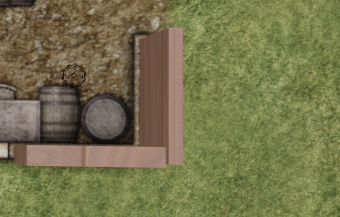
- what were you expecting?
Same roughness & pbr attrbs applied in bevy, see blender image
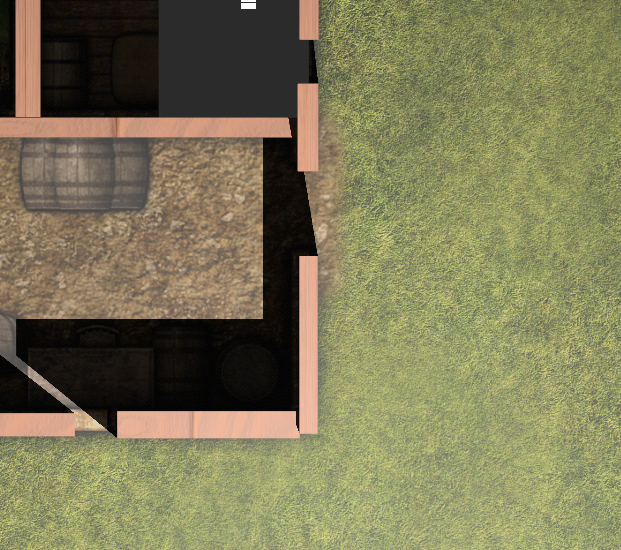
- what actually happened?
High reflectance and not the right roughness & metalicness. Metalic and reflectance should be 0.
## Additional information
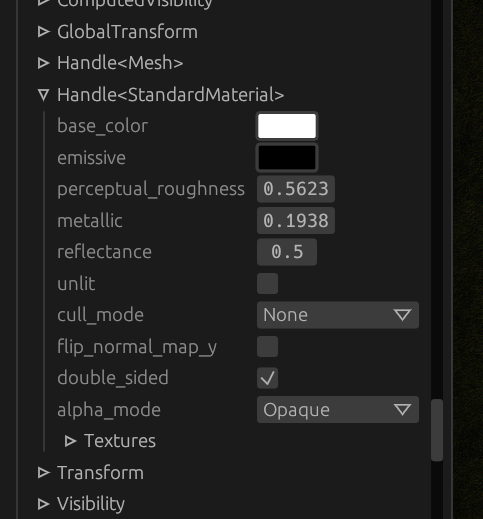
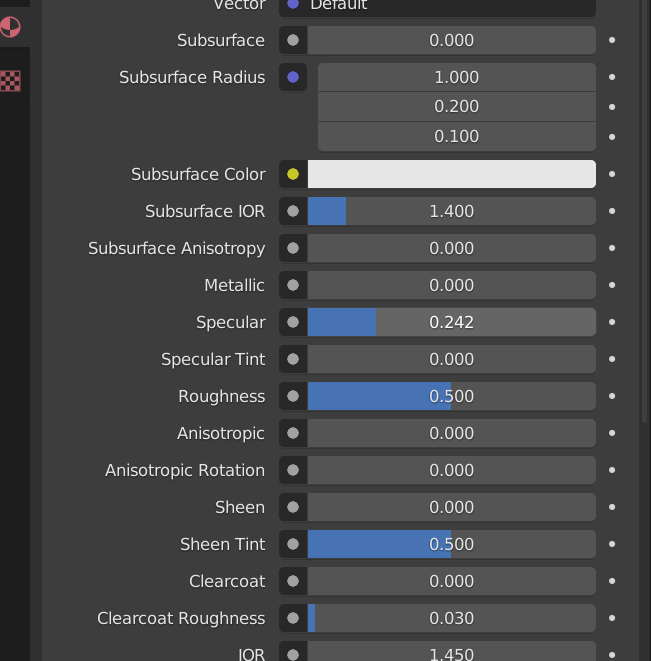
Contributor guide
Research direction
Start by reproducing the embedded glTF export from Blender in Bevy 0.9.0 and compare its metallic, roughness, and reflectance values with Blender's material settings. Locate the glTF material import path and its related tests, then verify that the imported material matches the reported Blender values.
Written by the indexing model from the issue text.
Assessment
- Tech stack
- rust
- Domain
- computer-graphics, game-dev
- Issue type
- Bug
- Difficulty
- 4/5
- Estimated time
- 3-5 days
- Activity status
- Stale
- Clarity
- Mostly clear
- Newbie friendliness
- 35/100