Premultiplied alpha sprites do not blend correctly
- Dominant language
- Rust
- Stars
- 48.2k
- Forks
- 4.8k
- Avg merge
- 3d 22h
- Merged PRs (30d)
- 161
Description
## Bevy version
0.8.1
## What you did
I've been working on bringing the [Spine](http://esotericsoftware.com/) runtime to Bevy and one of the export options is "Premultiplied Alpha." This is a common rendering technique to solve sampling issues, especially when resizing sprites at runtime. The only requirement to work with premultiplied sprites is to change the blend mode. There's a blend mode [exported by Bevy](https://docs.rs/bevy/0.8.1/bevy/render/render_resource/struct.BlendState.html#associatedconstant.PREMULTIPLIED_ALPHA_BLENDING) for this exact thing.
## What went wrong
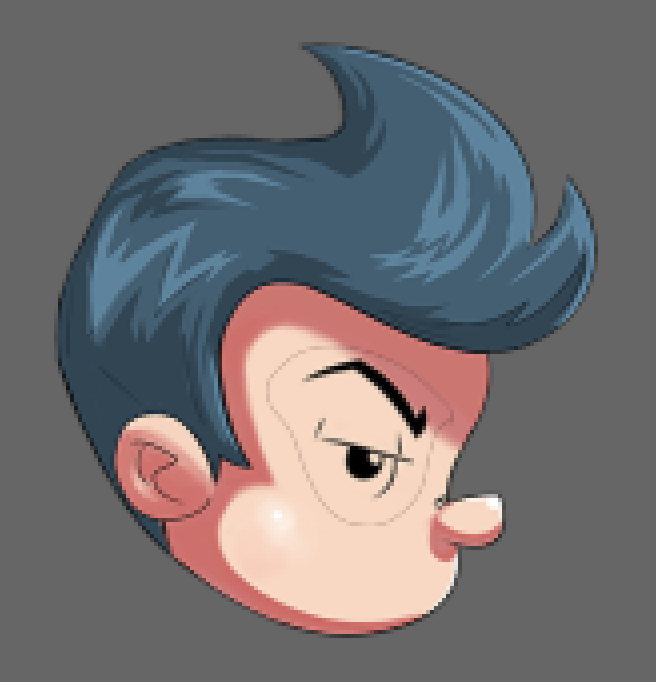
The blending is not applied correctly. It is particularly noticeable when overlapping the same color, as a black outline appears. In the screenshot below, the eye is a separate sprite rendered on top of the head.
## Additional information
I have created an [example repo](https://github.com/jabuwu/bevy_pma) which not only demonstrates the problem, but also shows a workaround, which might help narrow down the cause.
The workaround is [a correction shader](https://github.com/jabuwu/bevy_pma/blob/main/assets/corrected.wgsl) which converts the texture into nonlinear space, undoes the premultiplied alpha, converts back to linear space, and multiplies the alpha again.
I've also created [an image generation function](https://github.com/jabuwu/bevy_pma/blob/main/src/image_gen.rs#L14) which can apply premultiplication in either SRGB space or Linear space. Bevy correctly renders a sprite that is premultiplied in linear space, but not in SRGB space.
I've tested these sprites in Unity and a simple webgl example ([which I've included in the repo](https://github.com/jabuwu/bevy_pma/tree/main/html)), and Bevy behaves differently than both of them. Note that the html example does set a "premultipliedAlpha" option to true, but this is only so that it can blend with the background, and setting this to false does not affect how the spineboy sprites blend with each other.
All of this seems to suggest to me that the alpha channel of the images are being changed when imported by Bevy. I tried looking into this myself but haven't been able to track down the problem yet.
Contributor guide
Assessment
This issue has not been assessed yet.