关于语音转换Voice Conversion(PPG based)中的ppg2mel.yaml修改里面的地址指向预训练好的文件夹
- Dominant language
- Python
- Stars
- 36.9k
- Forks
- 5.2k
- PR merge metrics
- No merged PRs in 30d
Description
**Summary[问题简述(一句话)]**
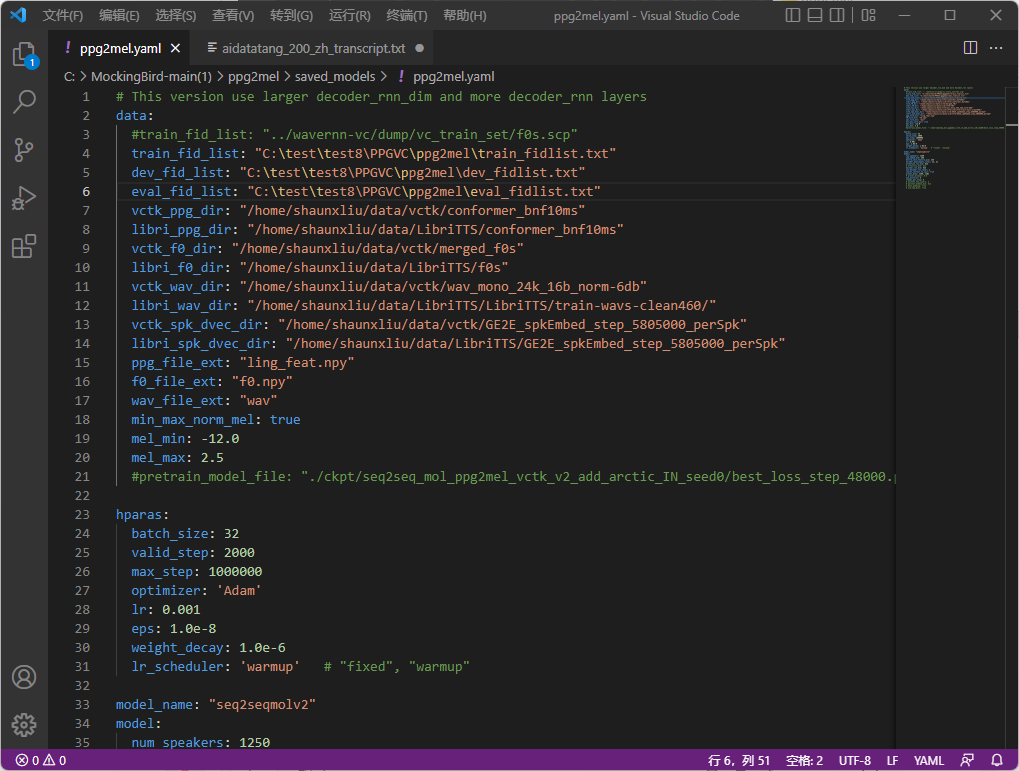
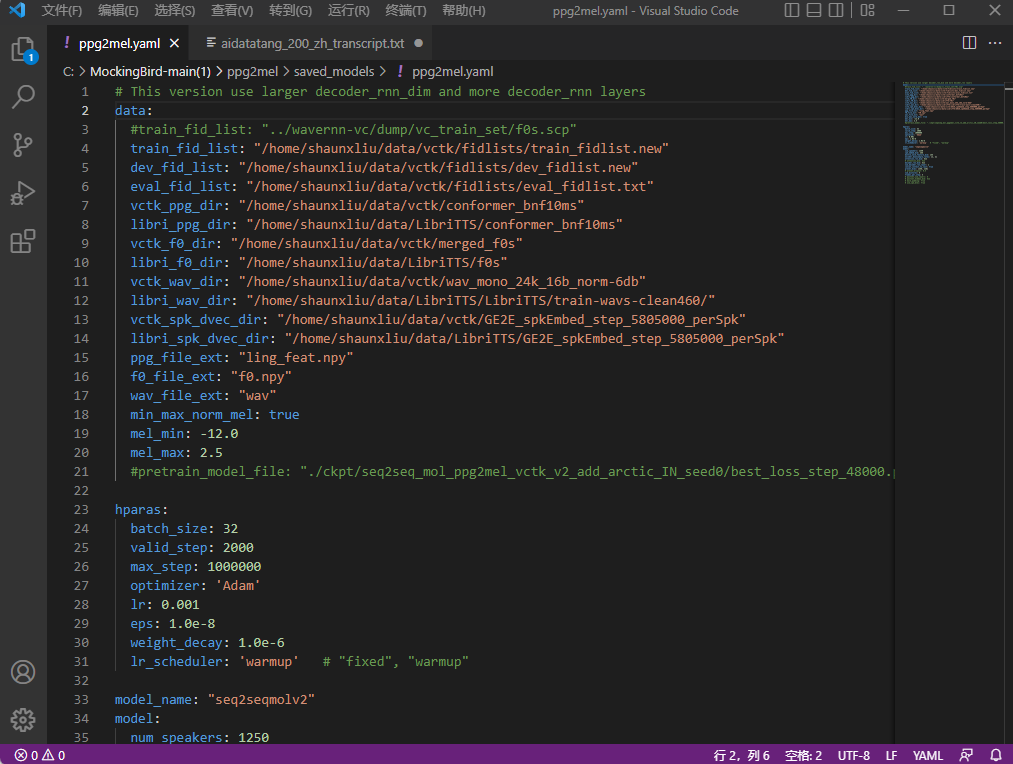
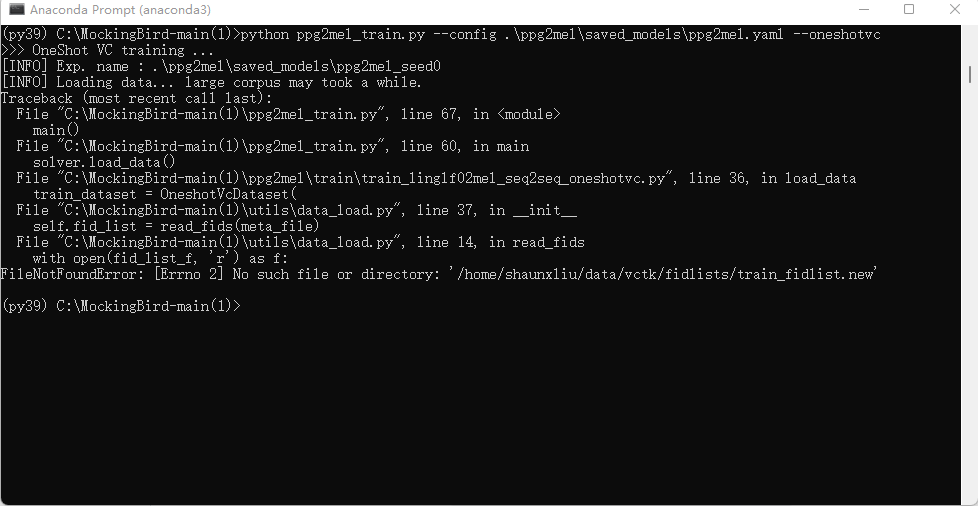
原文件似乎是为linux环境创建的,没有说明如何在windows下修改地址,请教一下如何在windows下修改ppg2mel.yaml文件里的地址,有好多文件我并没有在预处理后文件夹中找到
**Env & To Reproduce[复现与环境]**
环境:windows11,anaconda:python3.9.12
数据集文件夹:C:\test\test8\aidatatang_200zh
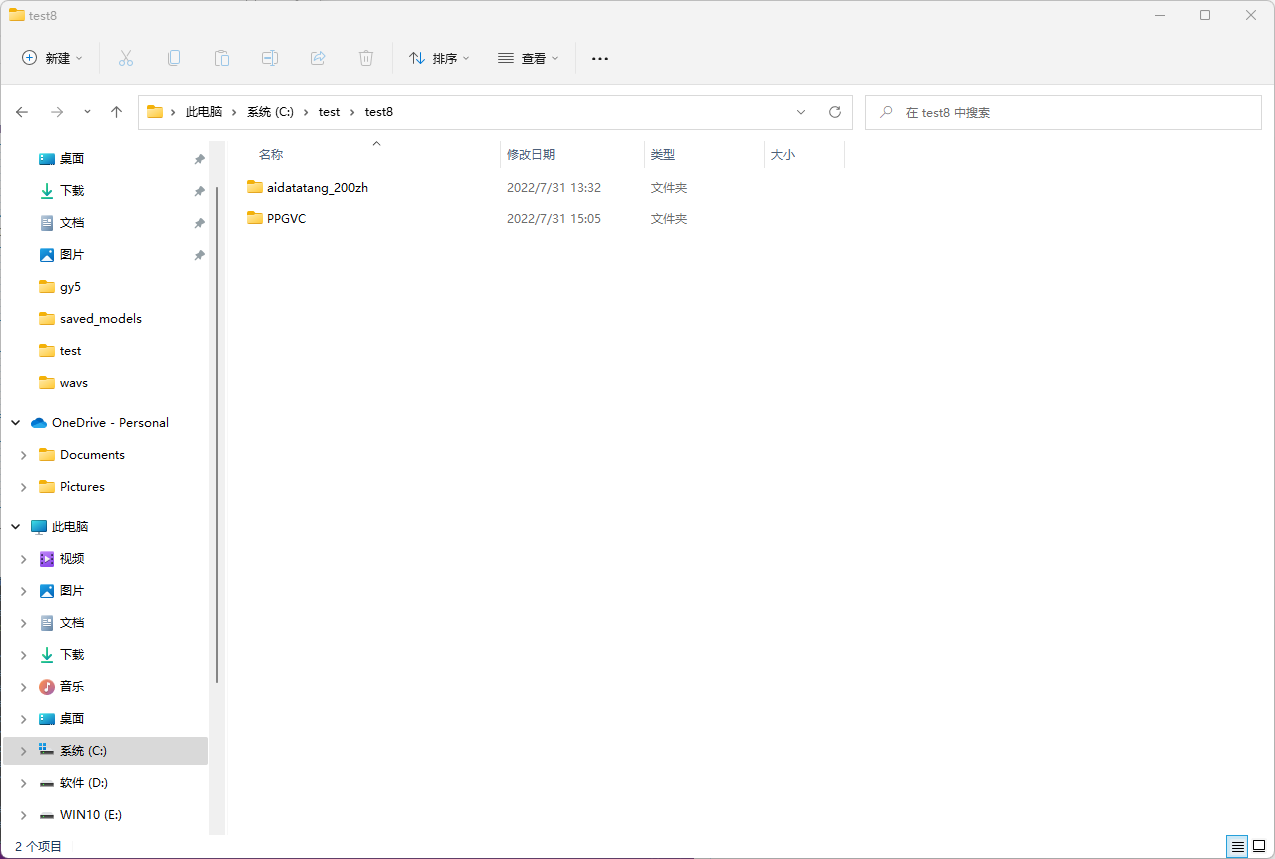
预处理生成文件夹:C:\test\test8\PPGVC\ppg2mel
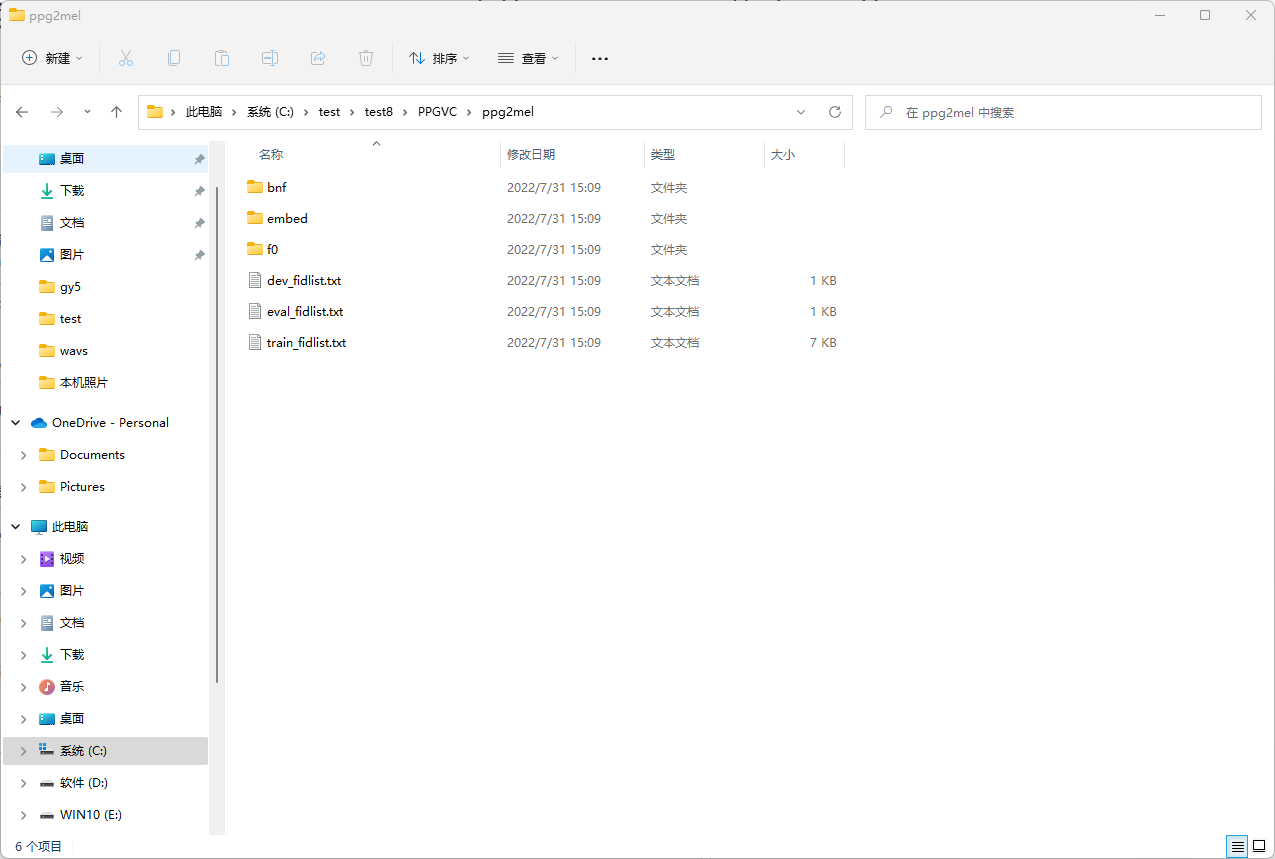
我只能在预训练生成文件夹里找到原文件4,5,6行的同名的文件,这么修改对不对?剩下的7-14行怎么修改?
**Screenshots[截图(如有)]**
直接运行报错
Contributor guide
No contributing guide indexed for this repository
Research direction
Start with ppg2mel.yaml and compare its referenced paths with the preprocessing output at C:\test\test8\PPGVC\ppg2mel and the dataset at C:\test\test8\aidatatang_200zh. Run the configuration on Windows and inspect the reported error, checking which referenced files are missing. Done means the paths are documented or corrected so the command runs without the shown error.
Written by the indexing model from the issue text.
Assessment
- Tech stack
- python
- Domain
- machine-learning
- Issue type
- Bug
- Difficulty
- 4/5
- Estimated time
- 3-5 days
- Activity status
- Stale
- Clarity
- Needs clarification
- Newbie friendliness
- 25/100