[v2] invalid grant when doing sso login
- Dominant language
- Python
- Stars
- 17.3k
- Forks
- 4.6k
- Avg merge
- 1d 2h
- Merged PRs (30d)
- 13
Description
Here's what I do and what happens:
OS: Ubuntu 19 with chrome as default browser. aws cli version `aws-cli/2.0.2 Python/3.7.3 Linux/5.3.0-40-generic botocore/2.0.0dev6`
I wipe the `~/.aws` folder.
Chrome is open, and I'm logged in to my landing page ('https://.awsapps.com/start#/'
I run `aws configure sso --profile platform-nonprod`, get prompted for start url (I copy in the open url from Chrome) and region (`eu-central-1`).
the aws cli opens a new chrome tab, and after 1 or 2 redirects, I get prompted to "Sign in to AWS CLI". Once I hit that button, I get this:
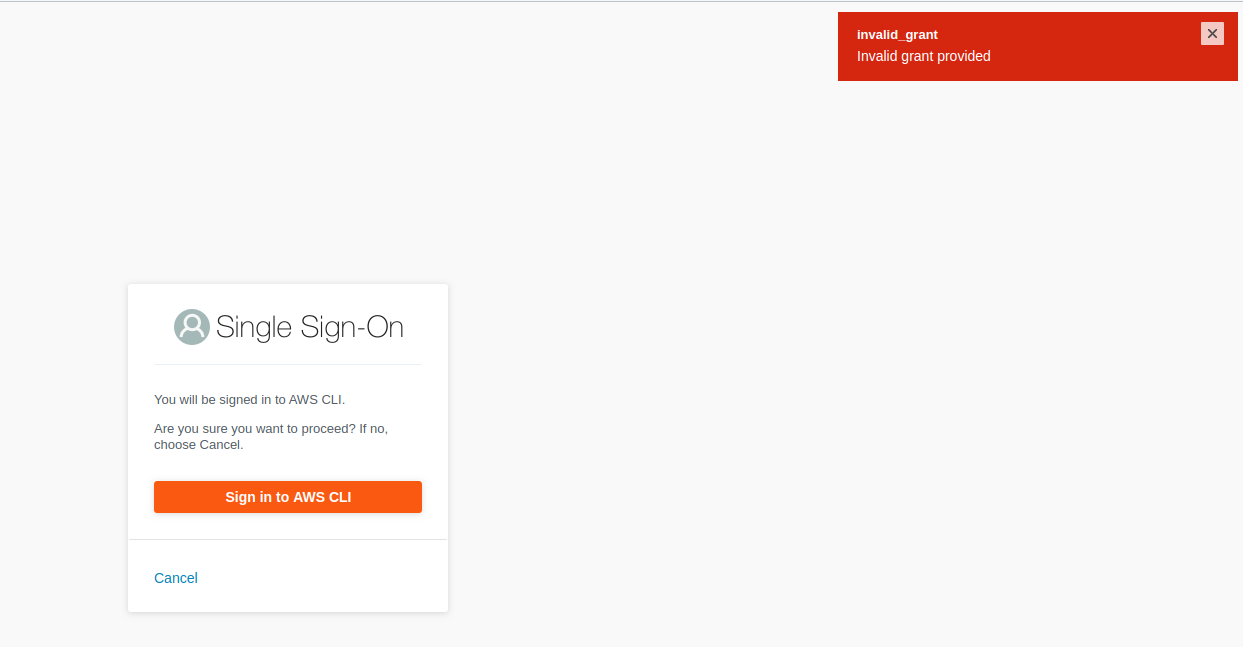
According to chrome dev tools, this is the url that fails:
`https://oidc.eu-west-1.amazonaws.com/device_authorization/associate_token`, which returns a HTTP 400 with this payload: `{"error":"invalid_grant","error_description":"Invalid grant provided"}`
The same thing happens if I use another browser:
`BROWSER=brave aws configure sso --profile myprofile`
All in all, I'm unable to use sso from aws cli v2.
Contributor guide
Assessment
This issue has not been assessed yet.