aws-amplify / aws-amplify/amplify-studio
Responsive layout menu bar is off with screen widths <= 768 pixels
- Dominant language
- No language data
- Stars
- 135
- Forks
- 32
- PR merge metrics
- No merged PRs in 30d
Description
### Before opening, please confirm:
- [X] I have [searched for duplicate or closed issues](https://github.com/aws-amplify/amplify-adminui/issues?q=is%3Aissue+).
- [X] I have read the guide for [submitting bug reports](https://github.com/aws-amplify/amplify-adminui/blob/main/CONTRIBUTING.md#bug-reports).
- [X] I have done my best to include a minimal, self-contained set of instructions for consistently reproducing the issue.
- [X] I have removed any sensitive information from my code snippets and submission.
### App Id
d1b3wubw99ax6z
### Region
us-west-1
### Environment name
twitch-yt-demo
### Figma File Version (if applicable)
_No response_
### Amplify CLI Version
10.7.1
### If applicable, what version of Node.js are you using?
16.15.0
### What operating system are you using?
Mac
### Browser type?
Chrome
### Describe the bug
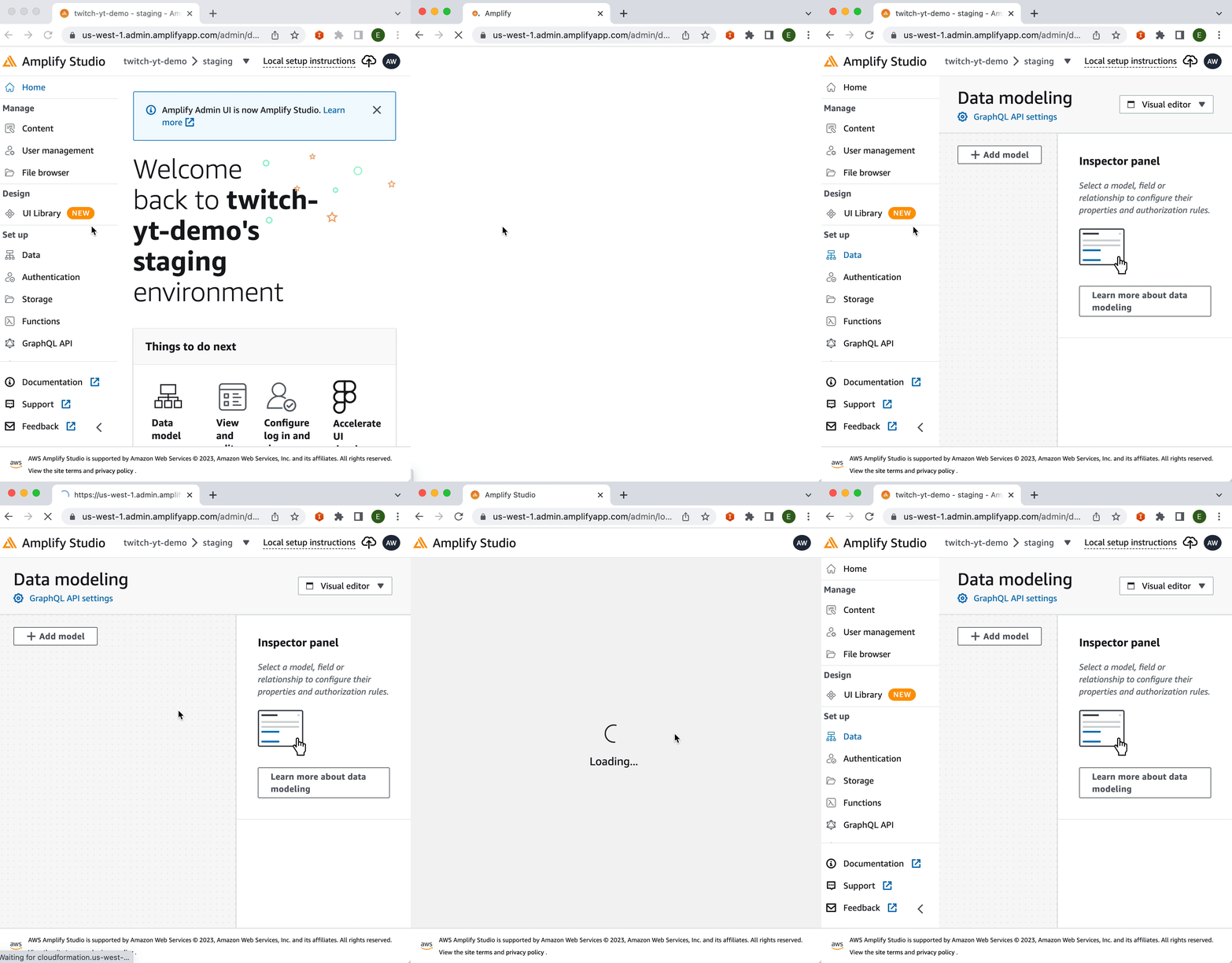
The responsive layout click detection is off.
On smaller screen sizes if I click the `UI Library` it opens up Data modeling.
### Expected behavior
Should go to UI Library
### Reproduction steps
1. Open up studio on a smaller screen, or mobile phone
2. Click UI Library button
### Project Identifier
_No response_
### Additional information
_No response_
Contributor guide
Research direction
Reproduce the issue in Studio at a viewport of 768 pixels or less, using Chrome or a mobile device, and verify that clicking UI Library opens Data modeling instead. Trace the responsive menu click handling; done means the UI Library button consistently opens UI Library at smaller widths without changing the desktop behavior.
Written by the indexing model from the issue text.
Assessment
- Domain
- frontend
- Issue type
- Bug
- Difficulty
- 3/5
- Estimated time
- 1-2 days
- Activity status
- Stale
- Clarity
- Mostly clear
- Newbie friendliness
- 35/100