aws-amplify / aws-amplify/amplify-studio
<Text does not show HTML Encoded Line Feed character correctly
- Dominant language
- No language data
- Stars
- 135
- Forks
- 32
- PR merge metrics
- No merged PRs in 30d
Description
### Before creating a new issue, please confirm:
- [X] I have [searched for duplicate or closed issues](https://github.com/aws-amplify/amplify-ui/issues?q=is%3Aissue+) and [discussions](https://github.com/aws-amplify/amplify-ui/discussions).
- [X] I have tried disabling all browser extensions or using a different browser
- [X] I have tried deleting the node_modules folder and reinstalling my dependencies
- [X] I have read the guide for [submitting bug reports](https://github.com/aws-amplify/amplify-ui/blob/main/CONTRIBUTING.md#bug-reports).
### On which framework/platform are you having an issue?
React
### Which UI component?
Other
### How is your app built?
create react app
### What browsers are you seeing the problem on?
Chrome
### Please describe your bug.
This code
```ts
```
renders this result
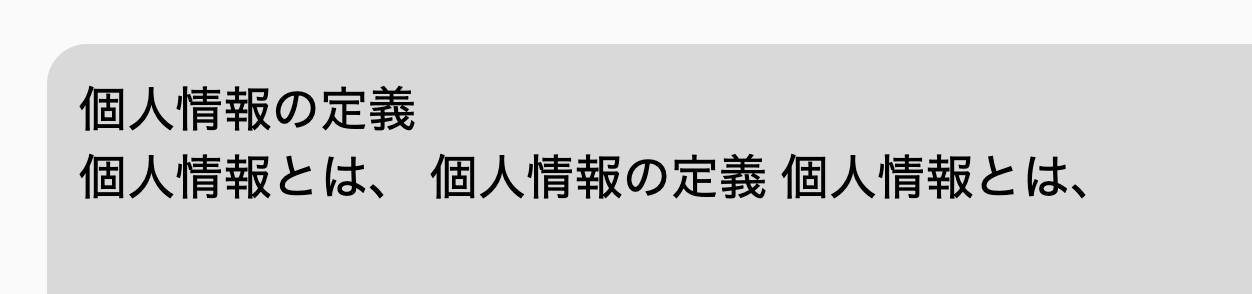
### What's the expected behaviour?
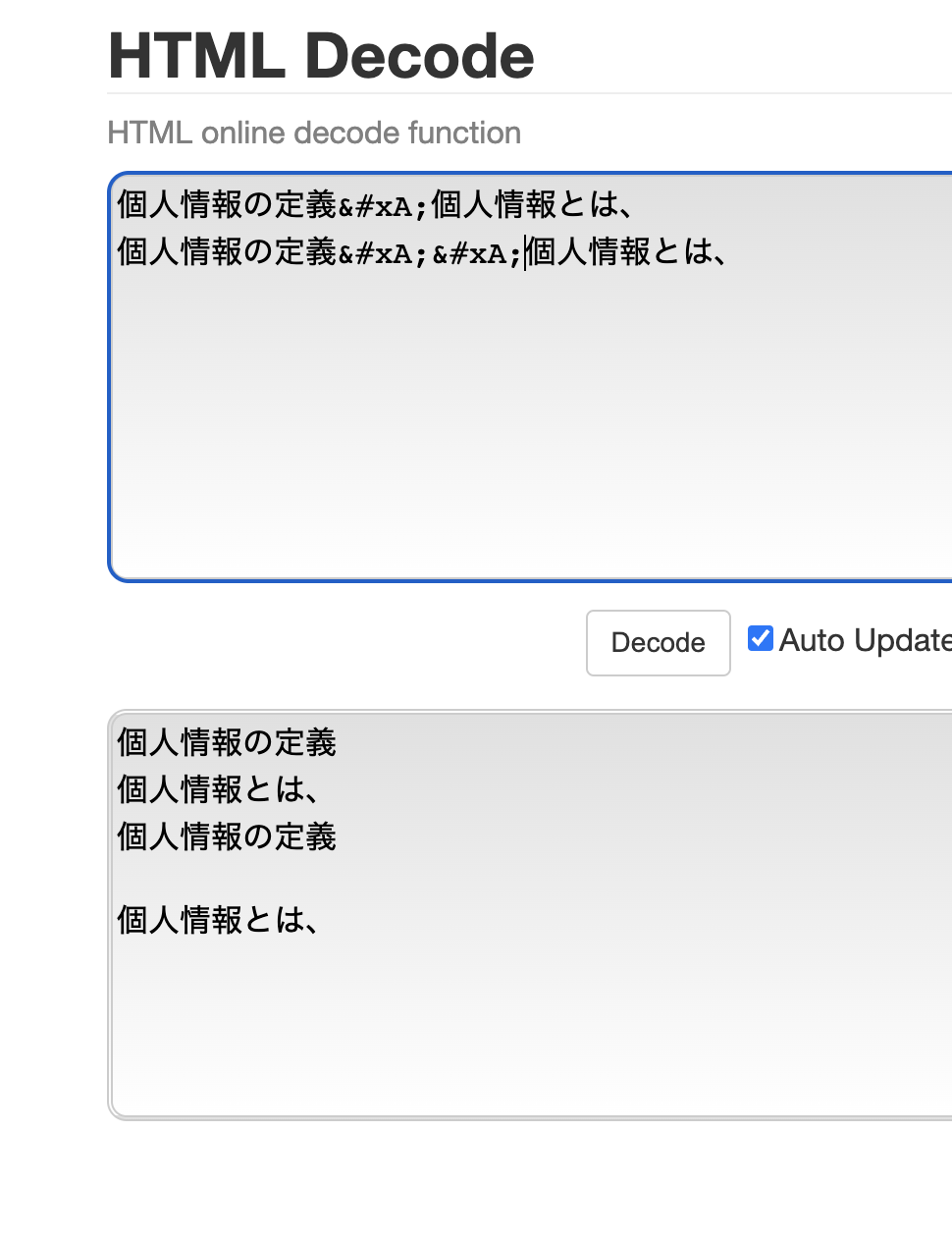
this site displays
https://emn178.github.io/online-tools/html_decode.html
### Help us reproduce the bug!
try above code specially `
` part
### Code Snippet
```typescript
// Put your code below this line.
```
### Additional information and screenshots
_No response_
Contributor guide
Research direction
Start by reproducing the provided React example in Chrome, focusing on children containing the HTML-encoded line feed character `
` and `
`. Trace how the rendered text handles those entities; done means the encoded line feeds display as line breaks while ordinary text remains unchanged.
Written by the indexing model from the issue text.
Assessment
- Tech stack
- react, typescript
- Domain
- frontend
- Issue type
- Bug
- Difficulty
- 3/5
- Estimated time
- 1-2 days
- Activity status
- Stale
- Clarity
- Mostly clear
- Newbie friendliness
- 40/100