aws-amplify / aws-amplify/amplify-studio
UI BUG - Won't be able to use material UI components in the amplify studio
- Dominant language
- No language data
- Stars
- 135
- Forks
- 32
- PR merge metrics
- No merged PRs in 30d
Description
### Before opening, please confirm:
- [X] I have [searched for duplicate or closed issues](https://github.com/aws-amplify/amplify-adminui/issues?q=is%3Aissue+).
- [X] I have read the guide for [submitting bug reports](https://github.com/aws-amplify/amplify-adminui/blob/main/CONTRIBUTING.md#bug-reports).
- [X] I have done my best to include a minimal, self-contained set of instructions for consistently reproducing the issue.
### App Id
_No response_
### Region
_No response_
### Environment name
_No response_
### Amplify CLI Version
_No response_
### If applicable, what version of Node.js are you using?
_No response_
### What operating system are you using?
_No response_
### Browser type?
_No response_
### Describe the bug
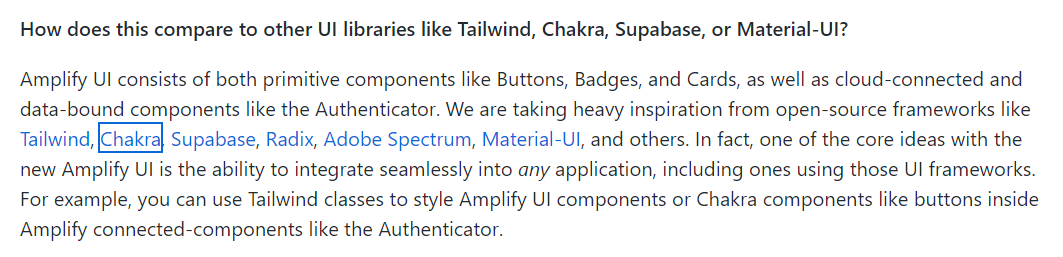
I've read a document that states that we can use material UI, chakra, tailwind, etc. in the amplify studio.
I've created one component in Figma using material UI component, But the button comes as a div in the react code, While if we use amplify primitive component react code button comes as button tag.
Below is the documentation image.
-
This is the image of UI component that I have created in Figma
-
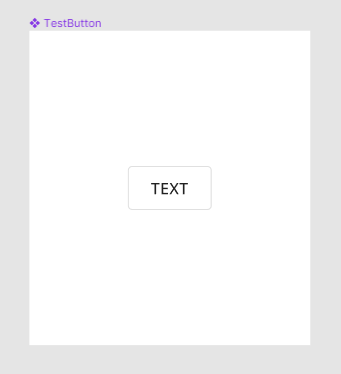
This is the output image after pushing the component in the amplify studio.
-

### Expected behavior
Material UI button component should work as primitive component.
### Reproduction steps
1. I've made one component in the Figma using material UI Figma library
2. Push this component to the amplify studio
3. Updated UI library in the amplify studio
4. Seen the react code
### Additional information
_No response_
Contributor guide
Research direction
Start with the Figma Material UI component and the Amplify Studio UI library update described in the reproduction steps, then inspect the generated React code. Done means the Material UI button is generated and functions as a button primitive rather than a div.
Written by the indexing model from the issue text.
Assessment
- Tech stack
- react
- Domain
- frontend
- Issue type
- Bug
- Difficulty
- 4/5
- Estimated time
- 3-5 days
- Activity status
- Stale
- Clarity
- Mostly clear
- Newbie friendliness
- 35/100