aws-amplify / aws-amplify/amplify-hosting
Provide build timeout information in the build logs
- Dominant language
- Dockerfile
- Stars
- 481
- Forks
- 123
- PR merge metrics
- No merged PRs in 30d
Description
**Is your feature request related to a problem? Please describe.**
Cloning Repo … Check
Backend (many minutes later) … Check
Front end (builds successfully, starts caching, uploads the 3gb cache artifact, caching completed…) Big red X
**Describe the solution you'd like**
It would be awesome if when the build fails (for whatever reason), that the log would accurately represent the reason why the build has failed.
As it is, the console tells me that the build fails, but the logs all look successful…
**Additional context**
This is the final section of my log file:
```
2020-03-13T02:15:04.157Z [INFO]: 885.37 KB build/static/js/5.61eca1b0.chunk.js
633.06 KB build/static/js/6.2a6036ef.chunk.js
2020-03-13T02:15:04.157Z [INFO]: 230.45 KB build/static/js/main.3767c890.chunk.js
82.67 KB build/static/js/7.a11f32c8.chunk.js
56.3 KB build/static/css/main.9e43b636.chunk.css
51.79 KB build/static/js/2.c7e3bec2.chunk.js
38.35 KB build/static/js/0.f0215b9f.chunk.js
8.53 KB build/static/js/8.c3e012c3.chunk.js
7.97 KB build/static/js/1.55c89f1b.chunk.js
4.65 KB build/static/js/9.389a2a51.chunk.js
4.22 KB build/static/js/11.7df92b13.chunk.js
3.57 KB build/static/css/2.4ec5e592.chunk.css
3.42 KB build/static/css/5.5b0d92c0.chunk.css
2.47 KB build/static/js/13.cd0ec88e.chunk.js
2.38 KB build/static/css/1.c146458e.chunk.css
1.64 KB build/static/css/6.04c88cd9.chunk.css
1.6 KB build/static/js/runtime-main.d1ced132.js
1.58 KB build/static/js/14.9785dfb2.chunk.js
2020-03-13T02:15:04.158Z [INFO]: 1.02 KB build/static/js/12.f3349183.chunk.js
931 B build/static/js/10.70334cea.chunk.js
20 B build/static/css/10.0e433876.chunk.css
20 B build/static/css/7.0e433876.chunk.css
2020-03-13T02:15:04.158Z [INFO]: The project was built assuming it is hosted at /.
You can control this with the homepage field in your package.json.
The build folder is ready to be deployed.
2020-03-13T02:15:04.158Z [INFO]: You may serve it with a static server:
npm install -g serve
serve -s build
Find out more about deployment here:
2020-03-13T02:15:04.158Z [INFO]: bit.ly/CRA-deploy
2020-03-13T02:15:04.246Z [INFO]: Done in 110.69s.
2020-03-13T02:15:04.251Z [INFO]: # Executing command: cd -
2020-03-13T02:15:04.251Z [INFO]: /codebuild/output/src481513515/src/capbase
# Completed phase: build
2020-03-13T02:15:04.251Z [INFO]: ## Build completed successfully
2020-03-13T02:15:04.257Z [INFO]: # Starting caching...
2020-03-13T02:15:04.406Z [INFO]: Creating cache artifact...
2020-03-13T02:16:45.800Z [INFO]: # Cache artifact is: 3023MB
2020-03-13T02:16:46.030Z [INFO]: # Uploading cache artifact...
2020-03-13T02:17:14.702Z [INFO]: # Caching completed
```
Looks like this in the console.
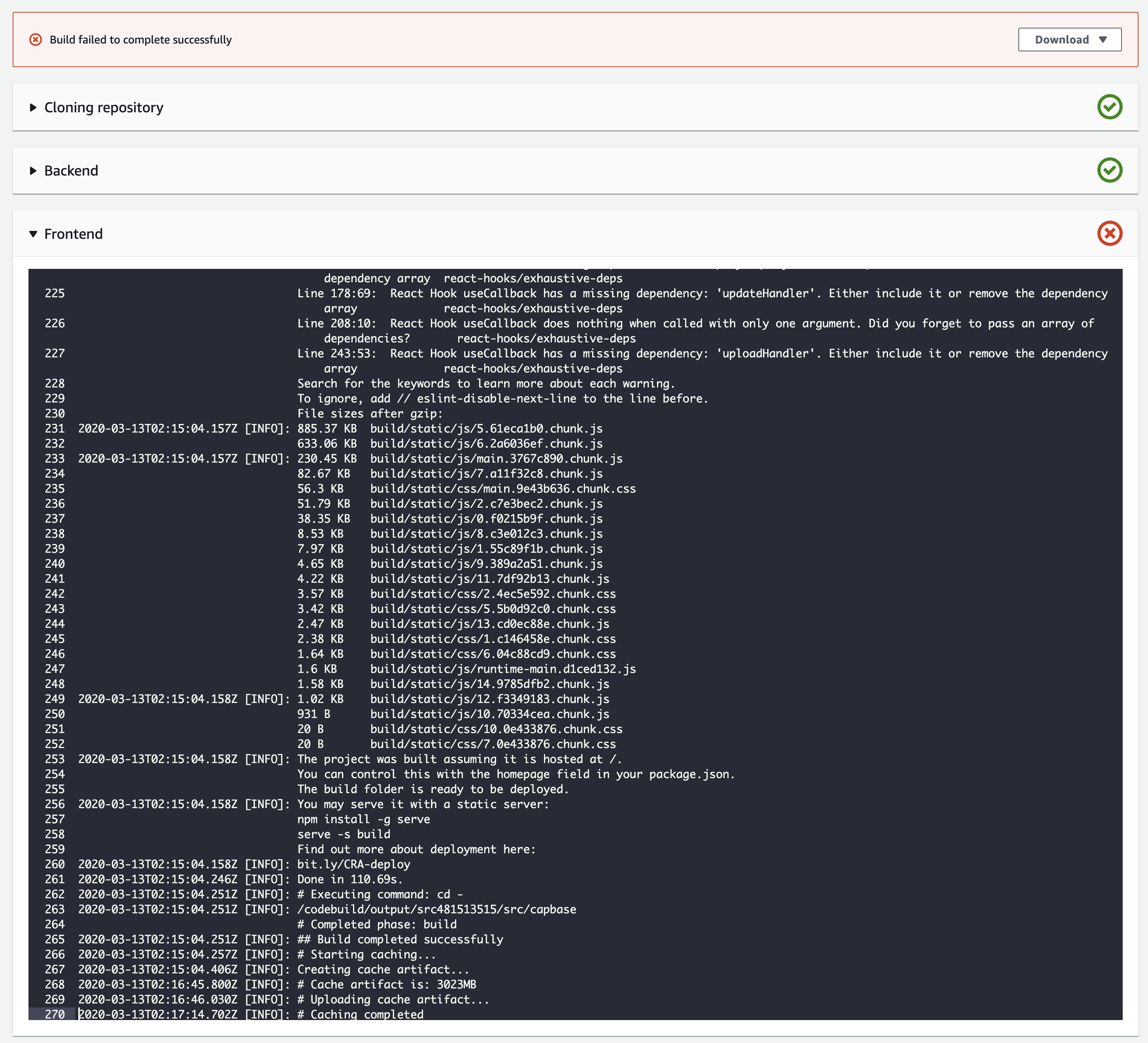
You can probably guess how frustrating this makes things when your builds take 30 minutes to complete.
Contributor guide
Research direction
Start with the reported build log, especially the caching phase after a successful build, and trace where build status and timeout information are recorded. Done means a timeout or other failure is surfaced accurately in the console and logs, including the reported caching scenario.
Written by the indexing model from the issue text.
Assessment
- Tech stack
- aws
- Domain
- ci-cd, observability
- Issue type
- Feature
- Difficulty
- 4/5
- Estimated time
- 3-5 days
- Activity status
- Stale
- Clarity
- Needs clarification
- Newbie friendliness
- 35/100