aws-amplify / aws-amplify/amplify-hosting
PR Preview gets stuck on "Expected" state when pushing to branch too quickly
- Dominant language
- Dockerfile
- Stars
- 481
- Forks
- 123
- PR merge metrics
- No merged PRs in 30d
Description
### Before opening, please confirm:
- [X] I have checked to see if my question is addressed in the [FAQ](https://github.com/aws-amplify/amplify-hosting/blob/master/FAQ.md).
- [X] I have [searched for duplicate or closed issues](https://github.com/aws-amplify/amplify-hosting/issues?q=is%3Aissue+).
- [X] I have read the guide for [submitting bug reports](https://github.com/aws-amplify/amplify-hosting/blob/master/CONTRIBUTING.md).
- [X] I have done my best to include a minimal, self-contained set of instructions for consistently reproducing the issue.
- [X] I have removed any sensitive information from my code snippets and submission.
### App Id
d244cf4pd3xwvd
### AWS Region
us-east-1
### Amplify Hosting feature
Web previews
### Describe the bug
Sometimes when I push two changes to the same branch in rapid succession (less than 10 seconds) it locks up the check "AWS Amplify Console Web Preview" on the "Expected" state. The build succeeds but the CI never updates in Github. We have a hook that will tell our CI to run E2E tests which is successfully invoked even when stuck in this state. I am able to resolve this by pushing an empty commit once the build has completed on AWS Amplify but this is not ideal.
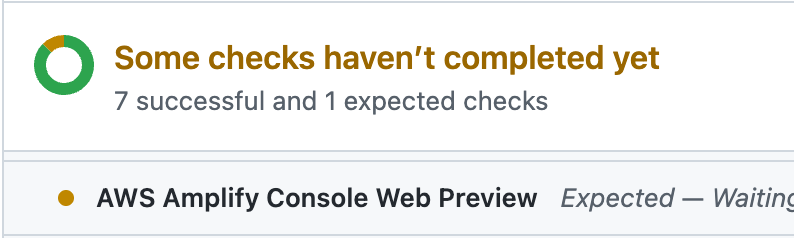
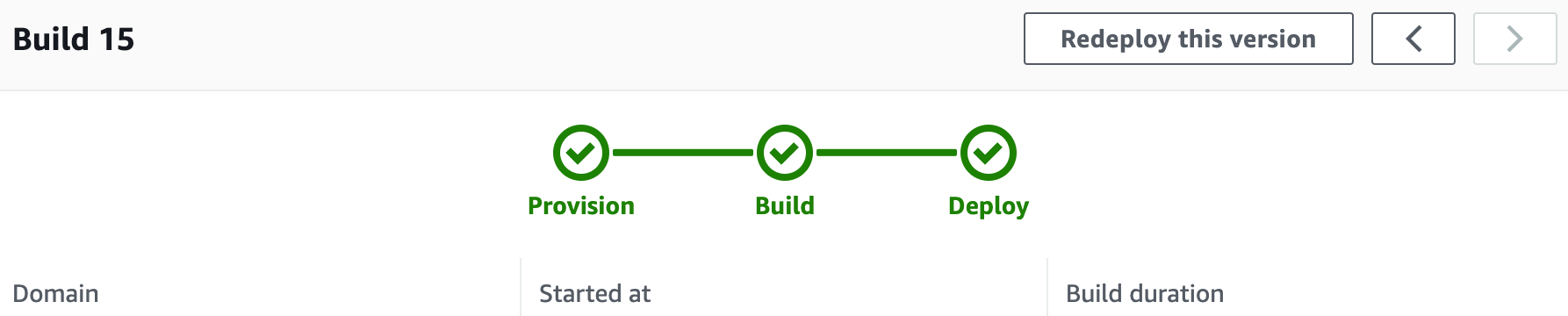
This seems possibly related to these other solved bugs, but in their case it's "Queued":
https://github.com/aws-amplify/amplify-hosting/issues/367
https://github.com/aws-amplify/amplify-hosting/issues/550
### Expected behavior
I expect it to build the latest changes and not get stuck.
### Reproduction steps
1. Make a change to a branch, push it.
2. Make another change quickly (within 10 seconds), push it.
3. Observe "AWS Amplify Console Web Preview" is stuck on "Expected."
### Build Settings
_No response_
### Log output
```
# Put your logs below this line
```
### Additional information
Myself and many others on my team are able to consistently reproduce this by pushing too quickly to our branches.
Contributor guide
Research direction
No repository file, test, or entry point is named. Start by reproducing the rapid-push sequence against the web preview flow, then compare the behavior with issues 367 and 550; done means the latest commit reliably updates the GitHub check instead of leaving it in Expected.
Written by the indexing model from the issue text.
Assessment
- Tech stack
- aws, git, github
- Domain
- ci-cd, cloud, devops
- Issue type
- Bug
- Difficulty
- 4/5
- Estimated time
- 3-5 days
- Activity status
- Stale
- Clarity
- Needs clarification
- Newbie friendliness
- 25/100