aws-amplify / aws-amplify/amplify-hosting
nextjs image cache strategy can not be changed
- Dominant language
- Dockerfile
- Stars
- 481
- Forks
- 123
- PR merge metrics
- No merged PRs in 30d
Description
### Before opening, please confirm:
- [X] I have checked to see if my question is addressed in the [FAQ](https://github.com/aws-amplify/amplify-hosting/blob/master/FAQ.md).
- [X] I have [searched for duplicate or closed issues](https://github.com/aws-amplify/amplify-hosting/issues?q=is%3Aissue+).
- [X] I have read the guide for [submitting bug reports](https://github.com/aws-amplify/amplify-hosting/blob/master/CONTRIBUTING.md).
- [X] I have done my best to include a minimal, self-contained set of instructions for consistently reproducing the issue.
### App Id
_No response_
### Region
_No response_
### Amplify Hosting feature
Performance
### Describe the bug
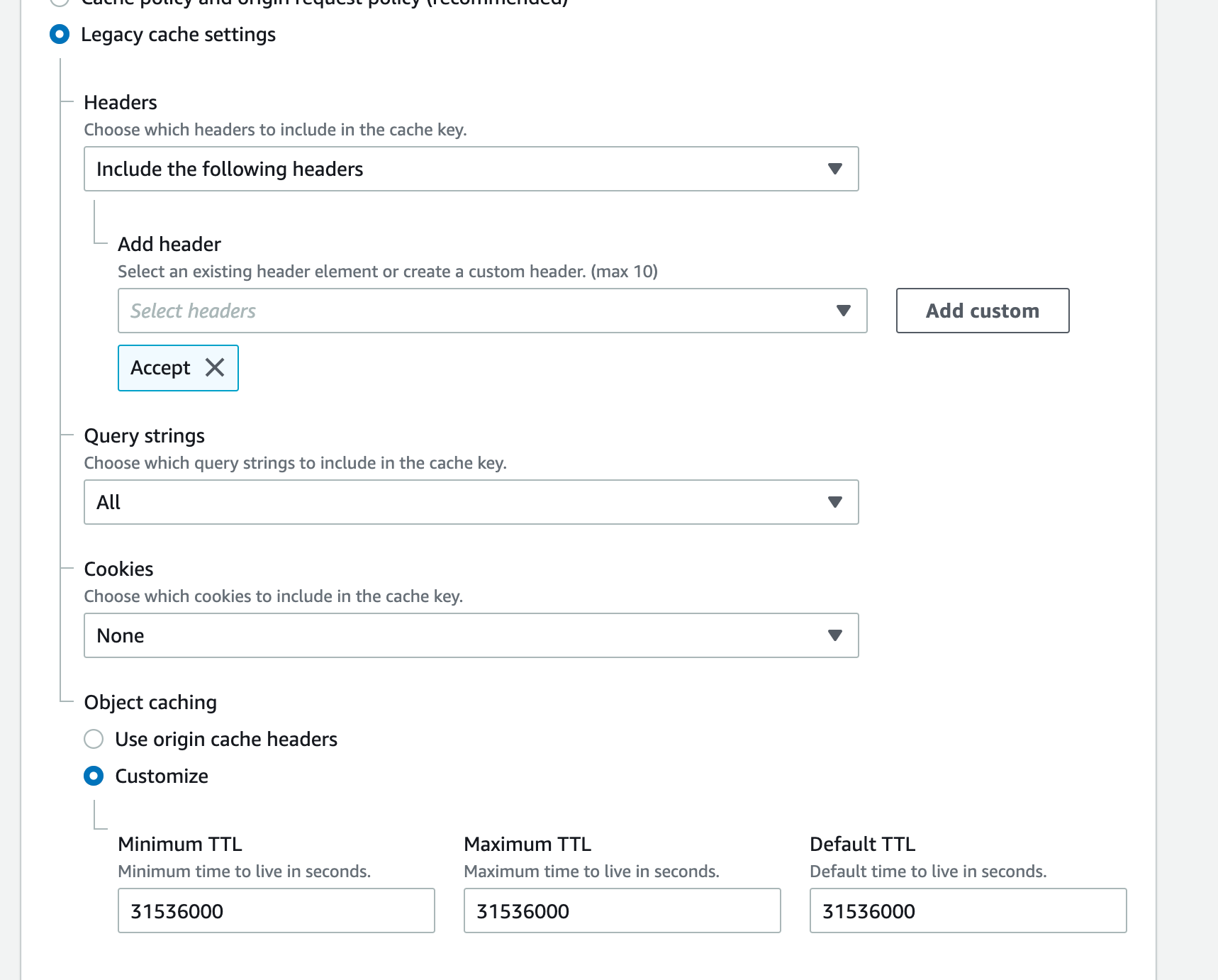
when I change these options, after the next deployment, the cookies will go back to `All`, minTTL will go back to `0`
### Expected behavior
can change the cache strategies by user
### Reproduction steps
1. change it at cloudfront console
2. redeploy your app
### Build Settings
_No response_
### Additional information
_No response_
Contributor guide
Research direction
Start by reproducing the reported behavior in the CloudFront console: change the cookie and minTTL cache settings, deploy the Next.js app again, and observe whether they revert. Done means the selected cache strategy remains in effect after a subsequent deployment; the issue provides no repository files or tests to inspect.
Written by the indexing model from the issue text.
Assessment
- Tech stack
- aws, nextjs
- Domain
- cloud, performance
- Issue type
- Bug
- Difficulty
- 4/5
- Estimated time
- 3-5 days
- Activity status
- Stale
- Clarity
- Mostly clear
- Newbie friendliness
- 25/100