aws-amplify / aws-amplify/amplify-hosting
Flutter web app not working - myapp.amplifyapp.com/assets/NOTICES/ 403 or 404 error
- Dominant language
- Dockerfile
- Stars
- 481
- Forks
- 123
- PR merge metrics
- No merged PRs in 30d
Description
**Describe the bug**
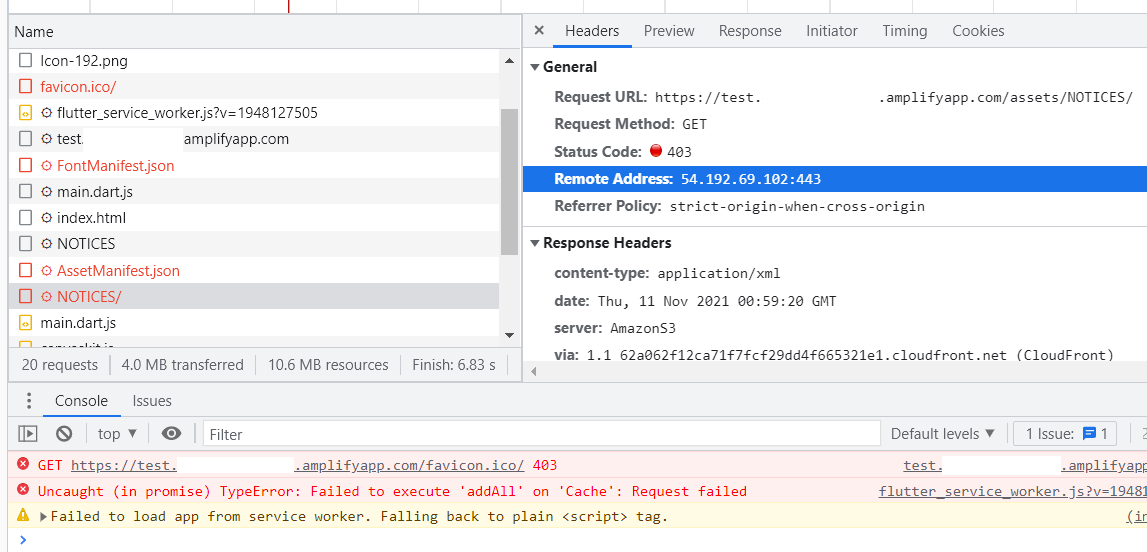
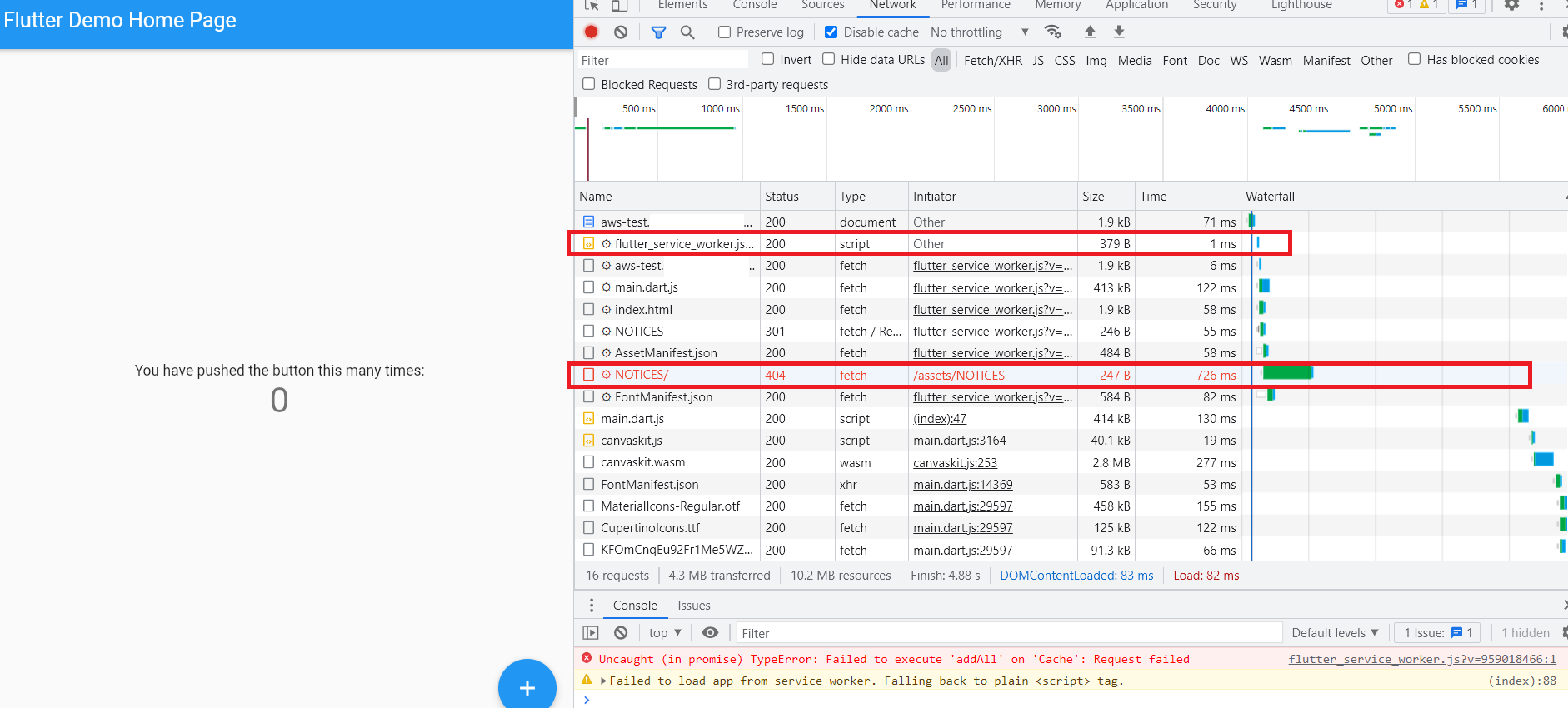
- `myapp.amplifyapp.com/assets/NOTICES/`
- 'NOTICES' file error : 403 or 404
**To Reproduce**
Steps to reproduce the behavior:
1. `flutter create myapp`
2. 'push to github'
3. 'deploy to aws amplify from github repo'
4. `amplify.yml`
```
version: 1
frontend:
phases:
preBuild:
commands:
- git clone https://github.com/flutter/flutter.git -b stable --depth 1
- export PATH="$PATH:`pwd`/flutter/bin"
# IMPORTANT - Please verify your build commands
build:
commands:
- flutter build web
artifacts:
# IMPORTANT - Please verify your build output directory
baseDirectory: build/web/
files:
- '**/*'
cache:
paths: []
```
5. See error
**Expected behavior**
A clear and concise description of what you expected to happen.
**Screenshots**
If applicable, add screenshots to help explain your problem.
# 403
# 404
**Platform**
Amplify Flutter current supports iOS and Android. This issue is reproducible in (check all that apply):
[] Android
[] iOS
Output of flutter doctor -v
```
>flutter doctor -v
[√] Flutter (Channel stable, 2.5.3, on Microsoft Windows [Version 10.0.22000.282], locale ko-KR)
• Flutter version 2.5.3 at D:\dev\flutter
• Upstream repository https://github.com/flutter/flutter.git
• Framework revision 18116933e7 (3 weeks ago), 2021-10-15 10:46:35 -0700
• Engine revision d3ea636dc5
• Dart version 2.14.4
[√] Android toolchain - develop for Android devices (Android SDK version 31.0.0)
• Android SDK at C:\Users\test\AppData\Local\Android\sdk
• Platform android-31, build-tools 31.0.0
• Java binary at: C:\Program Files\Android\Android Studio\jre\bin\java
• Java version OpenJDK Runtime Environment (build 11.0.10+0-b96-7249189)
• All Android licenses accepted.
[√] Chrome - develop for the web
• Chrome at C:\Program Files\Google\Chrome\Application\chrome.exe
[√] Visual Studio - develop for Windows (Visual Studio Community 2019 16.11.3)
• Visual Studio at C:\Program Files (x86)\Microsoft Visual Studio\2019\Community
• Visual Studio Community 2019 version 16.11.31702.278
• Windows 10 SDK version 10.0.19041.0
[√] Android Studio (version 2020.3)
• Android Studio at C:\Program Files\Android\Android Studio
• Flutter plugin can be installed from:
https://plugins.jetbrains.com/plugin/9212-flutter
• Dart plugin can be installed from:
https://plugins.jetbrains.com/plugin/6351-dart
• Java version OpenJDK Runtime Environment (build 11.0.10+0-b96-7249189)
[√] VS Code (version 1.61.2)
• VS Code at C:\Users\test\AppData\Local\Programs\Microsoft VS Code
• Flutter extension version 3.28.0
[√] Connected device (3 available)
• Windows (desktop) • windows • windows-x64 • Microsoft Windows [Version 10.0.22000.282]
• Chrome (web) • chrome • web-javascript • Google Chrome 95.0.4638.69
• Edge (web) • edge • web-javascript • Microsoft Edge 95.0.1020.40
• No issues found!
```
Dependencies (pubspec.lock)
```
Paste the contents of your "pubspec.lock" file here
```
**Smartphone (please complete the following information):**
- Device: [e.g. iPhone6]
- OS: [e.g. iOS8.1]
- Browser [e.g. stock browser, safari]
- Version [e.g. 22]
**Additional context**
Add any other context about the problem here.
- https://github.com/flutter/flutter/issues/92803
Contributor guide
Research direction
Start with the amplify.yml configuration and the Flutter build web output, especially the generated assets/NOTICES path. Reproduce the deployment from the listed GitHub and AWS Amplify steps, then compare the deployed URL response with the files under build/web; done means the deployed application no longer returns 403 or 404 for that path.
Written by the indexing model from the issue text.
Assessment
- Tech stack
- aws, flutter
- Domain
- cloud, devops
- Issue type
- Bug
- Difficulty
- 4/5
- Estimated time
- 3-5 days
- Activity status
- Stale
- Clarity
- Needs clarification
- Newbie friendliness
- 25/100