aws-amplify / aws-amplify/amplify-hosting
Disconnecting a branch does not clean up notifications for it
- Dominant language
- Dockerfile
- Stars
- 481
- Forks
- 123
- PR merge metrics
- No merged PRs in 30d
Description
### Before opening, please confirm:
- [X] I have checked to see if my question is addressed in the [FAQ](https://github.com/aws-amplify/amplify-console/blob/master/FAQ.md).
- [X] I have [searched for duplicate or closed issues](https://github.com/aws-amplify/amplify-console/issues?q=is%3Aissue+).
- [X] I have read the guide for [submitting bug reports](https://github.com/aws-amplify/amplify-console/blob/master/CONTRIBUTING.md).
- [X] I have done my best to include a minimal, self-contained set of instructions for consistently reproducing the issue.
### App Id
d2ibhgok7yafet
### Region
us-east-1
### Amplify Console feature
Notifications
### Describe the bug
Adding 2 new connected branches and deleting 2 old ones left us in an inconsistent state:
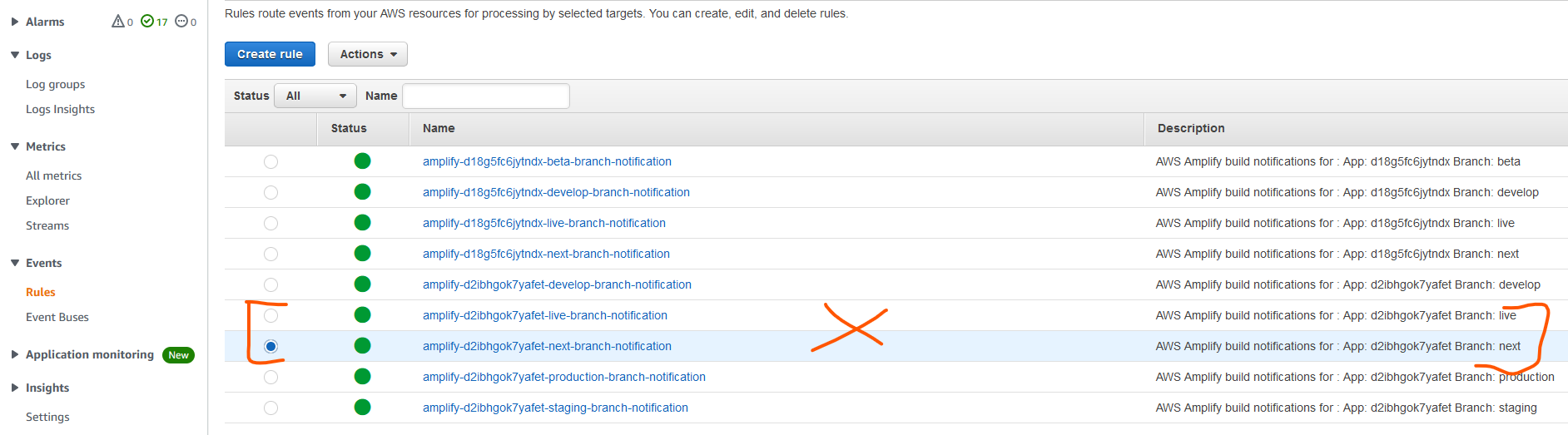
1. CloudWatch event rules exist for all 4 branches
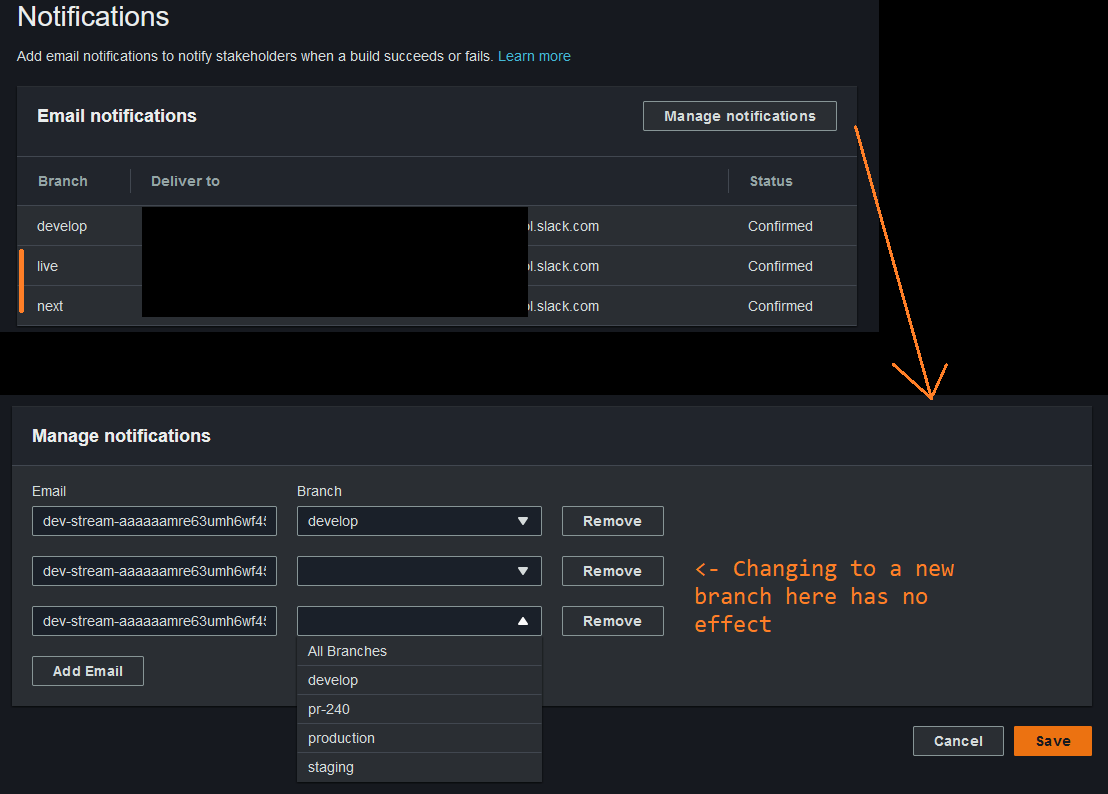
2. Amplify console shows 2 old branches under "Notifications". In the edit dialog branch name appears as blank, and if I choose a new branch name, saving has no effect.
### Expected behavior
1. Deleting a connected branch in AWS Amplify console should delete a corresponding CloudWatch Events Rule.
2. AWS Amplify console should not display deleted branches anywhere.
### Reproduction steps
1. Connect a new branch (`A`), configure notifications for it
2. Connect a new branch (`B`), delete the first one (`A)`
3. Attempt to configure notifications for branch `B`
### Build Settings
_No response_
### Additional information
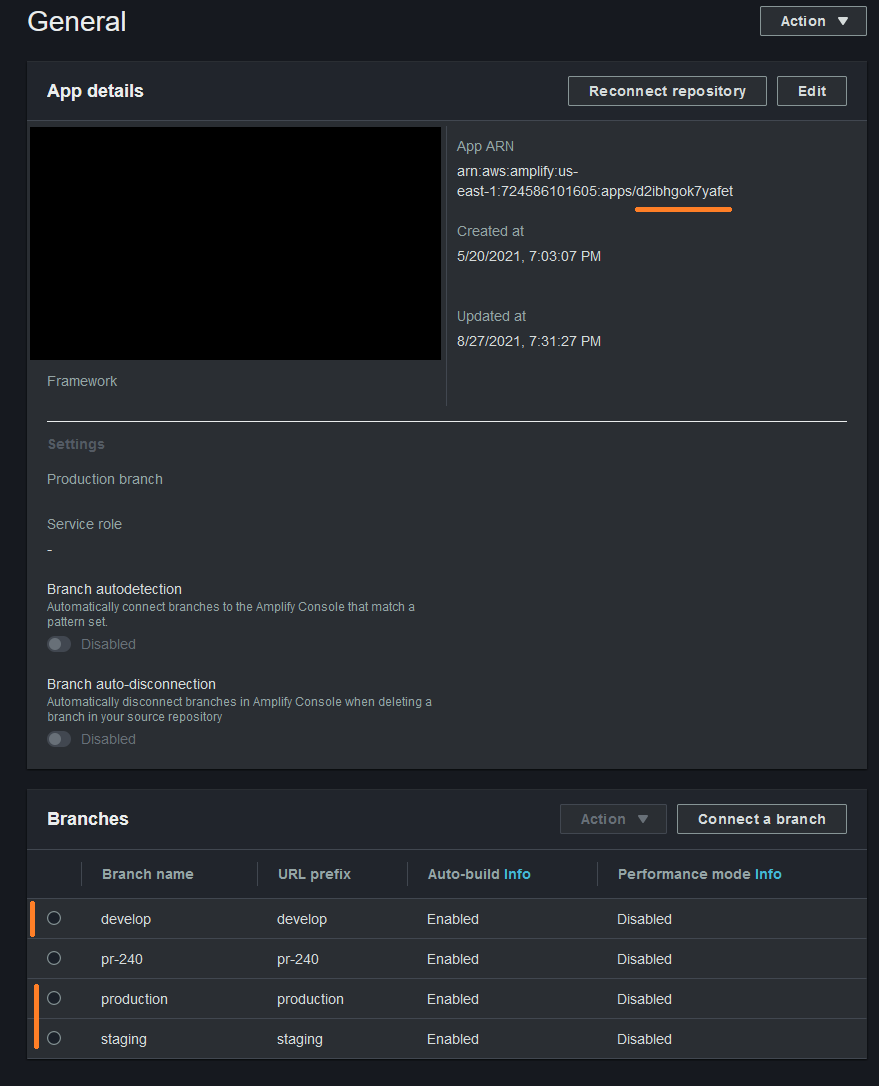
Connected branches in Amplify console:
Notifications in Amplify Console:
View in CloudWatch console - the rules marked in orange should have been deleted:
Workaround:
1. Add new notification rules for the new branches using the same email. Confirm subscription.
2. Delete existing notification rules related to now-deleted branches.
This makes Amplify show correct branch names:
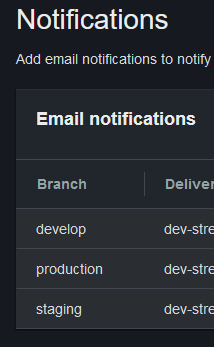
However, CloudWatch Event Rules are still present for now-deleted branches.
Contributor guide
Research direction
Reproduce the branch lifecycle in the Notifications feature: connect branches A and B, configure notifications for A, delete A, and configure notifications for B. Inspect the resulting Amplify Console notification entries and CloudWatch Event Rules; done means deleted branches no longer appear and their corresponding rules are removed.
Written by the indexing model from the issue text.
Assessment
- Tech stack
- aws
- Domain
- cloud
- Issue type
- Bug
- Difficulty
- 4/5
- Estimated time
- 3-5 days
- Activity status
- Stale
- Clarity
- Needs clarification
- Newbie friendliness
- 25/100