aws-amplify / aws-amplify/amplify-hosting
"App with id: ###### not found" message is scary
- Dominant language
- Dockerfile
- Stars
- 481
- Forks
- 123
- PR merge metrics
- No merged PRs in 30d
Description
**Is your feature request related to a problem? Please describe.**
A clear and concise description of what the problem is. Ex. I'm always frustrated when [...]
I'm always frustrated when I switch environments to check on another Amplify app and the banner is all red, scary, and obtrusive!
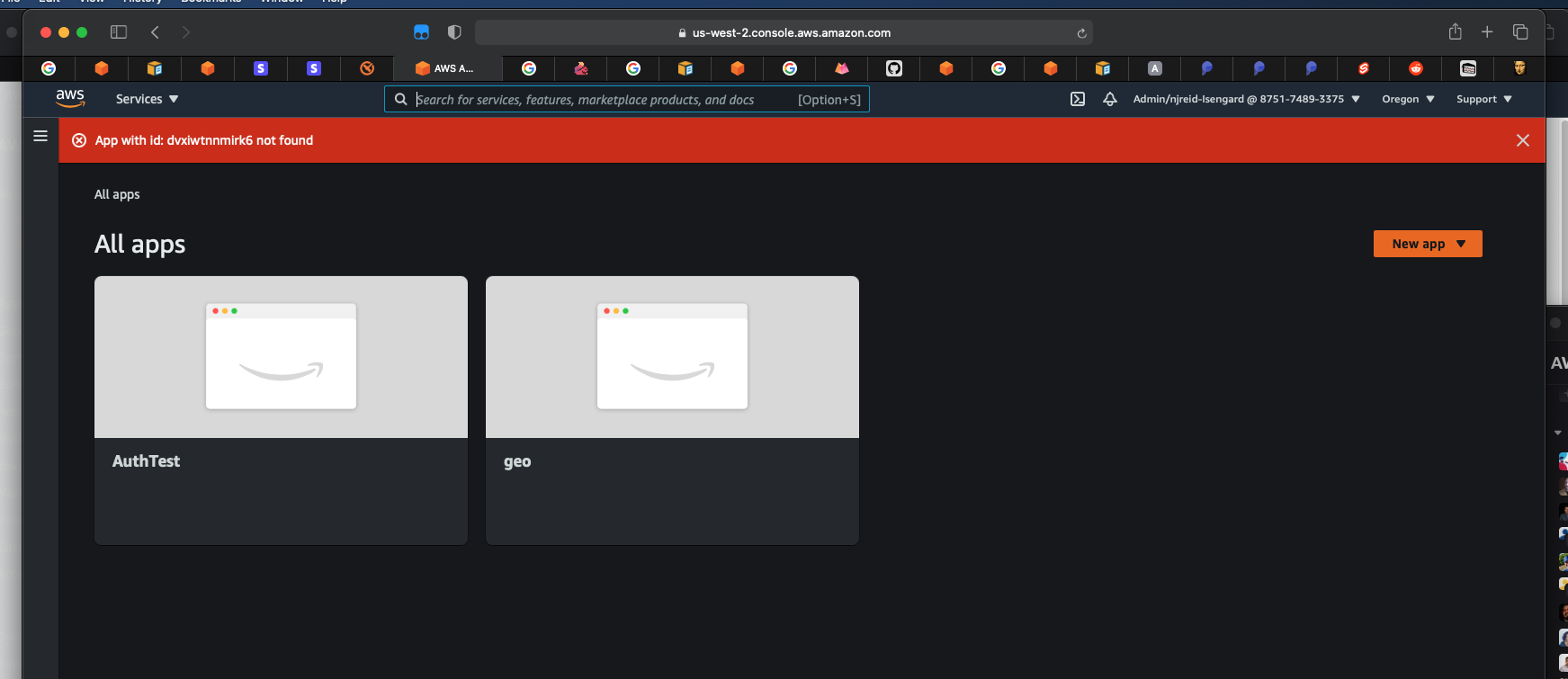
Additionally, the difference between "connect app" and "new app" is unclear. Why can I at times create a new app and other times only connect? (I know it's because certain envs aren't supported yet, but maybe make this more clear)
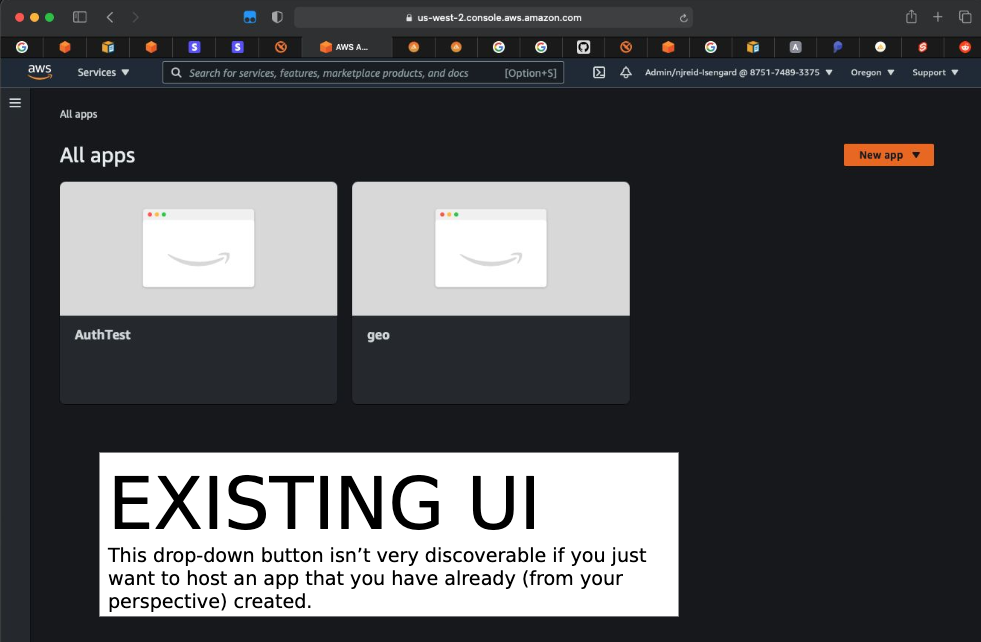
**Describe the solution you'd like**
A clear and concise description of what you want to happen.
We should communicate more clearly that
- When switching envs: nothing bad happened to your app, it's simply not in that particular environment - maybe make the banner more of an informational / more easily dismissible?
- "Maybe “Your app isn’t available in X region. We see it in Y and Z regions."
- Clarify on connects vs. new
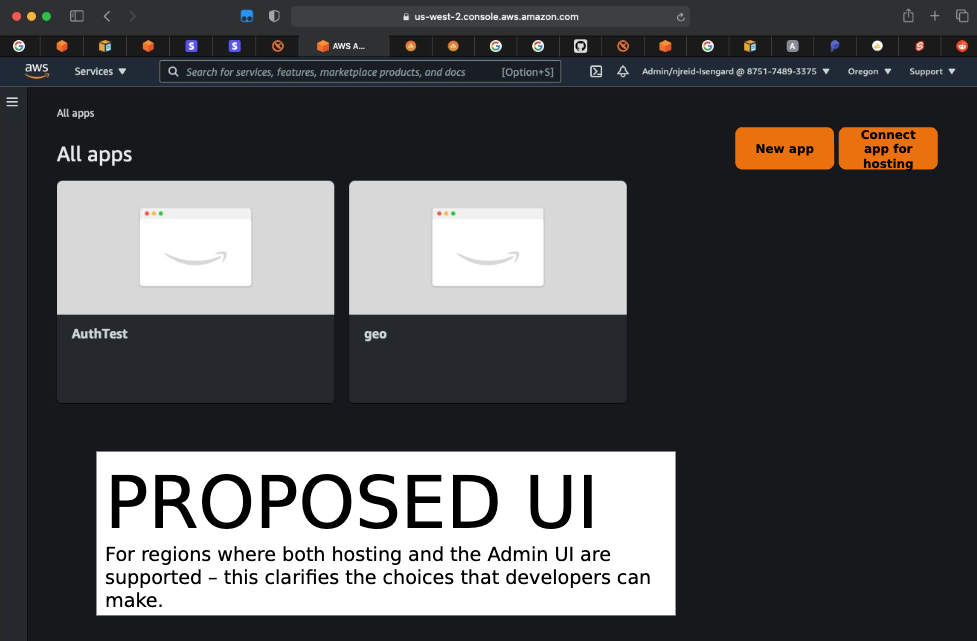
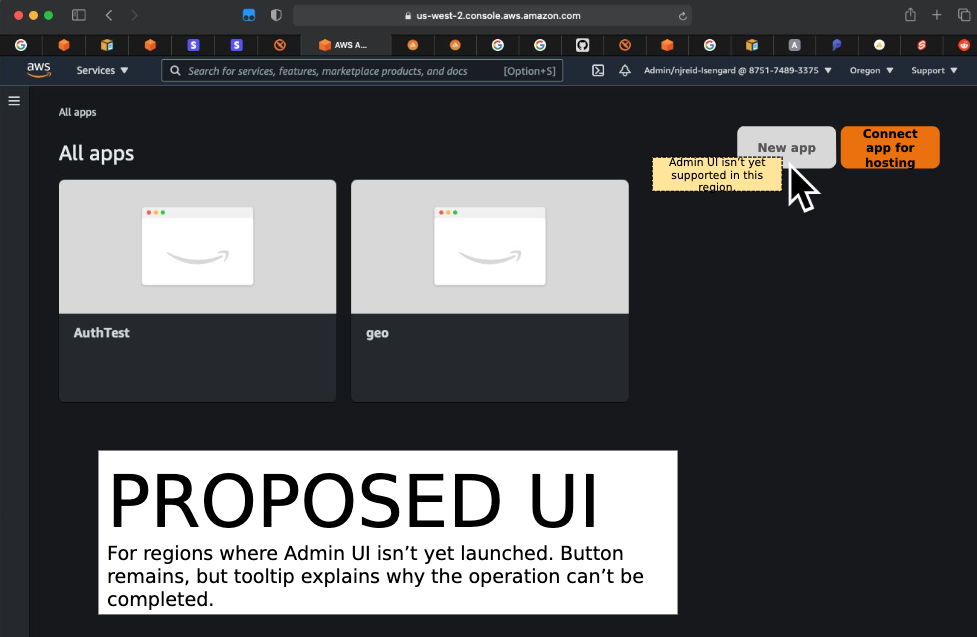
**Additional context**
Add any other context or screenshots about the feature request here.
All images by @njreid
Contributor guide
Research direction
The issue points to the environment-switching banner and the Connect/New app UI, illustrated by screenshots. Start by locating those UI entry points and review how unsupported environments are presented; done means the message is informational and dismissible, and the two actions explain when each is available.
Written by the indexing model from the issue text.
Assessment
- Tech stack
- aws
- Domain
- design, frontend
- Issue type
- Feature
- Difficulty
- 5/5
- Estimated time
- Over a week
- Activity status
- Stale
- Clarity
- Mostly clear
- Newbie friendliness
- 35/100