aws-amplify / aws-amplify/amplify-hosting
React App on Amplify returns blank page, 403 for chunk files
- Dominant language
- Dockerfile
- Stars
- 481
- Forks
- 123
- PR merge metrics
- No merged PRs in 30d
Description
### Before opening, please confirm:
- [X] I have checked to see if my question is addressed in the [FAQ](https://github.com/aws-amplify/amplify-console/blob/master/FAQ.md).
- [X] I have [searched for duplicate or closed issues](https://github.com/aws-amplify/amplify-console/issues?q=is%3Aissue+).
- [X] I have read the guide for [submitting bug reports](https://github.com/aws-amplify/amplify-console/blob/master/CONTRIBUTING.md).
- [X] I have done my best to include a minimal, self-contained set of instructions for consistently reproducing the issue.
### App Id
d9gady0nmvl3
### Region
us-west-2
### Amplify Console feature
Custom builds, Manual deploys
### Describe the bug
I have a simple CRA React app (using craco) that I am manually deploying to AWS Amplify by dragging the build folder to the Amplify Console UI in the Frontend section of my app. The Amplify Console notifies me that the build deploys successfully, but when I navigate to my deployed app's URL and enter in the username and password (I enabled password-protected access control for the app in the Amplify settings), it just shows a blank page. When I open up Chrome's dev console and check the console output and the Network tab, I see the following:
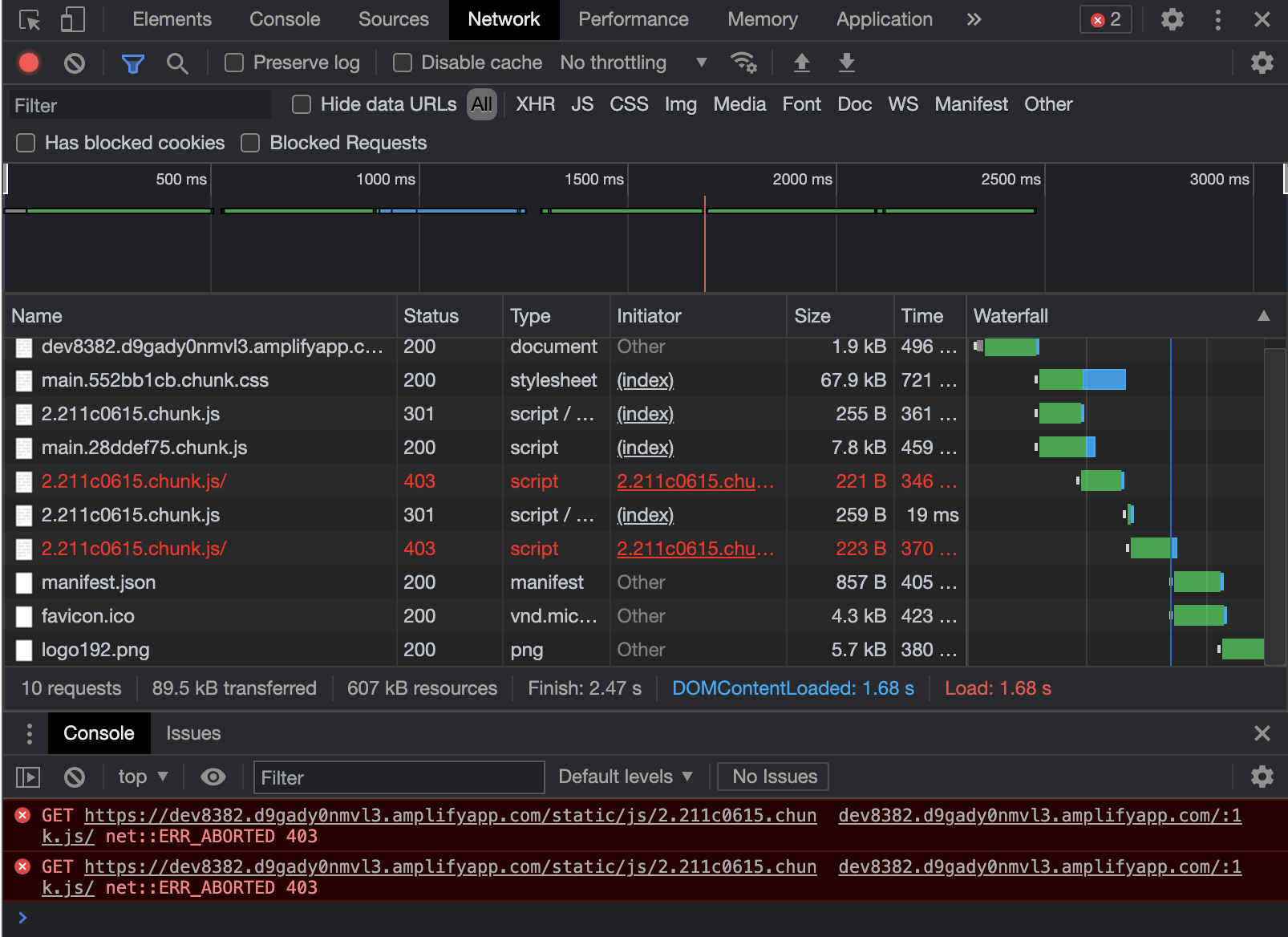
I see that it is accessing the main files just fine, but when it tries to lode the code chunks, it is getting 403 errors. When I click the first request for the first code chunk file, I see it is getting a 301:
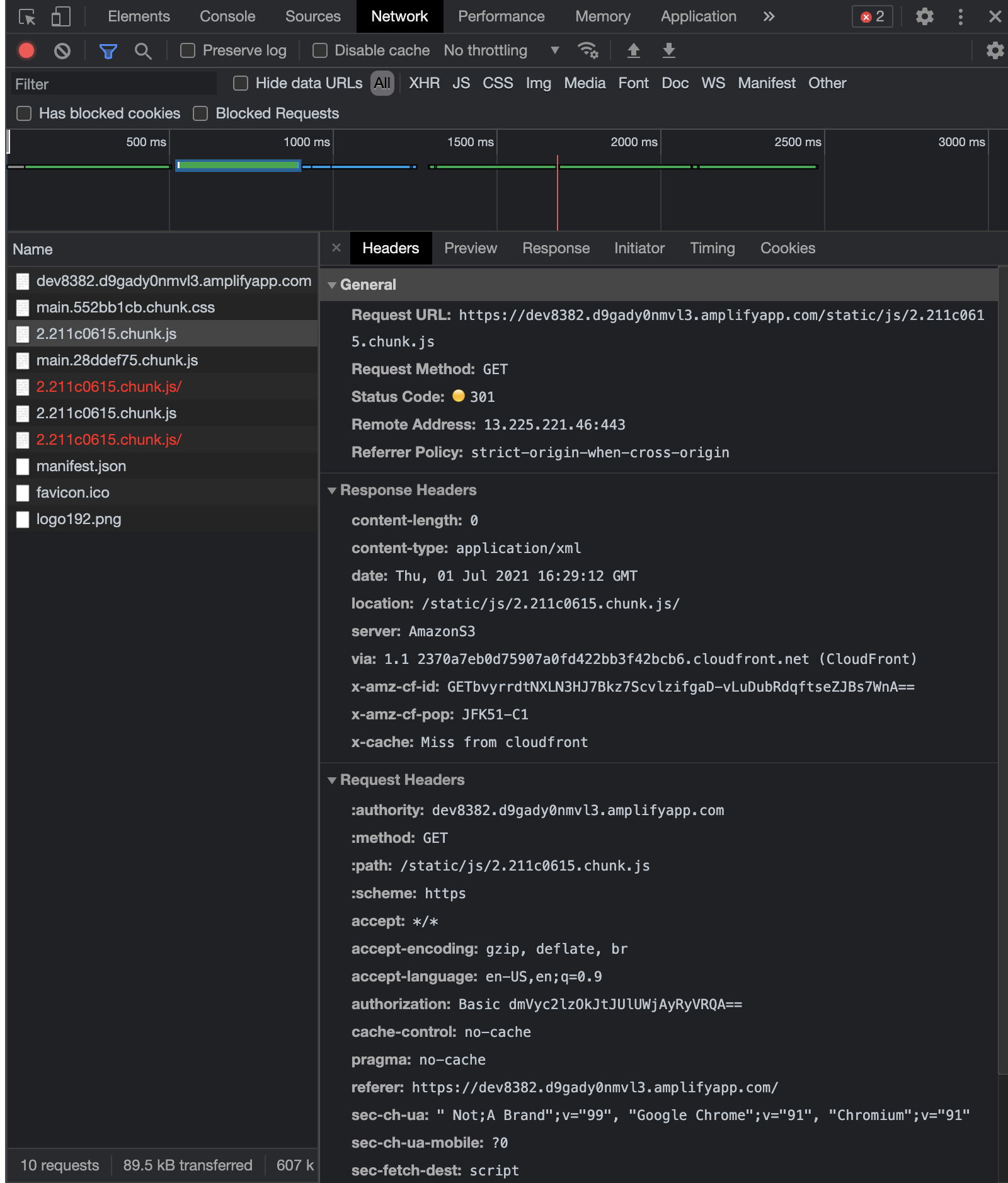
Then I noticed that the response header's location includes a trailing `/`, and then the subsequent request to that location gets a 403:
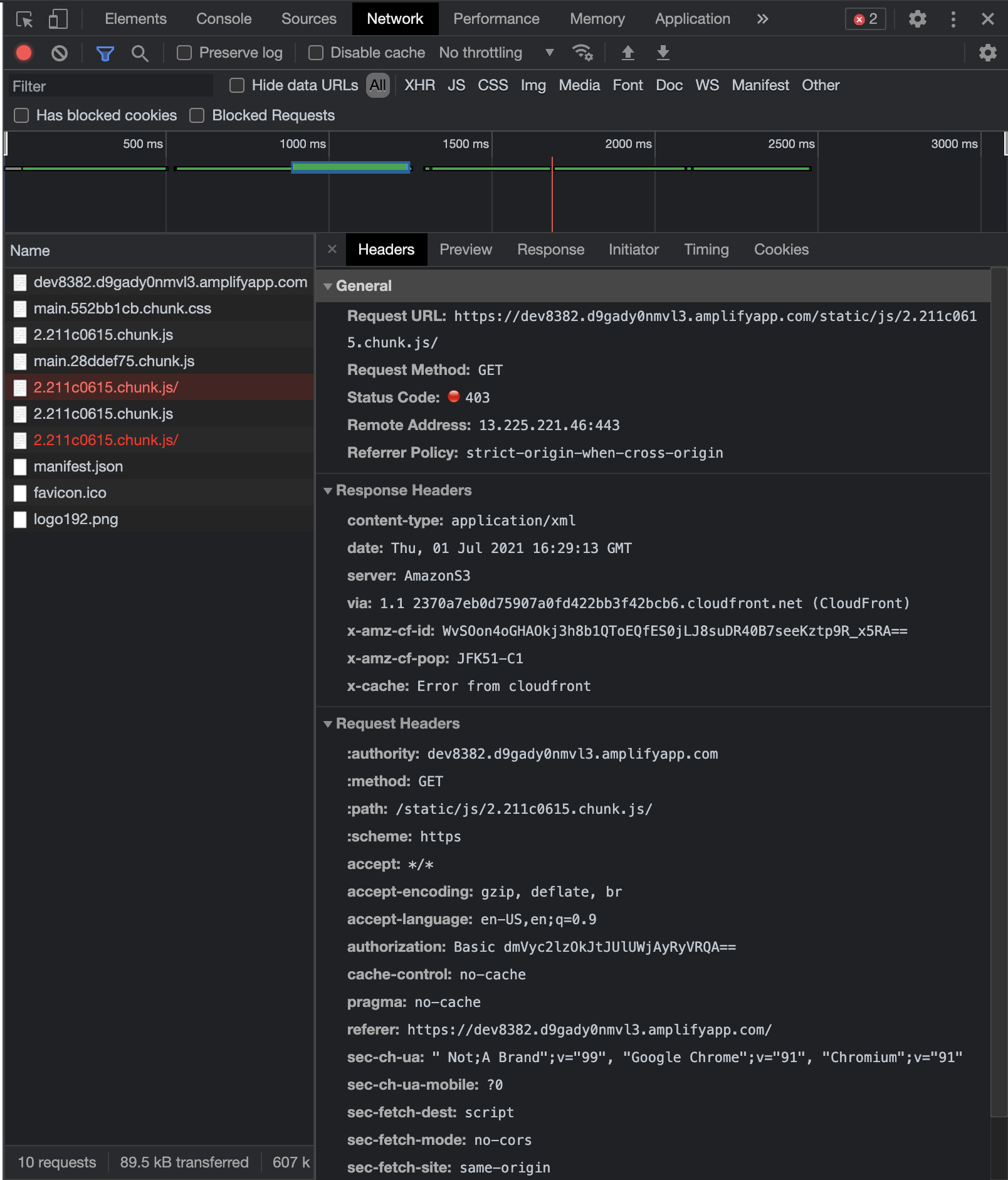
I'm not sure if the trailing slash on the code chunk file matters, but I wonder if this is the issue? If not, generally it seems the problem seems to be that it is not properly serving the code chunk files of my app. I am generating the build output using the `craco build` command.
Should I be generating the build in some other way?
Or is there some Amplify setting that I have configured incorrectly?
Any help would be greatly appreciated. Thanks a bunch!
### Expected behavior
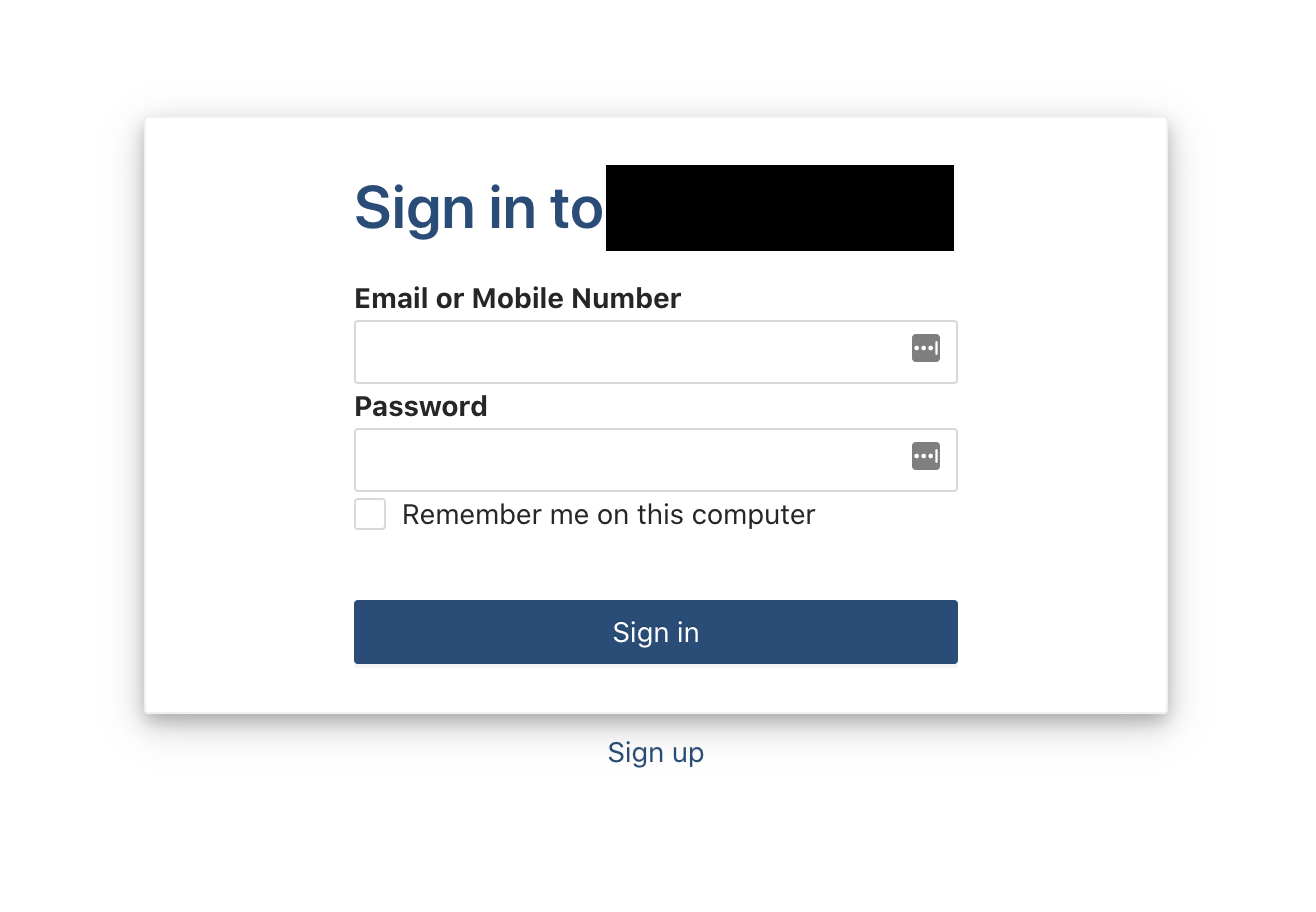
I expect the landing page to load and display to the user. My app's landing page looks like this:
### Reproduction steps
1. Build CRA app using `craco build` command
2. Drag build folder to Amplify Console app Frontend section:
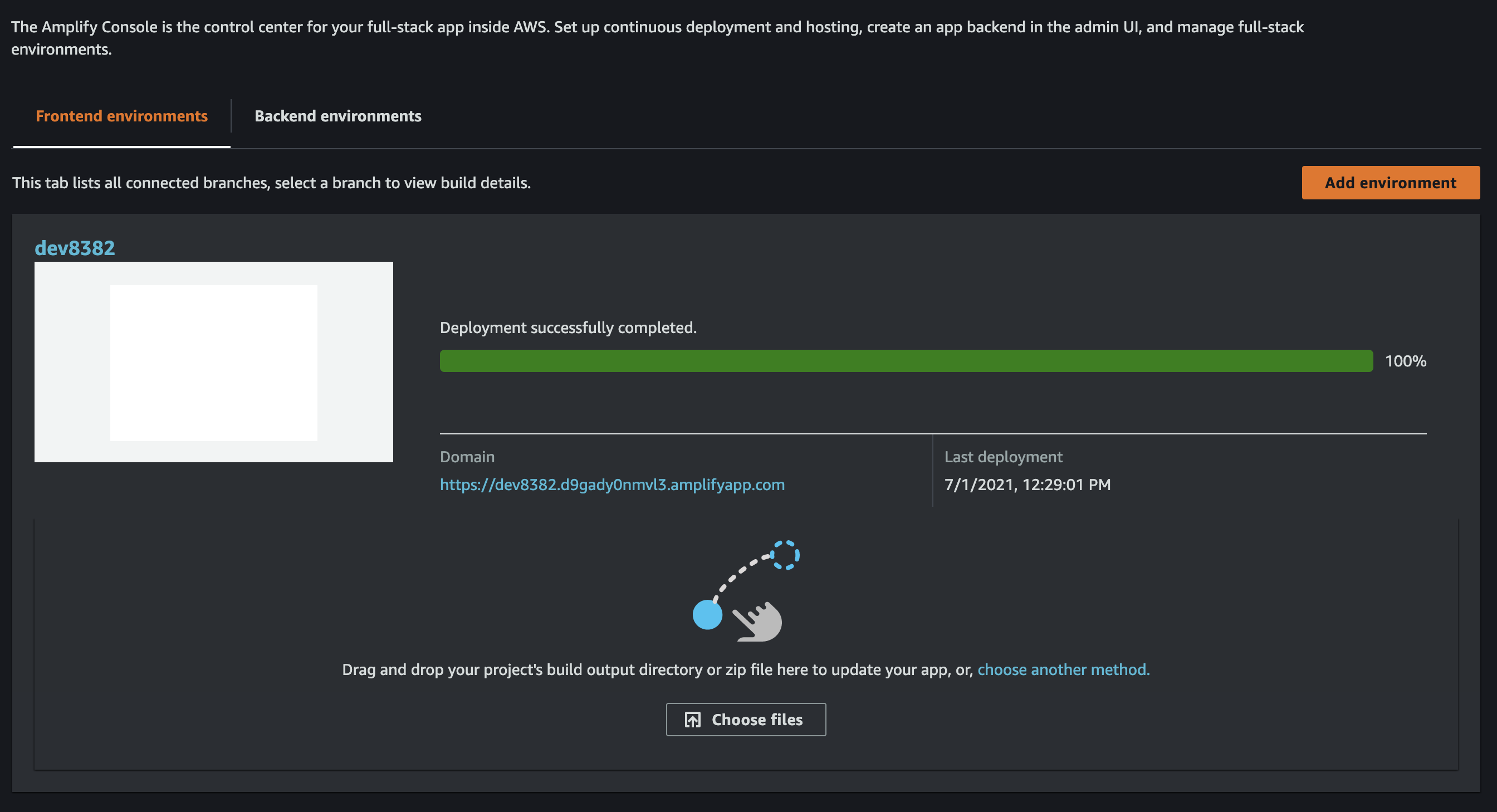
3. Navigate to https://dev8382.d9gady0nmvl3.amplifyapp.com/
4. Enter username and password to gain access to app
5. Observe blank white page is shown, and the dev console shows 403 errors getting code chunk files
### Build Settings
```yaml
N/A, I am building it manually, outside of Amplify CI
```
### Additional information
It is a typescript React app, and the build output includes source map files as well. Also, the deployment seems to work if I ZIP the contents of the build folder and then drag and drop the zip file. This is acceptable for now, but if dragging and dropping the build folder itself is a supported deployment method, it should work! It actually worked for me the first couple of times I did it, so I don't know why it is failing now. Please either fix the folder drag and drop method, or stop supporting it and tell people they must use the zip file.
Thanks in advance for the investigation!
Contributor guide
Research direction
Start by reproducing the manual deployment from the `craco build` output through the Amplify Console Frontend section, then inspect Chrome's console and Network tab for the chunk-file redirects and 403 responses. Compare dragging the build folder with uploading a ZIP; done means the deployed landing page loads and its code chunks are served without 301/403 errors.
Written by the indexing model from the issue text.
Assessment
- Tech stack
- aws, react, typescript
- Domain
- cloud, frontend
- Issue type
- Bug
- Difficulty
- 4/5
- Estimated time
- 3-5 days
- Activity status
- Stale
- Clarity
- Mostly clear
- Newbie friendliness
- 25/100