aws-amplify / aws-amplify/amplify-hosting
Convert manually deployed app to CI/CD
- Dominant language
- Dockerfile
- Stars
- 481
- Forks
- 123
- PR merge metrics
- No merged PRs in 30d
Description
**Description**
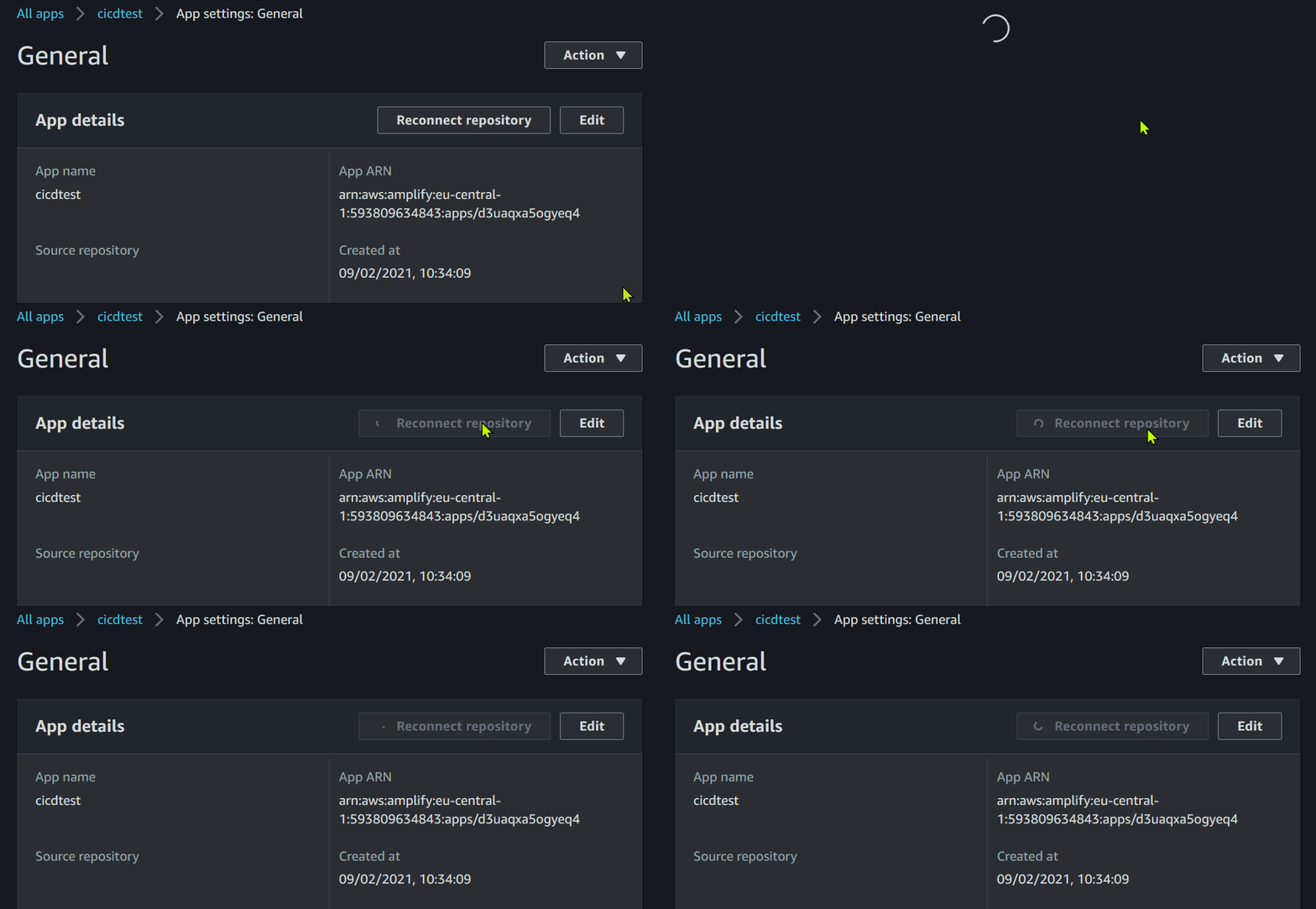
If I try to add the corresponding code repository to an existing Amplify App via the connect button within the AWS Amplify Console, the Button changes to a loading circle and nothing ever happens after that.
**Amplify CLI Version**
4.41.2
**Reproduction Steps**
To be sure this does not have anything to do with our own project, I've recreated an amplify project and repository from scratch.
In Visual Studio:
1. Create a new GitHub Repository
2. Clone it via GitHub Explorer
3. Start Visual Studio Code and open newly cloned Folder
4. Install Amplify CLI globally, if not done already
5. run amplify configure
6. run amplify init (without --app)
7. run amplify add storage (nosql, with one column)
8. commit all changes to main branch
9. run amplify push
In AWS Amplify Console:
10. Go to aws amplify console and open the newly pushed app
11. View App Settings
12. Click "Connect Repository"
13. Login to GitHub
14. Authorize AWS CLI App
15. Wait forever
**Expected behavior**
After Step 14. the Source repository should be listed in the App Details of the Amplify App.
**Screenshots**
**Desktop**
- OS: Microsoft Windows 10 Pro Version 20H2 / 10.0.19042.746
- Node Version: v15.3.0
**What we tried already to fix it**
- Used different Browsers: latest Firefox, latest Edge, even Internet Explorer which does not allow to confirm the Github OAuth Authorization.
- Revoke and reinitiate OAuth Authorization. Result: By trying to connect the repository the Authorization Grant dialog will be opened, but after granting the asked rights the behavior is the same as described.
- Tried to re-run amplify init with --app to add the repository afterward. Result: "Amplify does not have knowledge of the url provided" and "Please ensure you run this command in an empty directory".
Contributor guide
Research direction
Start by reproducing the connection flow in the AWS Amplify Console using the listed Amplify CLI version, GitHub authorization steps, and Windows environment. Compare the behavior after authorization and investigate why the repository is not listed in App Details; done means the existing source repository appears there after connection.
Written by the indexing model from the issue text.
Assessment
- Tech stack
- aws, github
- Domain
- ci-cd, cloud
- Issue type
- Bug
- Difficulty
- 4/5
- Estimated time
- 3-5 days
- Activity status
- Stale
- Clarity
- Needs clarification
- Newbie friendliness
- 25/100