authgear / authgear/authgear-server
[Android, React Native SDK, Biometric] Shows library error message upon enabling biometrics on devices without any biometric feature
- Dominant language
- Go
- Stars
- 2k
- Forks
- 125
- Avg merge
- 2d 17h
- Merged PRs (30d)
- 32
Description
ux major, reported by qa
**Describe the bug**
For the Reactive Native SDK on Android devices, a library error message is shown upon enabling biometrics on the device that does not have any biometric features.
**Authgear Version**
- Version: Staging
**To Reproduce**
Steps to reproduce the behavior:
1. Log in to the project portal with the React Native SDK
2. Remove all biometric features in the device
3. Enable biometric features
4. See the library error trace
**Expected behavior**
Should show proper error messages like "No biometric features found"
**Screenshots**
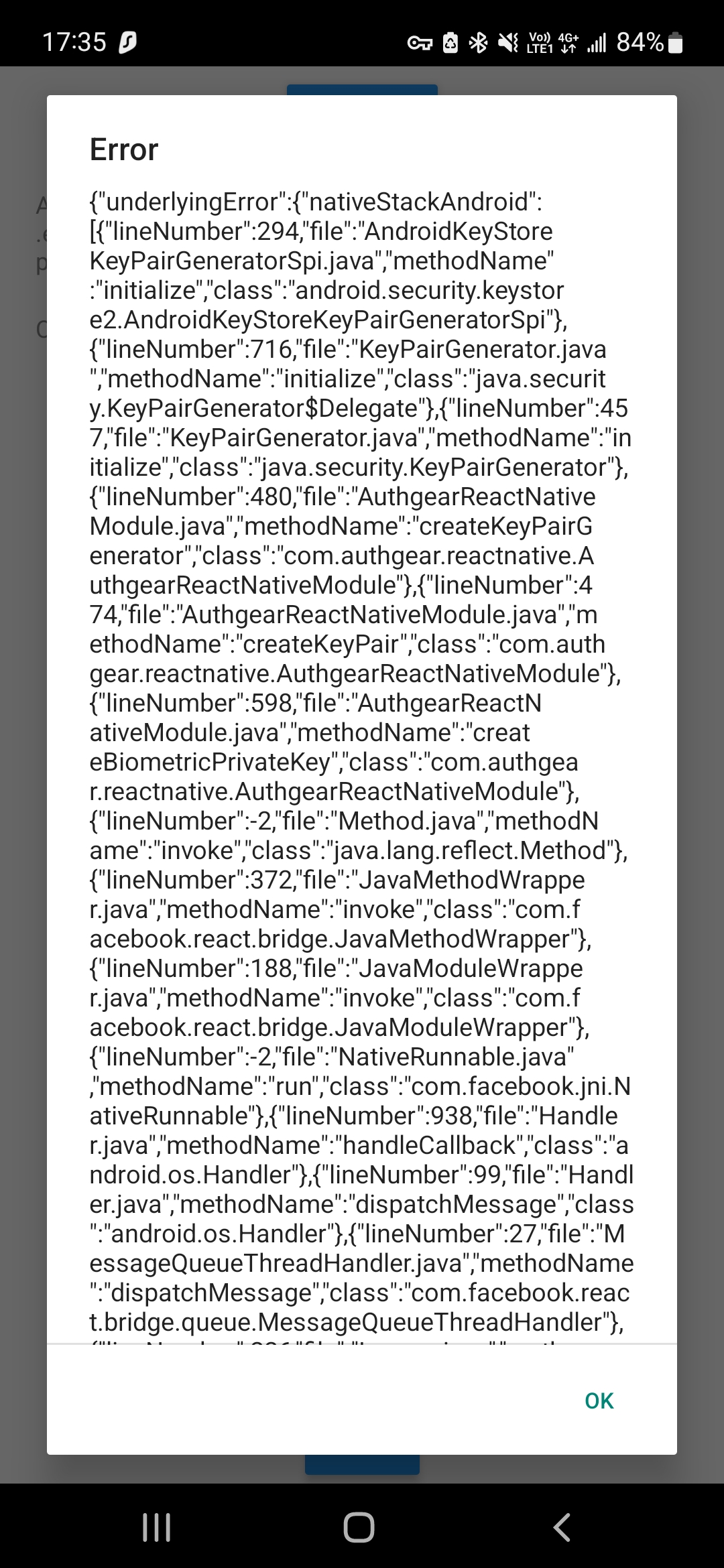
**Client Env (if applicable, please complete the following information):**
- Device: Samsung s21 FE, iPhone 11 Pro
- OS: win 11, Android 12, iOS 16
- Browser: Chrome
- Browser Version: 108.0.5359.99
Contributor guide
Research direction
Start by reproducing the issue in the React Native SDK on an Android device with all biometric features removed, following the listed steps. Trace where the library error is surfaced when biometrics are enabled, and verify that the result presents a user-facing message such as "No biometric features found" instead of the library error trace.
Written by the indexing model from the issue text.
Assessment
- Tech stack
- android, react-native
- Domain
- authentication, mobile
- Issue type
- Bug
- Difficulty
- 3/5
- Estimated time
- 1-2 days
- Activity status
- Stale
- Clarity
- Mostly clear
- Newbie friendliness
- 45/100