authgear / authgear/authgear-server
[Save/Discard] If user clicks save and leaves page quickly, Discard changes dialog will be shown but the changes will still be saved on clicking Discard
- Dominant language
- Go
- Stars
- 2k
- Forks
- 125
- Avg merge
- 2d 17h
- Merged PRs (30d)
- 32
Description
## Background:
- Device / Browser (OS version): Chrome on Mac
- Build: Version tag 2022-09-20.0
## Description:
In Admin Portal, changes Dialog still shows up when the changes are already saved.
## Steps to reproduce:
Admin Portal:
0. Login and pick one project
1. Go to Authentication, Login Methods
2. Make some changes
3. Click Save and immediately switch to another page.
4. See the Discard changes Dialog shows up
5. Click 'Discard and leave'
6. Go back to Authentication, Login Methods
7. See changes not discarded, as the changes are already saved
## Expected result:
Don't show the Discard changes Dialog when the data is being saved
If the Discard dialog is shown, the 'Discard and leave' button should revert changes.
## Screenshot:
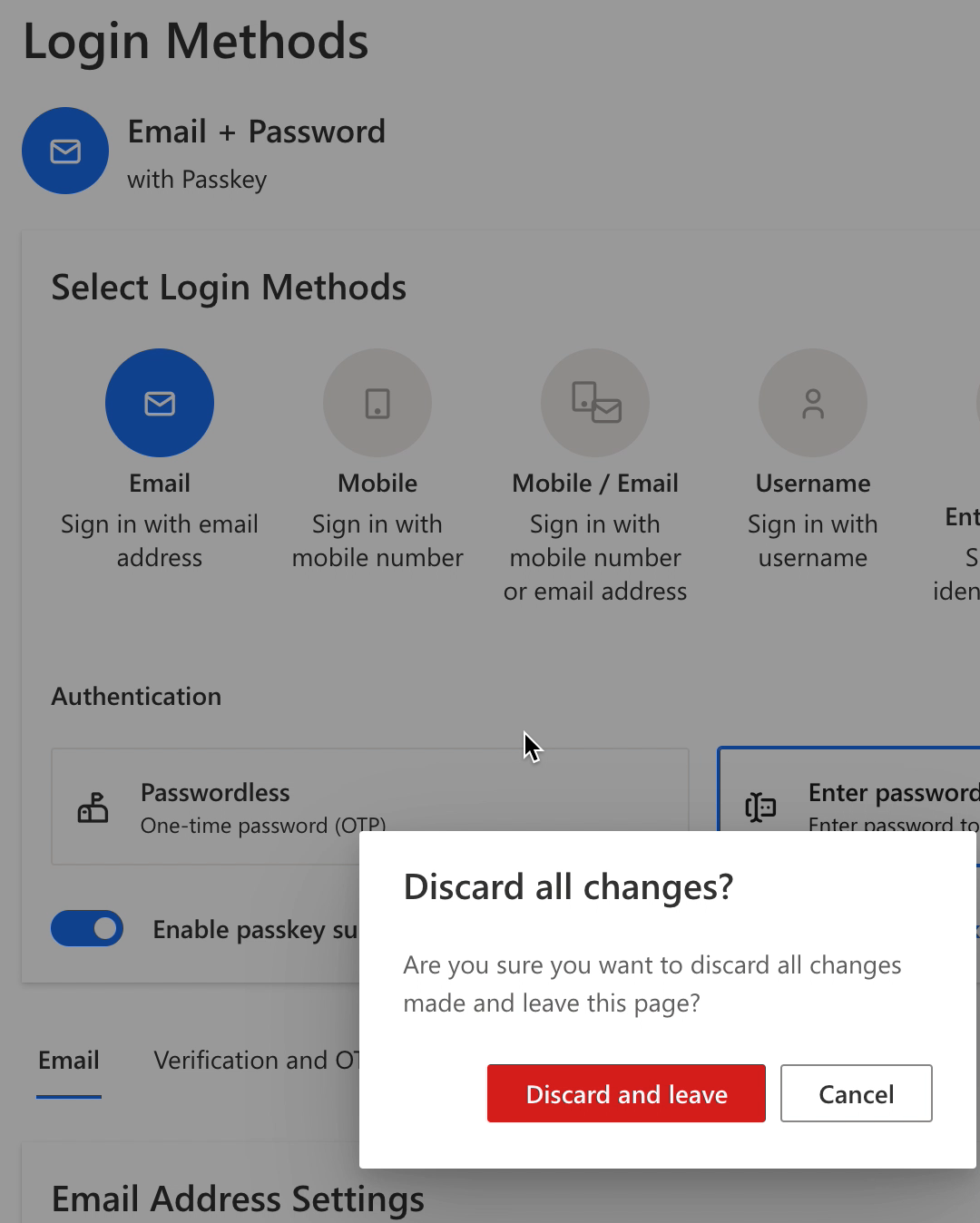
https://user-images.githubusercontent.com/4337525/196088894-b06e4f95-160a-48a7-b30f-4f82df27d579.mov
Contributor guide
Research direction
Start in the Admin Portal at Authentication > Login Methods and reproduce the race by saving changes and immediately navigating away. Inspect the save, navigation, and discard-dialog handling; done means no dialog appears once saving has completed, or “Discard and leave” actually reverts unsaved changes.
Written by the indexing model from the issue text.
Assessment
- Domain
- authentication, frontend
- Issue type
- Bug
- Difficulty
- 3/5
- Estimated time
- 1-2 days
- Activity status
- Stale
- Clarity
- Mostly clear
- Newbie friendliness
- 35/100