authgear / authgear/authgear-server
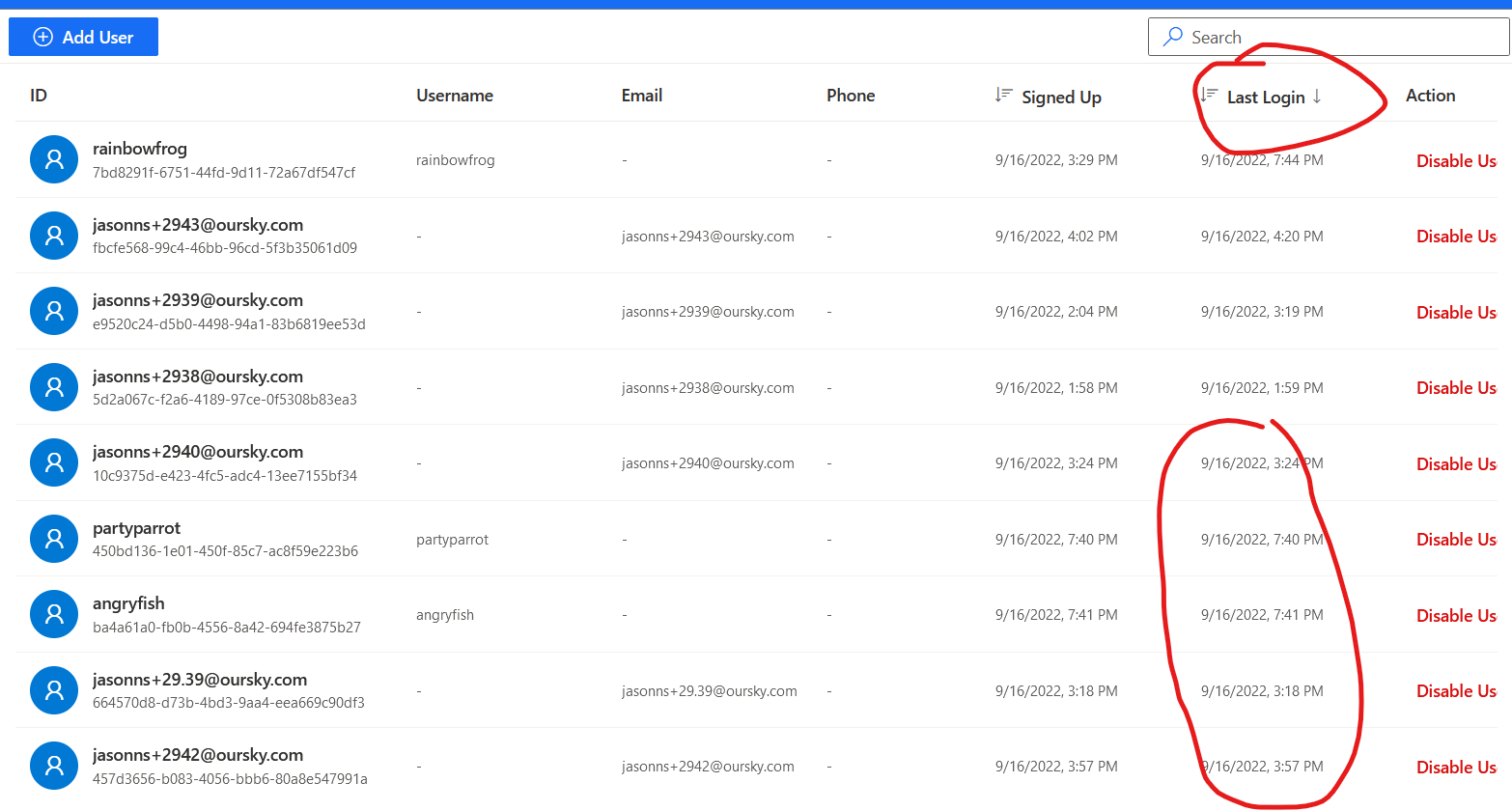
[Admin portal, User management] Last Login date time of newly signed-up users are set the same as the Signed Up time but are actually treated as None in sorting
- Dominant language
- Go
- Stars
- 2k
- Forks
- 125
- Avg merge
- 2d 17h
- Merged PRs (30d)
- 32
Description
bug major, reported by qa
## Background
Build: Staging
Device: Chrome, Firefox on win 11, S21 FE (Android 12), iPhone 12 mini (iOS 16), Samsung note 9 (Android 12)
## Steps
1. Log in to the admin portal and select any project
2. Go to the User Management page and add a new user (or go to the application sign-up page and sign up for new accounts)
3. Check the User list and see the Last Login time of that newly signed-up user is the same as the Signed Up time
4. Sort the records based on the Last Login time
5. See those newly signed-up users (with last login time = signed up time) are always sorted to the bottom
## Expected behavior
Should show the correct last login time for those newly signed-up users
## Screenshots
Contributor guide
Research direction
Start by reproducing the issue in the admin portal's User Management page using the listed sign-up and sorting steps. Trace how newly signed-up users' Last Login values are displayed and sorted, then verify that the displayed value and ordering are correct for users who have not logged in.
Written by the indexing model from the issue text.
Assessment
- Tech stack
- go
- Domain
- authentication, frontend
- Issue type
- Bug
- Difficulty
- 4/5
- Estimated time
- 3-5 days
- Activity status
- Stale
- Clarity
- Mostly clear
- Newbie friendliness
- 38/100