authgear / authgear/authgear-server
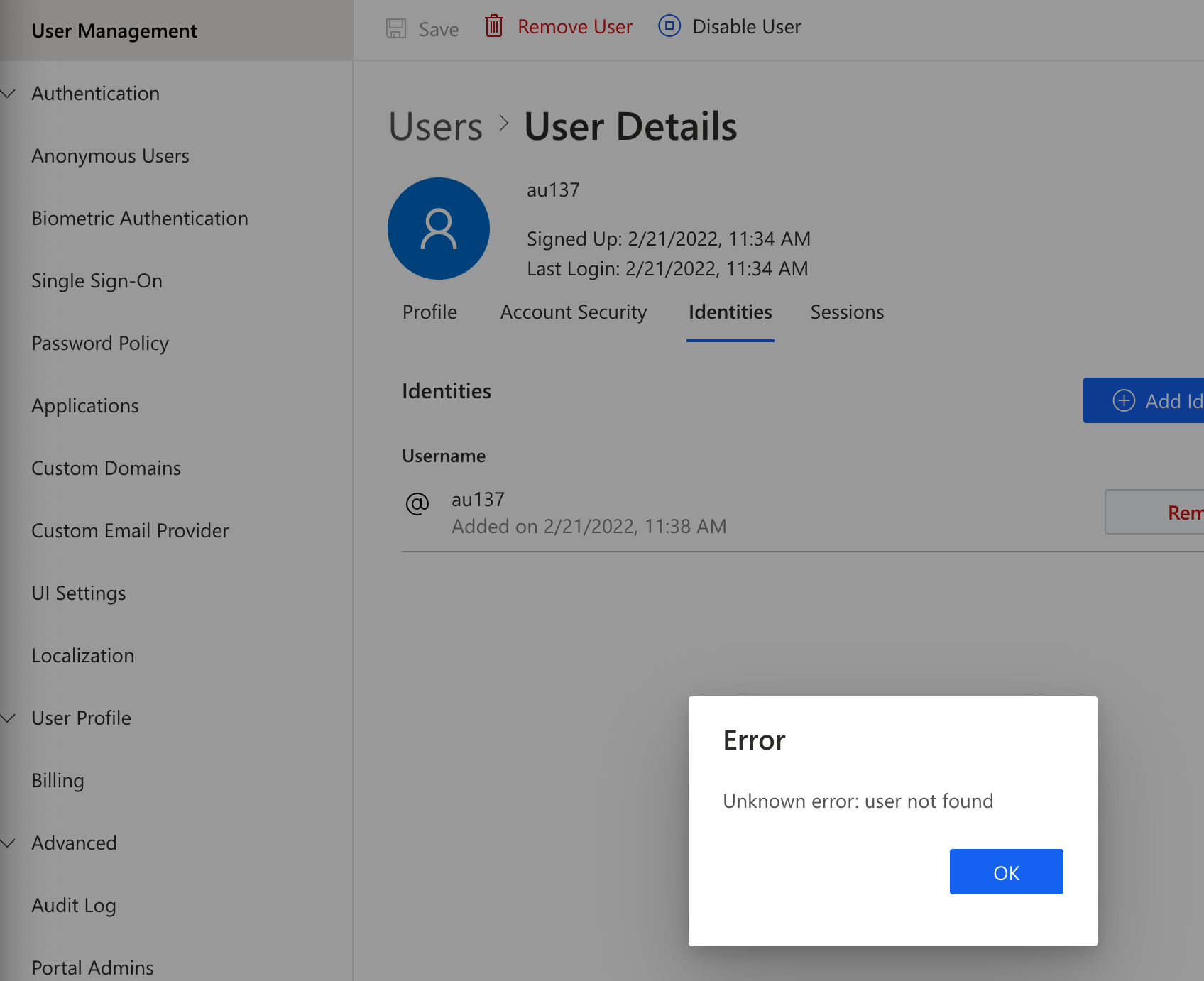
[Account Deletion, User management] Non-existing/deleted account profiles can be reopened (via back button)
- Dominant language
- Go
- Stars
- 2k
- Forks
- 125
- Avg merge
- 2d 17h
- Merged PRs (30d)
- 32
Description
bug/minor
## Background:
- Device / Browser (OS version): Chrome on win 10
- Build: Staging-demo_webapp-cookie-18022022
- Reported by: Jasonns
## Description:
Sometimes the portal loads forever when opening a non-existing/deleted account profile page, or show the deleted account with error when interacted with
## Steps to reproduce:
1. Log in to the Authgear portal and select any project
2. Go to the 'User Management' page and view the profile page of any account
3. Delete that account
4. Reopen the profile page of the deleted account again (e.g. via the browser back button)
5. See the forever loading of the webpage
## Expected result:
Should show the profile not found message instead
## Screenshot:
https://user-images.githubusercontent.com/4337525/154929149-2d577b8e-62b7-467c-9abf-57c1e5ae7200.mp4
Note: This user is deleted but its profile page can be reopened.
Contributor guide
Research direction
Start by reproducing the User Management profile flow in Chrome: delete an account, then reopen its profile with the browser back button. Trace the profile-page loading and deleted-account handling; done means a deleted or nonexistent account consistently shows a profile-not-found message instead of loading forever or displaying an error state.
Written by the indexing model from the issue text.
Assessment
- Tech stack
- go
- Domain
- frontend
- Issue type
- Bug
- Difficulty
- 3/5
- Estimated time
- 1-2 days
- Activity status
- Stale
- Clarity
- Mostly clear
- Newbie friendliness
- 35/100