aseprite / aseprite/Attachment-System
Converting a tilemap to regular layer and converting it back makes the old tileset appear
- Dominant language
- Lua
- Stars
- 8
- Forks
- 2
- PR merge metrics
- No merged PRs in 30d
Description
Probably related to #78
Steps:
1. Create a new sprite with transparent layer (200x200)
2. Select all (Ctrl+A) and *View > Grid > Selection as Grid*
3. Draw something in the Layer 1
4. Convert Layer 1 to tilemap (right-click > Convert to > Tilemap)
5. Then use "Setup Sprite" in the Attachment System
6. Convert the layer to regular layer
7. Convert the layer to tilemap again
You will see something like this:
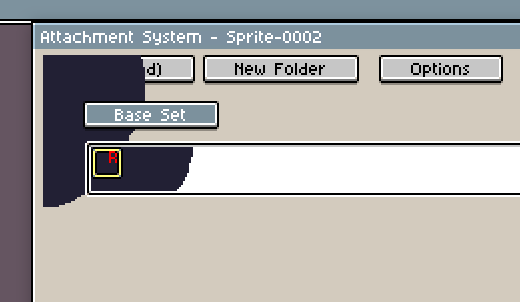

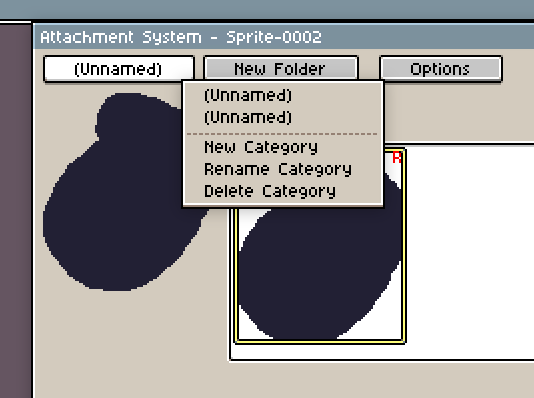
Example script:
```lua
local spr = Sprite(200, 100)
spr.gridBounds = Rectangle(0, 0, 200, 100)
app.command.ConvertLayer{ to="tilemap" }
app.command.ConvertLayer{ to="layer" }
app.command.ConvertLayer{ to="tilemap" }
app.command.AttachmentSystem_SwitchWindow()
```
After that we "Setup Sprite", convert the layer to a regular layer, then a tilemap layer, and the issue appears (there are other crashes, but that is other issue that will be solved in the Aseprite core)
Contributor guide
No contributing guide indexed for this repository
Assessment
This issue has not been assessed yet.