Color space issue with png file
- Dominant language
- C++
- Stars
- 3.3k
- Forks
- 353
- Avg merge
- 3d 16h
- Merged PRs (30d)
- 1
Description
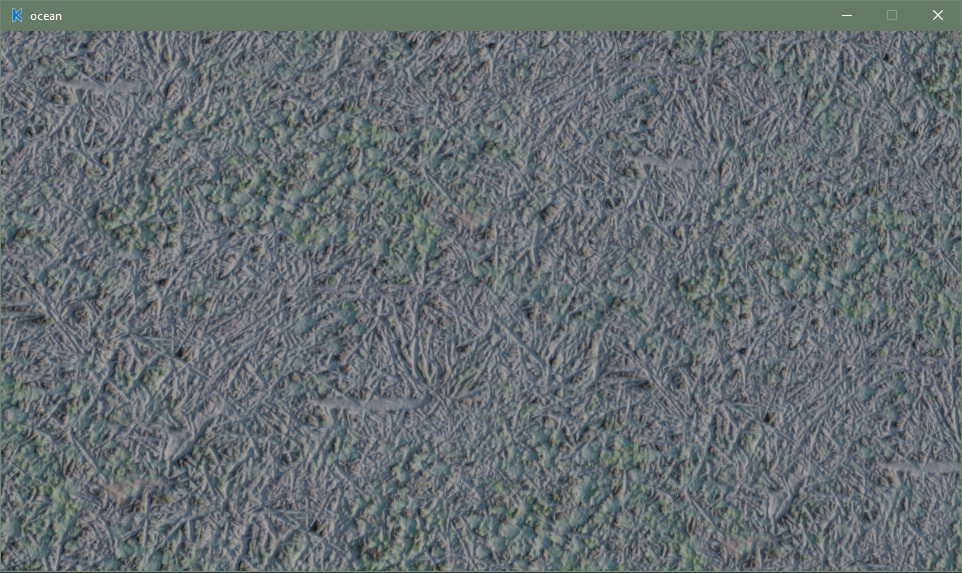
I'm not sure what's going on ,but the color seems washed out. I thought maybe it was something with the Armory PBR node ,but you can get the same results with just a image texture and diffuse node.
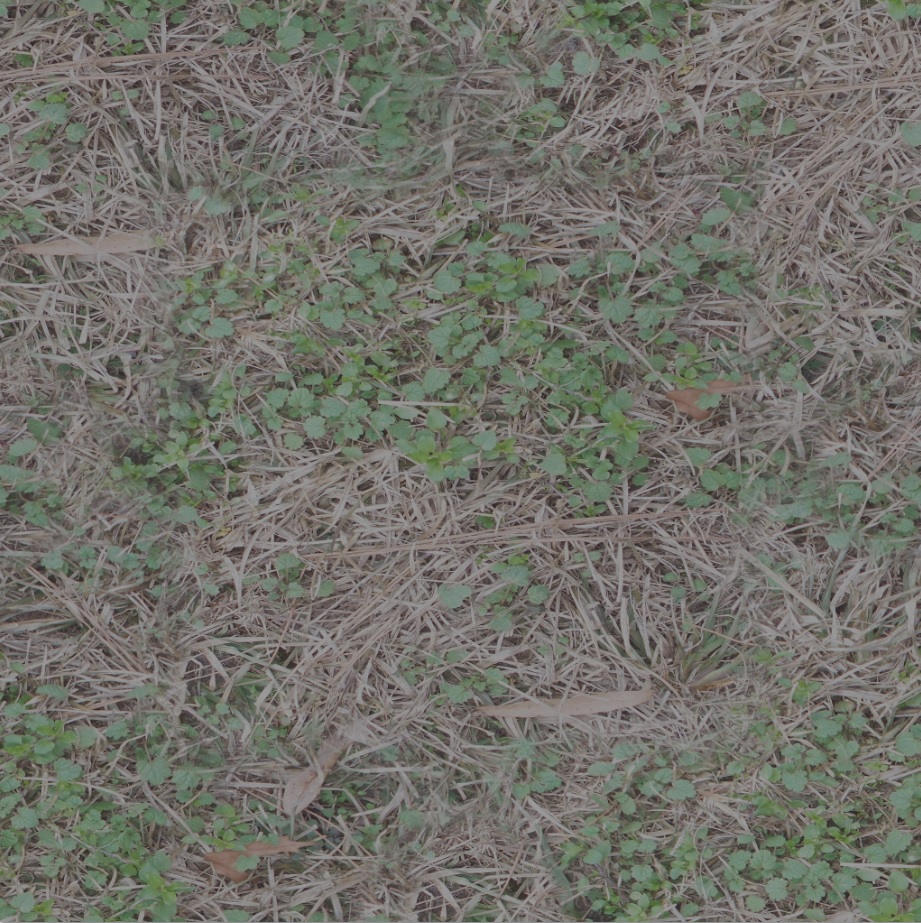
My texture
Armory results
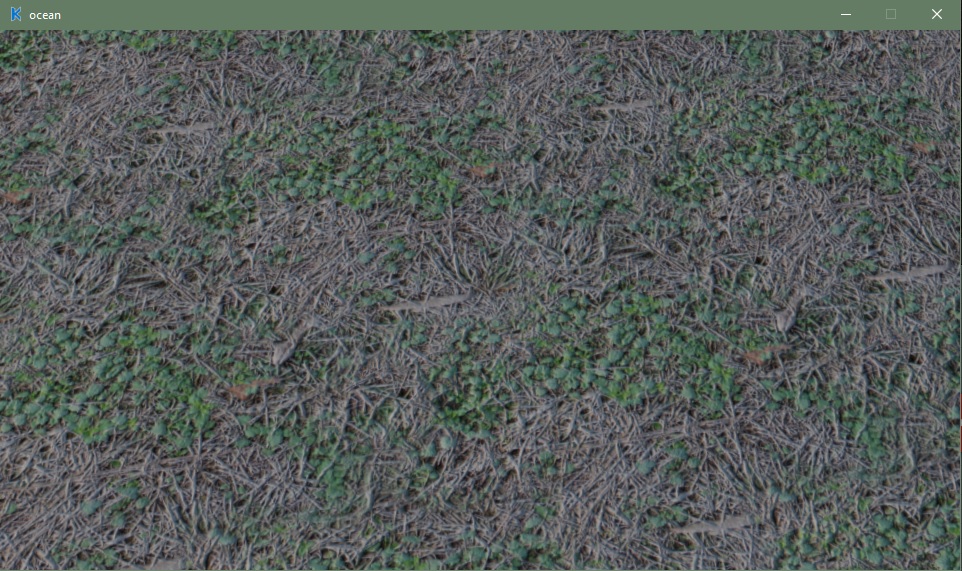
If you add a gamma node between the texture and pbr node and set it to 2.5. This seems to give it some color back ,but makes it really dark in Blender.
I tried to upload a blend ,but I'm way over the size limit.
Contributor guide
No contributing guide indexed for this repository
Research direction
Start by reproducing the washed-out result with the image texture and diffuse node, then compare it with the Blender texture and the gamma-node workaround shown in the report. Investigate the color-space handling around the Armory PBR node and image texture; done means the rendered texture matches the expected colors without requiring an ad hoc gamma adjustment.
Written by the indexing model from the issue text.
Assessment
- Domain
- computer-graphics, game-dev
- Issue type
- Bug
- Difficulty
- 4/5
- Estimated time
- 3-5 days
- Activity status
- Stale
- Clarity
- Needs clarification
- Newbie friendliness
- 25/100