Unexpected transform using bone constraint
- Dominant language
- C++
- Stars
- 3.3k
- Forks
- 353
- Avg merge
- 3d 16h
- Merged PRs (30d)
- 1
Description
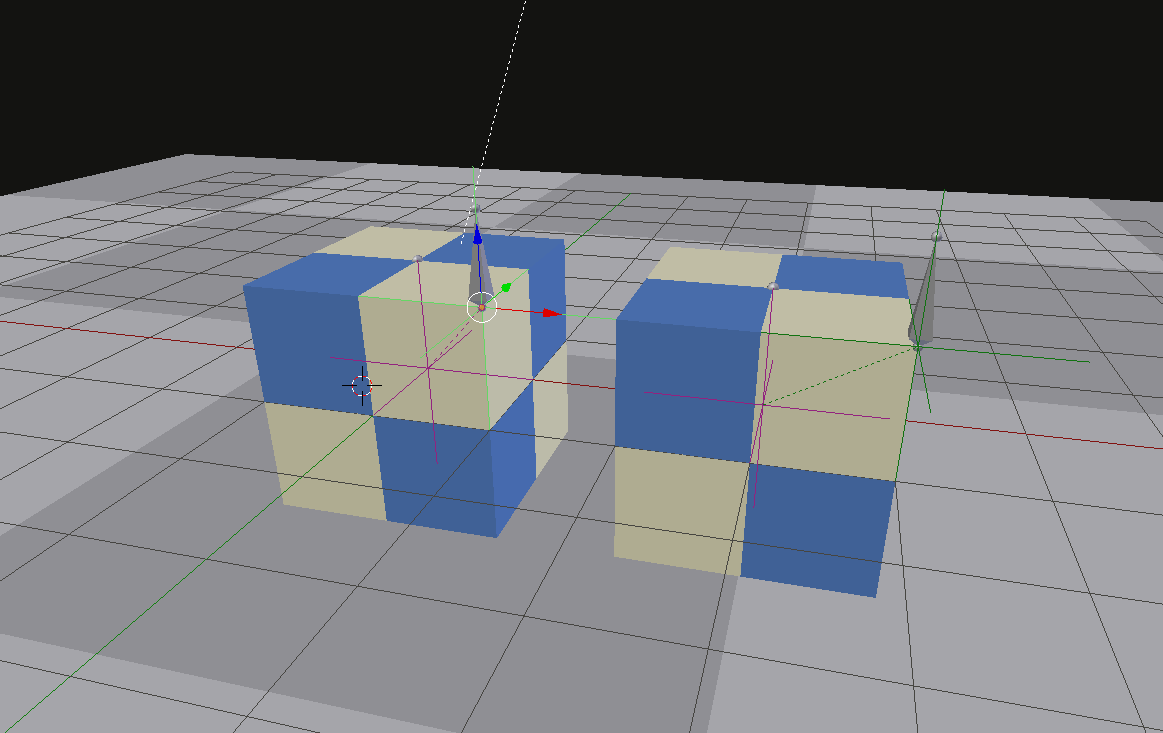
Setup is a cube and an armature with 2 bones parented to an empty. There is also a second empty that is used to control the bone constraint of the second bone (top right corner.)
This whole setup was then duplicated and the parent (empty object) was translated in the x axis. All is good in the blender viewport but in armory the 2nd bone changes position on top of the parent.
This is how it looks in the blender viewport
And this is what happens in armory
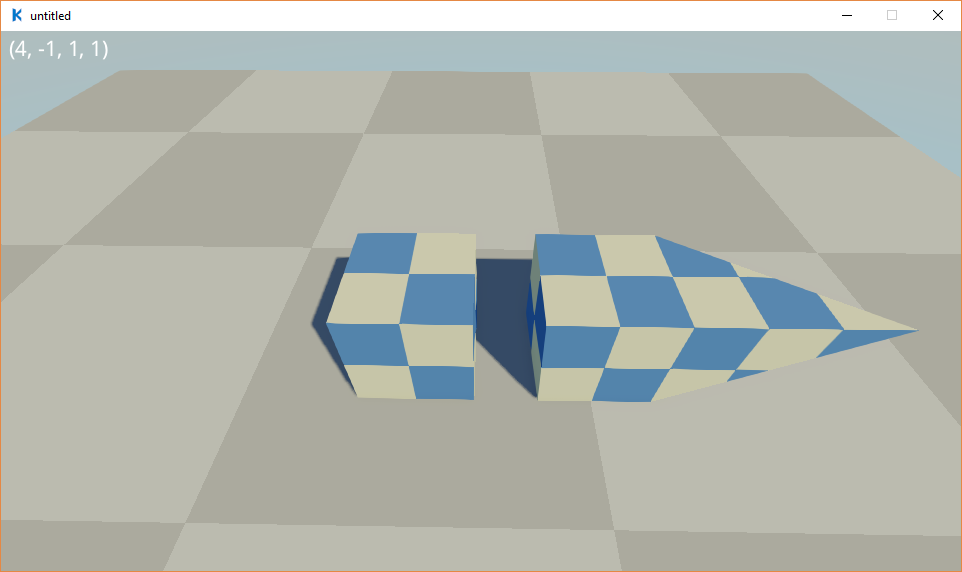
The text output at the top is the positon of the empty that is controlling the bone constraint. It seems to be at the exact position one would expect (4, -1, 1) but the bone is not (7, -1, 1!!).
[boneConstraint.zip](https://github.com/armory3d/armory/files/2142447/boneConstraint.zip)
Contributor guide
No contributing guide indexed for this repository
Research direction
Start by opening boneConstraint.zip and reproduce the duplicated armature setup in Blender, then compare its viewport transforms with the Armory result after translating the parent empty on the x axis. Focus on the second bone's constraint and verify that its position remains consistent with the controlling empty; done means Armory matches the expected transformed bone position.
Written by the indexing model from the issue text.
Assessment
- Tech stack
- blender
- Domain
- computer-graphics, game-dev
- Issue type
- Bug
- Difficulty
- 4/5
- Estimated time
- 3-5 days
- Activity status
- Stale
- Clarity
- Mostly clear
- Newbie friendliness
- 42/100