Decal filtering jagged noise
- Dominant language
- C++
- Stars
- 3.3k
- Forks
- 353
- Avg merge
- 3d 16h
- Merged PRs (30d)
- 1
Description
I've been having some trouble getting decals to look nice, as per default (when trying out the decal example, I get these weird jagged noise around the edges when using anisotropic filtering:
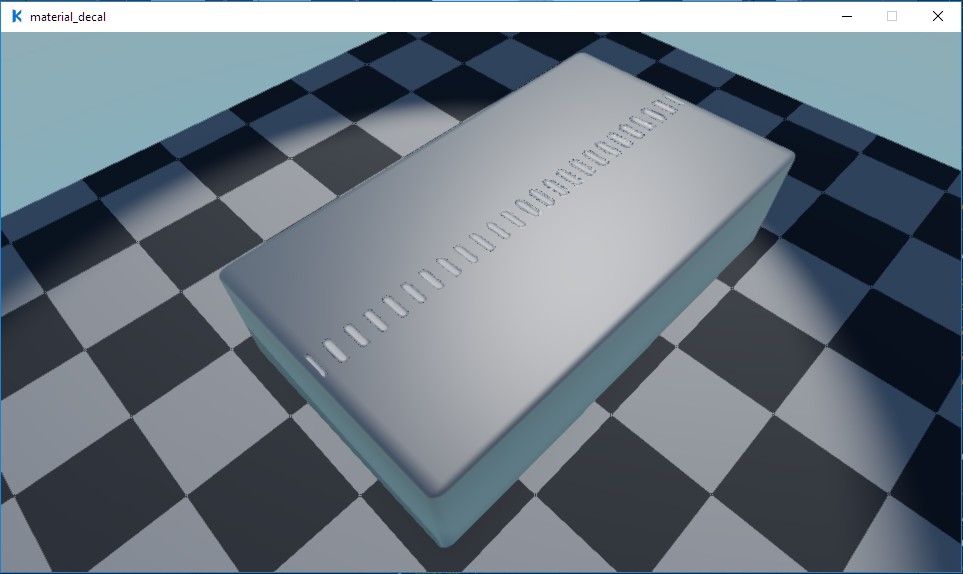
Then I tried to see if it would help to the texture filtering to something else (ie. linear), and it did help quite a bit, but still with rough edges:
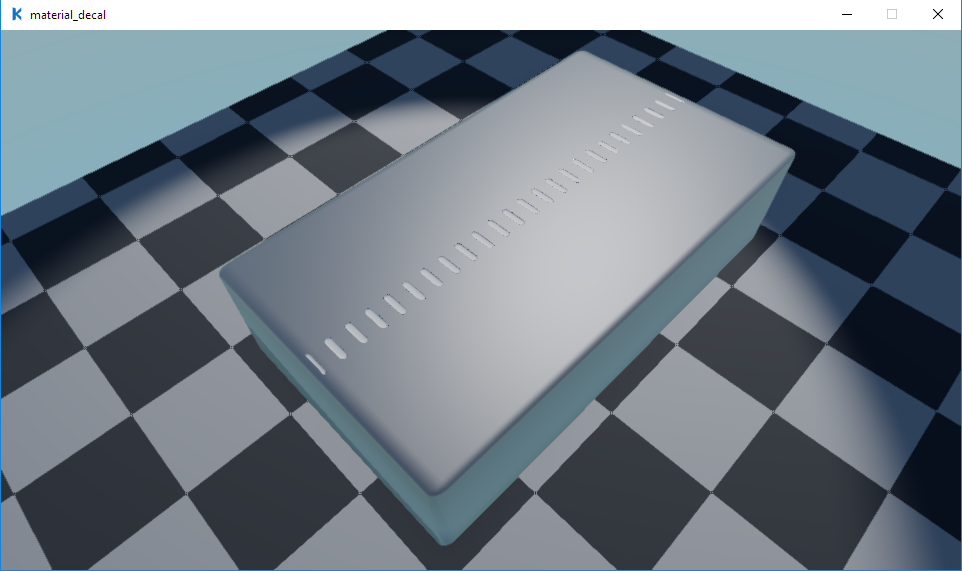
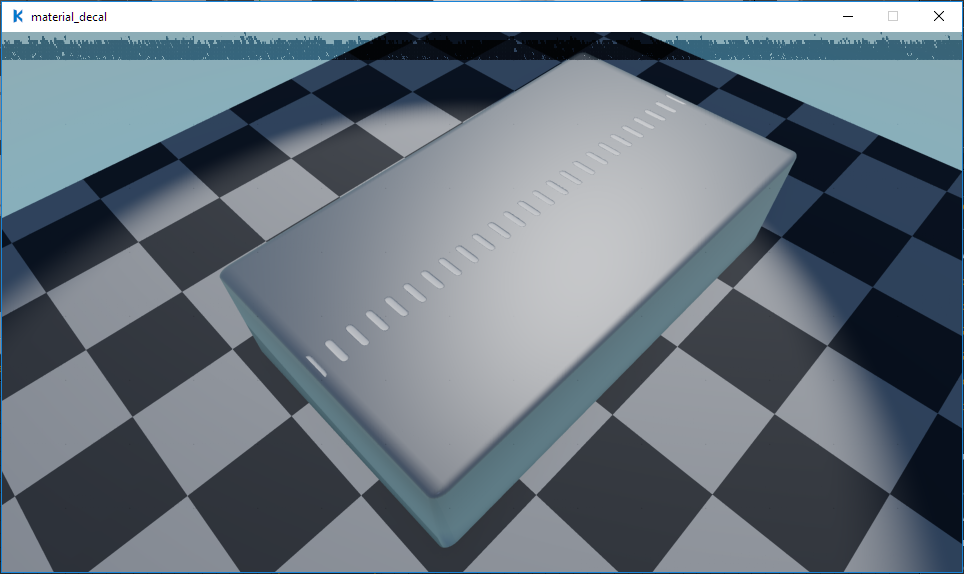
Then I checked out the various anti-aliasing methods to see if it helped to no avail, to me only the costly Supersampling method worked, which had another weird effect, creating some sort of interference line at the top:
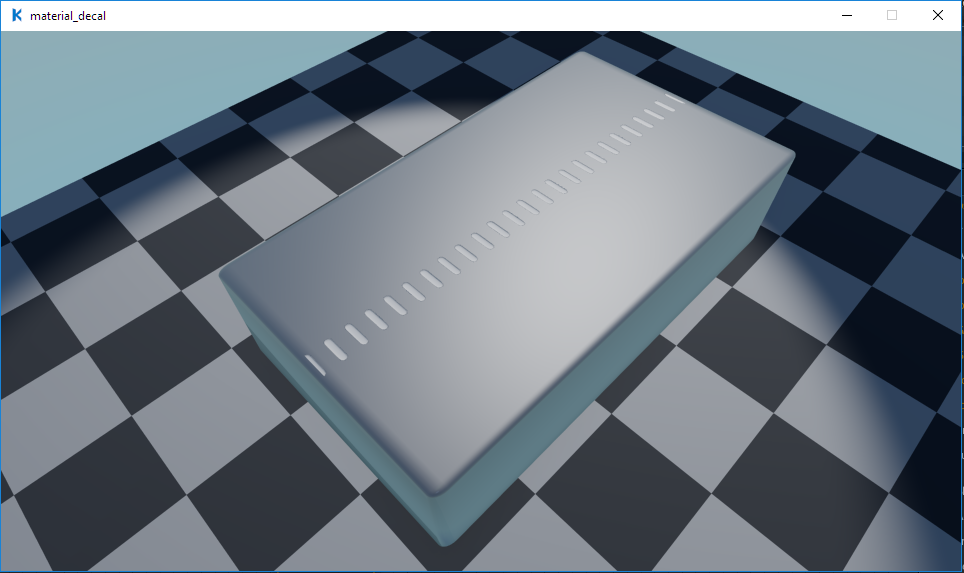
This seemed to only be the combination of FXAA + Supersamling, as Supersampling + SMAA/TAA didn't show similar results:
Contributor guide
No contributing guide indexed for this repository
Research direction
No source file, test, or entry point is named. Reproduce the decal example with anisotropic and linear filtering, then compare FXAA, SMAA, TAA, and supersampling as shown in the report. Done means the jagged decal edges and the supersampling interference line are explained and corrected without introducing a new artifact.
Written by the indexing model from the issue text.
Assessment
- Domain
- computer-graphics
- Issue type
- Bug
- Difficulty
- 5/5
- Estimated time
- Over a week
- Activity status
- Stale
- Clarity
- Needs clarification
- Newbie friendliness
- 20/100