Turning off 'Culling' removes ReflectionPlane Reflections
- Dominant language
- C++
- Stars
- 3.3k
- Forks
- 353
- Avg merge
- 3d 16h
- Merged PRs (30d)
- 1
Description
**Description**
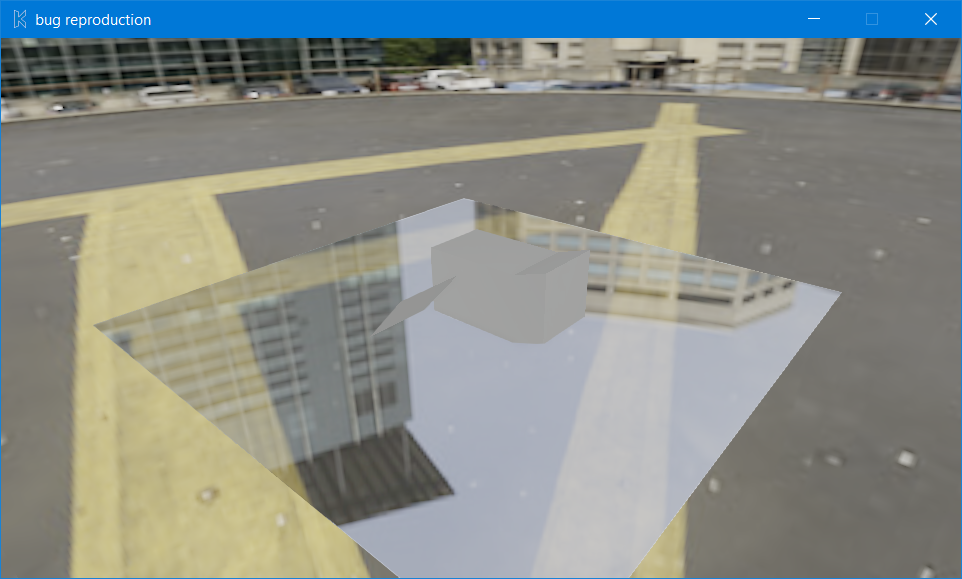
Turning off 'Culling' in the render path removes ReflectionPlane reflections.
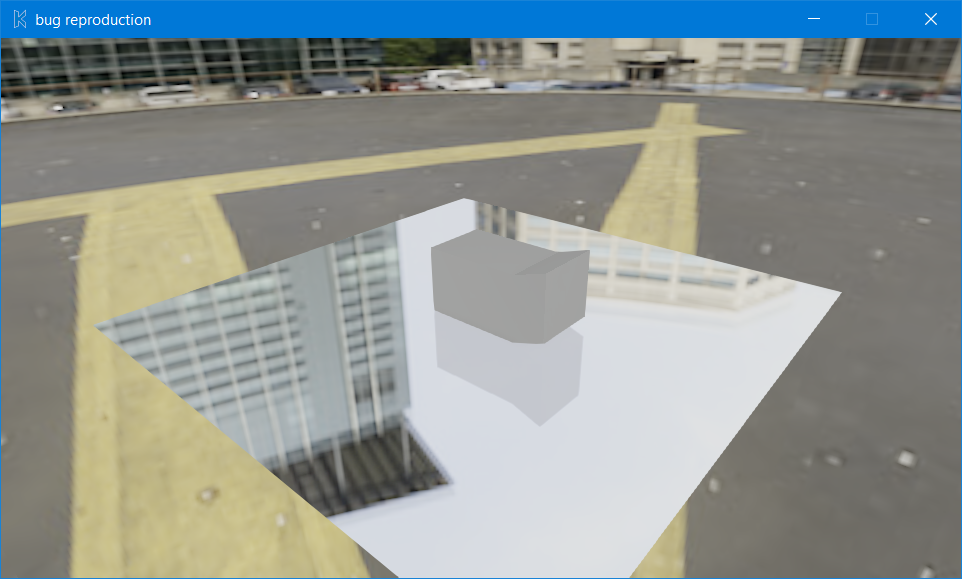
With Culling on, the ReflectionPlane reflections are visible.
**To Reproduce**
1. Add a ReflectionPlane into the scene and a setup where you would see reflections.
2. Turn off Culling in the render path settings.
3. Play the Armory Project
4. The reflections do not show up.
5. Turn on Culling.
6. Play.
7. The reflections now show up.
**Expected behavior**
ReflectionPlanes should show reflections, regardless of whether or not Culling is turned on or off.
Culling On (reflections are correct):
Culling Off (reflections are not there):
**System**
Blender: v2.80 Release
Armory: 2019.9.0
OS: Windows 10 (1903)
Graphics card: GeForce MX150
**Test File**
The additional plane is for demonstrating when culling is on and when it is off; its backface is facing the viewport camera.
[bug reproduction.zip](https://github.com/armory3d/armory/files/3630046/bug.reproduction.zip)
Thank you!
Contributor guide
No contributing guide indexed for this repository
Research direction
Start with the linked bug reproduction.zip and reproduce the ReflectionPlane behavior with Culling enabled and disabled in the render path settings. Trace the render-path culling handling and ReflectionPlane rendering, then verify that reflections remain visible in both configurations.
Written by the indexing model from the issue text.
Assessment
- Tech stack
- blender, cpp
- Domain
- computer-graphics, game-dev
- Issue type
- Bug
- Difficulty
- 4/5
- Estimated time
- 3-5 days
- Activity status
- Stale
- Clarity
- Mostly clear
- Newbie friendliness
- 35/100