armory3d / armory3d/armorpaint
Stencil issues with X-Ray
- Dominant language
- C
- Stars
- 5k
- Forks
- 553
- Avg merge
- 3d 11h
- Merged PRs (30d)
- 6
Description
**ArmorPaint version:**
ArmorPaint.org - v0.8 (2021-04-27) - e334850
**OS/device including version:**
Win10 x64
Stencils have issues with x-ray painting. I think the reason is that stencils depend on the zoom level/camera position.
1. Create some simple material
2. Tick x-ray
Now we have two options: 1. Ordinary stencil, 2. Stencil + Ctrl pressed
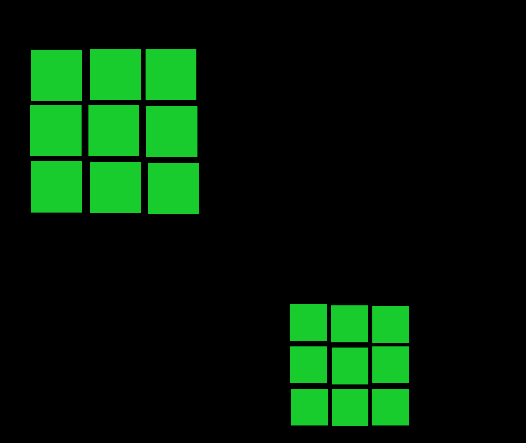
1. Ordinary stencil seems to work more or less as intended. Puting a stencil on the one side puts the same on on the other side. The only thing I consider a bit counter intuitive is that the "x-rayed" stencil on the model's backface is bigger than the on on the front side (probably because of the bigger distance to the camera). I have no idea whether this is a standard behavior for such tools or not.
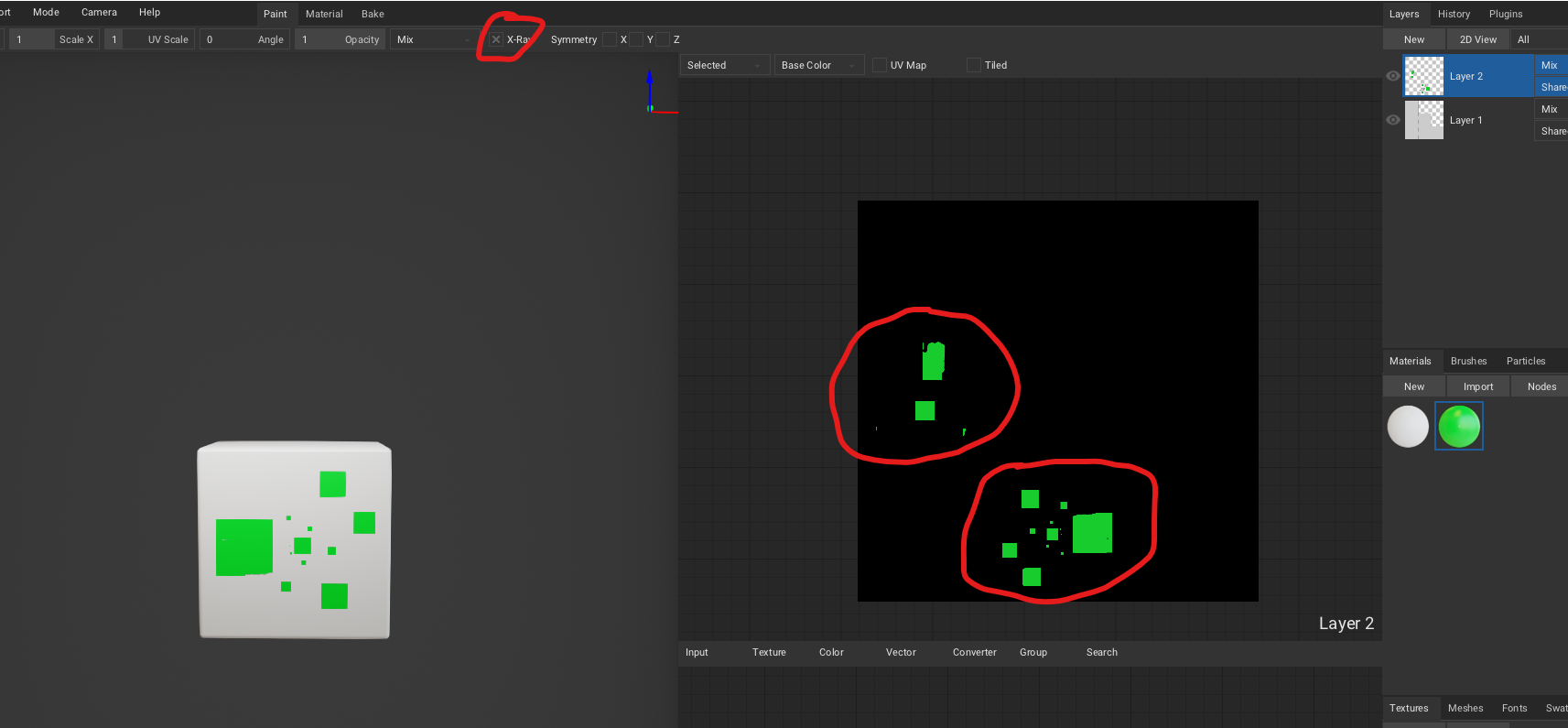
2. Stencil + Ctrl pressed. In this case the stencil "x-rayed" stencil at the backface is incomplete or completely missing.
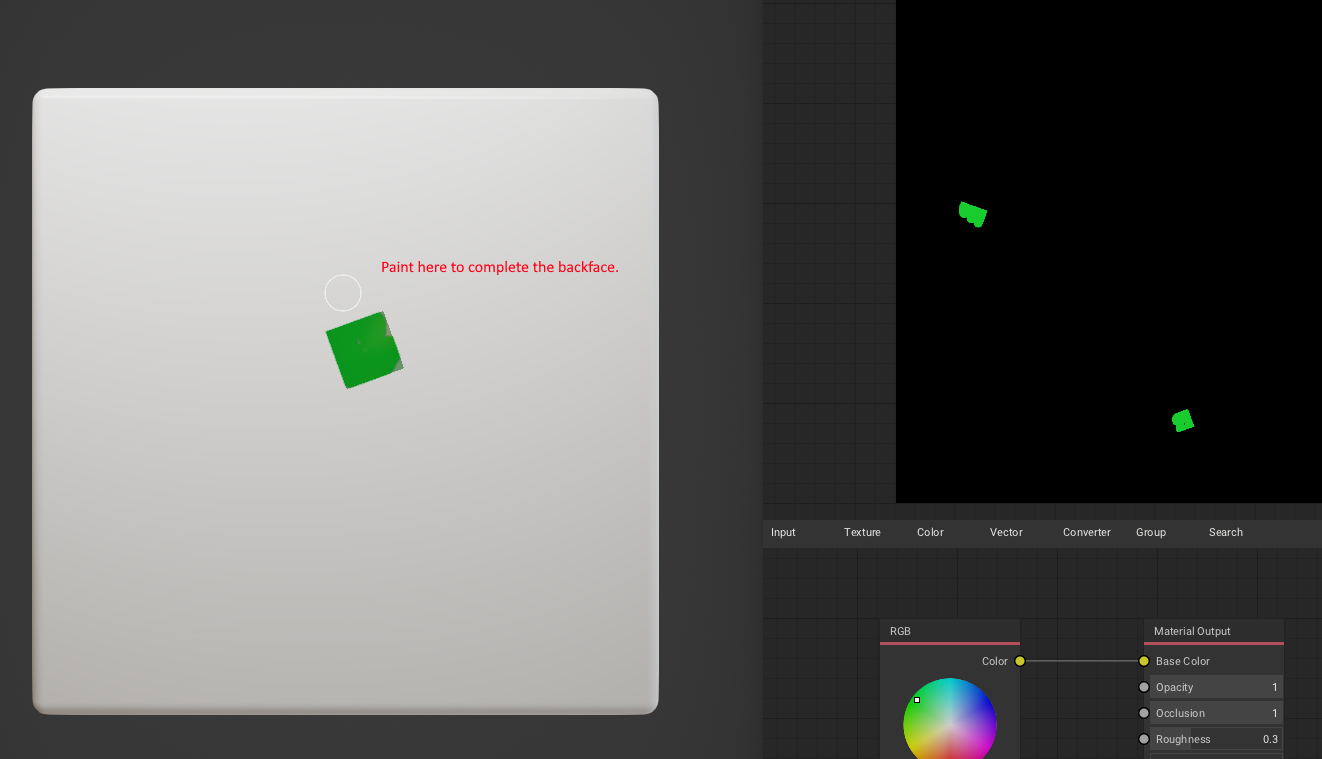
 Actually to paint it completely on the backface you have to paint somewhere out of the stencil .
Contributor guide
No contributing guide indexed for this repository
Research direction
Reproduce the report in ArmorPaint.org v0.8 (2021-04-27) on Win10 x64 using a simple material with X-ray enabled. Compare an ordinary stencil with a stencil while holding Ctrl, including painting on the backface; done means the X-rayed stencil behaves consistently and is not incomplete or missing on the backface.
Written by the indexing model from the issue text.
Assessment
- Domain
- computer-graphics
- Issue type
- Bug
- Difficulty
- 4/5
- Estimated time
- 3-5 days
- Activity status
- Stale
- Clarity
- Mostly clear
- Newbie friendliness
- 30/100