IDE display broken badly
- Dominant language
- Java
- Stars
- 14.6k
- Forks
- 7k
- PR merge metrics
- No merged PRs in 30d
Description
I have the latest (1.8.12) (Windows Store 1.8.33.0). I am getting totally messed-up display. Here is a screen shot of what I see:

But if I copy the line from the IDE and paste it into NotePad++, I see what I expect:

Here is another example. The IDE shows me this

But the copy-and-paste reveals the content is as expected

I could give dozens of examples, including ones where each space is expanded so that the single-space between words looks like six to ten spaces. If I roll the mouse over the line to select a region, the letters flow in weird ways as they attempt to look like what I should see.
The IDE is nearly unusable. I copy the body of a function out, move it to NotePad++, edit it, and replace it back in the IDE, where it is mangled beyond usefulness by the display logic.
I am using Windows 10, here's a screenshot of the "Properties" of "This PC":
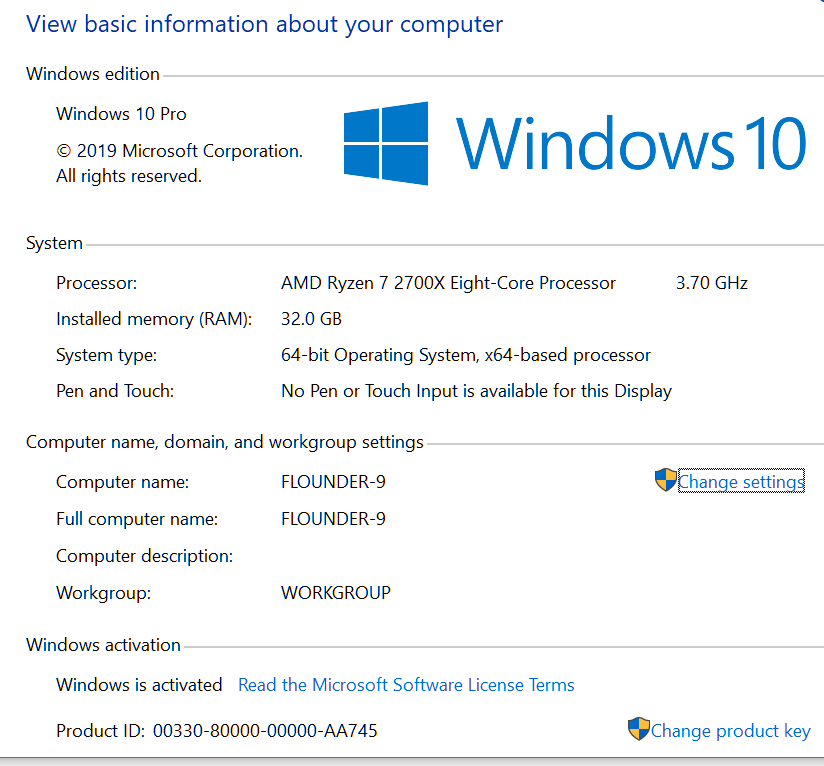
The Arduino IDE is the _only_ program that exhibits this pathology. NotePad, NotePad++, Word, this box I'm typing into, do not have this problem.
Contributor guide
Research direction
Start by reproducing the display corruption in Arduino IDE 1.8.12/Windows Store 1.8.33.0 on Windows 10, using the screenshots and examples in the issue. Compare the IDE rendering with the copied text in Notepad++ and check whether spacing, character flow, and mouse selection are affected. Done means normal code display and selection without requiring copy-and-paste through another editor.
Written by the indexing model from the issue text.
Assessment
- Tech stack
- java
- Domain
- desktop
- Issue type
- Bug
- Difficulty
- 4/5
- Estimated time
- 3-5 days
- Activity status
- Stale
- Clarity
- Needs clarification
- Newbie friendliness
- 25/100