[Bug] MarkArea gets cut off while scrolling in zoomed mode
- Dominant language
- TypeScript
- Stars
- 67.3k
- Forks
- 19.8k
- Avg merge
- 11d 14h
- Merged PRs (30d)
- 8
Description
### Version
5.4.2
### Link to Minimal Reproduction
https://codesandbox.io/s/wmppmi?file=/index.js
### Steps to Reproduce
1. Open the demo on https://codesandbox.io/s/wmppmi?file=/index.js
2. Zoom in the chart several times (so that it can be scrollable)
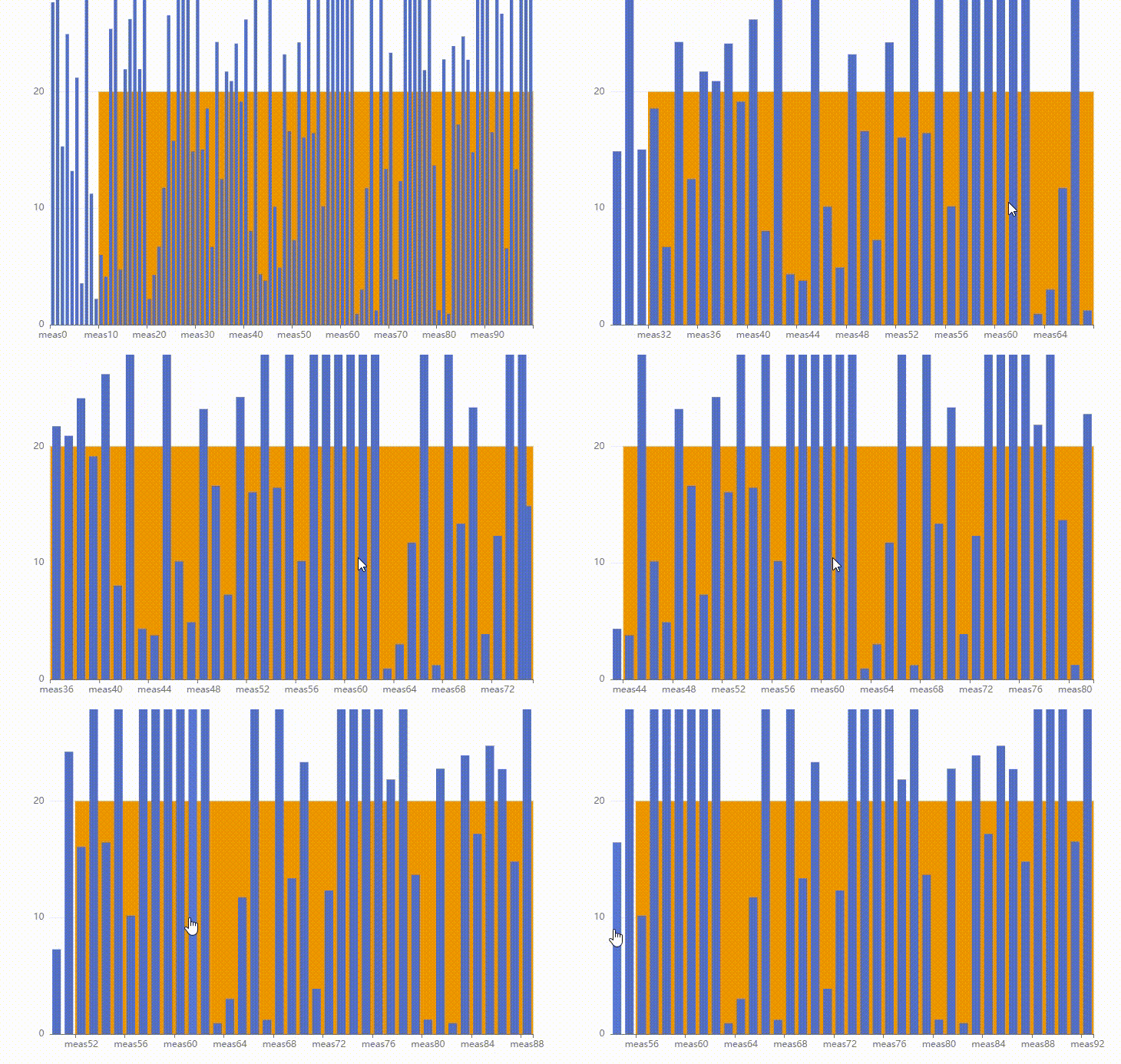
3. Keep scrolling the chart to the right and watch the left-hand side of the mark area as it's getting cut off when the first tick on the X-axis is not aligned with the [0, 0] point on the graph (as if mark area began at this tick and the space before is ignored while it should be continuous)
Below a small demonstration:
### Current Behavior
Mark area is getting cut off when the first tick on the X-axis is not aligned with the [0, 0] point on the graph. It looks like mark area started at this tick and the space before it is ignored.
### Expected Behavior
Mark area should be drawn as a continuous area while scrolling, with no ruptures.
### Environment
```markdown
- OS:
- Browser:
- Framework:
```
### Any additional comments?
_No response_
Contributor guide
Assessment
This issue has not been assessed yet.