ant-design / ant-design/pro-components
🐛[BUG] Drag columns don't work correctly in some cases.
- Dominant language
- TypeScript
- Stars
- 4.8k
- Forks
- 1.4k
- Avg merge
- 10h 44m
- Merged PRs (30d)
- 3
Description
### 🐛 bug 描述
### 📷 复现步骤
Steps to reproduce
1. Move fixed column from right to to left and undo (move that column from left to right)
2. Drag first column (容器数量) in middle section (except fixed right and left sections) to the second one.
3. Expect first column in second place but the result was in third place.
Gif:
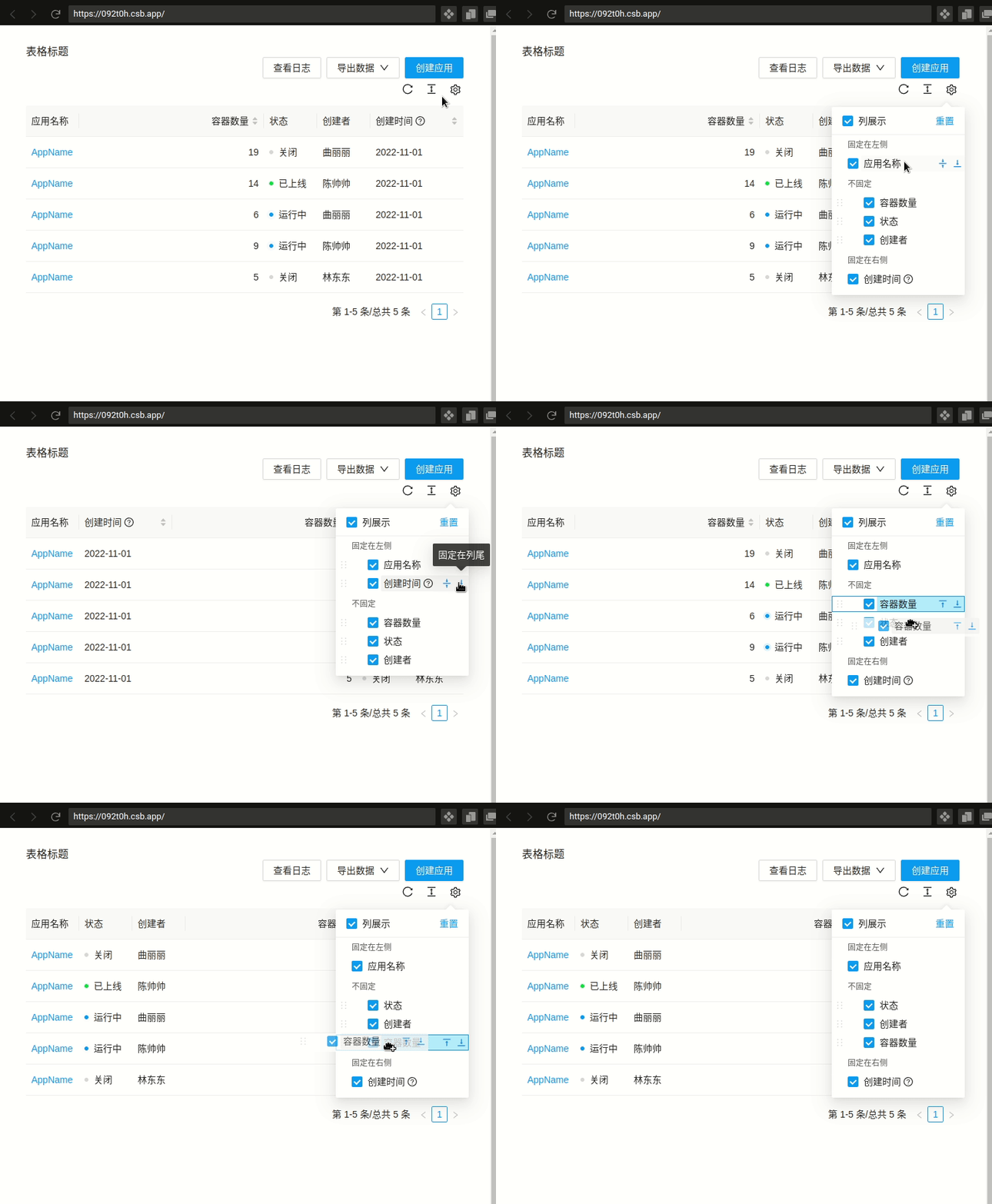
Code sandbox: https://codesandbox.io/s/test-fixed-columns-then-click-reset-on-setting-092t0h?file=/App.tsx
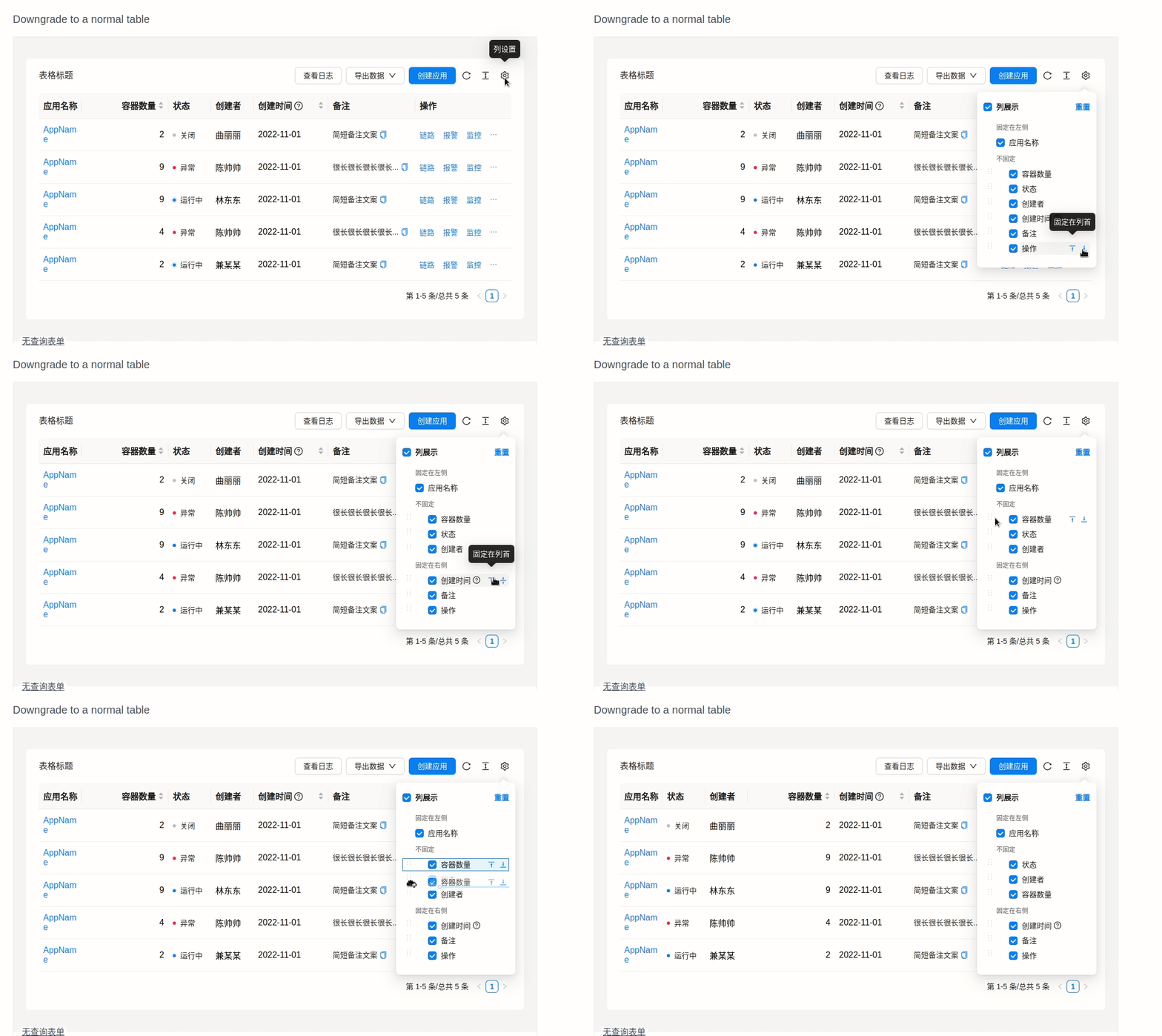
I also test on Office document in `Downgrade to a normal table` https://procomponents.ant.design/en-US/components/table/?current=1&pageSize=5#downgrade-to-a-normal-table
This is result Gif:
### 🏞 期望结果
Drag working correctly
### © 版本信息
Ubuntu 20.04 / codesandbox
```
"dependencies": {
"@ant-design/icons": "4.7.0",
"@ant-design/pro-components": "2.3.26",
"antd": ">=4.20.0",
"react": ">=16.9.0",
"react-dom": ">=16.9.0"
},
```
Contributor guide
Research direction
Start with App.tsx in the linked CodeSandbox and reproduce the sequence of moving a fixed column, undoing it, and dragging the first middle-section column. Compare the behavior with the linked Pro Components table example. Done means the dragged column consistently appears in the requested position after the fixed-column move and undo sequence.
Written by the indexing model from the issue text.
Assessment
- Tech stack
- react, typescript
- Domain
- frontend
- Issue type
- Bug
- Difficulty
- 4/5
- Estimated time
- 3-5 days
- Activity status
- Stale
- Clarity
- Mostly clear
- Newbie friendliness
- 25/100