algolia / algolia/instantsearch
GeoSearch behaviour with latest Google Maps version
- Dominant language
- TypeScript
- Stars
- 4.1k
- Forks
- 553
- Avg merge
- 1d 11h
- Merged PRs (30d)
- 51
Description
## 🐛 Bug description
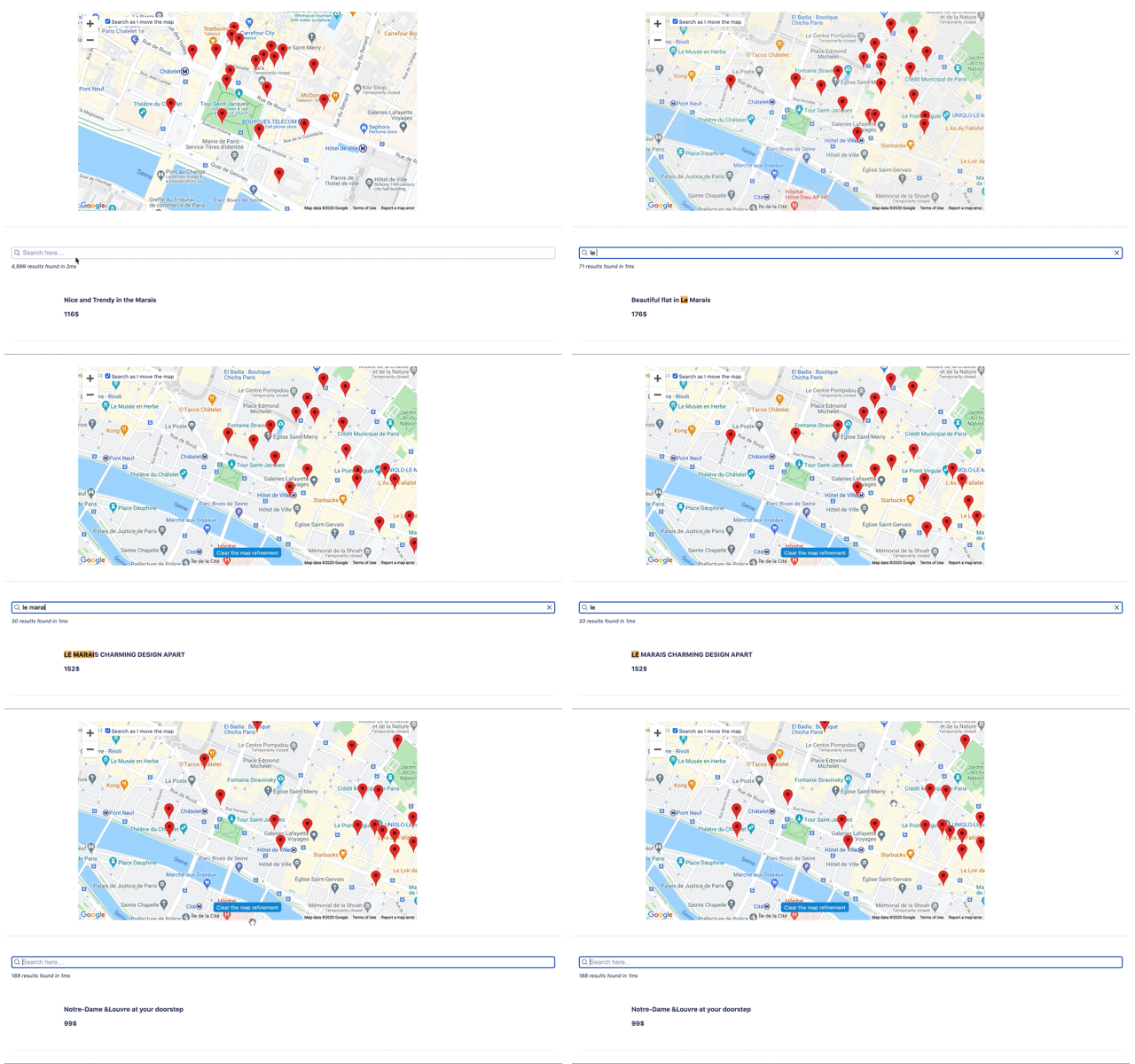
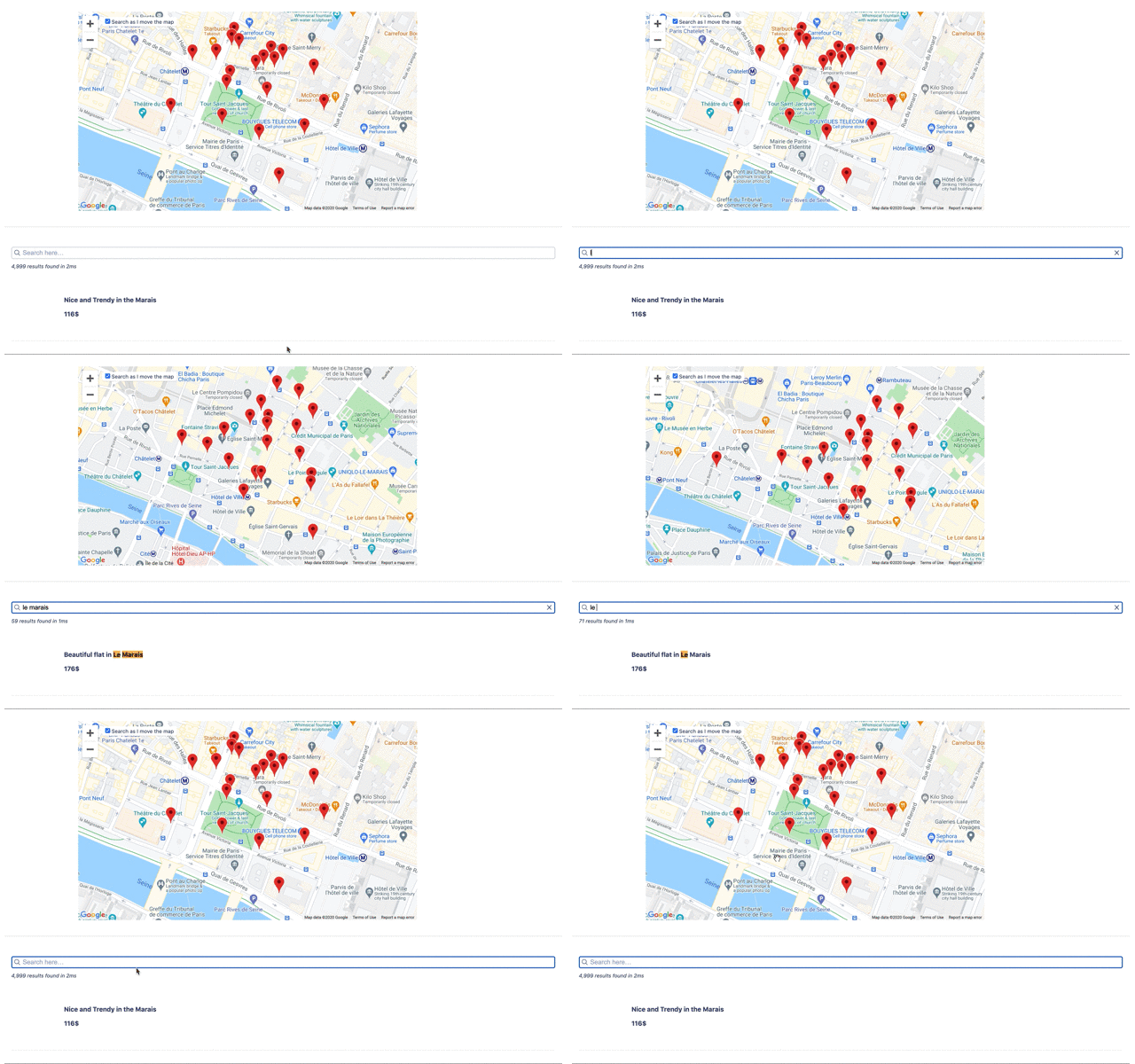
The geo search widget doesn't work as expected with the latest version of Google Maps. By default, we use a position through the search parameter `aroundLatLng` or `aroundLatLngViaIP` to refine the results. Until the user moves the map, it should follow the results. It's not the case anymore with the last version of Google Maps. The search is refined with the bounding box of the map as soon as the map follow the results.
The same issue applies to React InstantSearch.
## 🔍 Bug reproduction
**Steps to reproduce the behavior:**
1. Go to https://instantsearchjs.netlify.app/stories/?path=/story/results-geosearch--default
2. Search for "Le marais"
2. Remove the search
4. The map is not back to its original position
Version 3.43 (latest):
Version 3.42:
## 💭 Expected behavior
The map should follow the search of the user until it moves the map.
## Additional context
> https://discourse.algolia.com/t/algolia-geoseach-bug/11455/7
Contributor guide
Research direction
Start with the GeoSearch default reproduction at the linked InstantSearch Stories URL and compare the behavior shown for versions 3.42 and 3.43. Check the corresponding GeoSearch and React InstantSearch entry points to trace how aroundLatLng or aroundLatLngViaIP interacts with the map bounds. Done means the map follows search results until the user moves it, including after clearing “Le marais”.
Written by the indexing model from the issue text.
Assessment
- Tech stack
- react, typescript
- Domain
- frontend, search
- Issue type
- Bug
- Difficulty
- 4/5
- Estimated time
- 3-5 days
- Activity status
- Stale
- Clarity
- Mostly clear
- Newbie friendliness
- 35/100