algolia / algolia/algoliasearch-rails-example
Turbolinks causes Algolia JS to not initialize properly
- Dominant language
- Ruby
- Stars
- 35
- Forks
- 17
- PR merge metrics
- No merged PRs in 30d
Description
Hello,
I noticed that if you clone and setup this repo as per the stated instructions, you cannot use the various search forms if you arrive at the page via the navigation links due to a JS error.
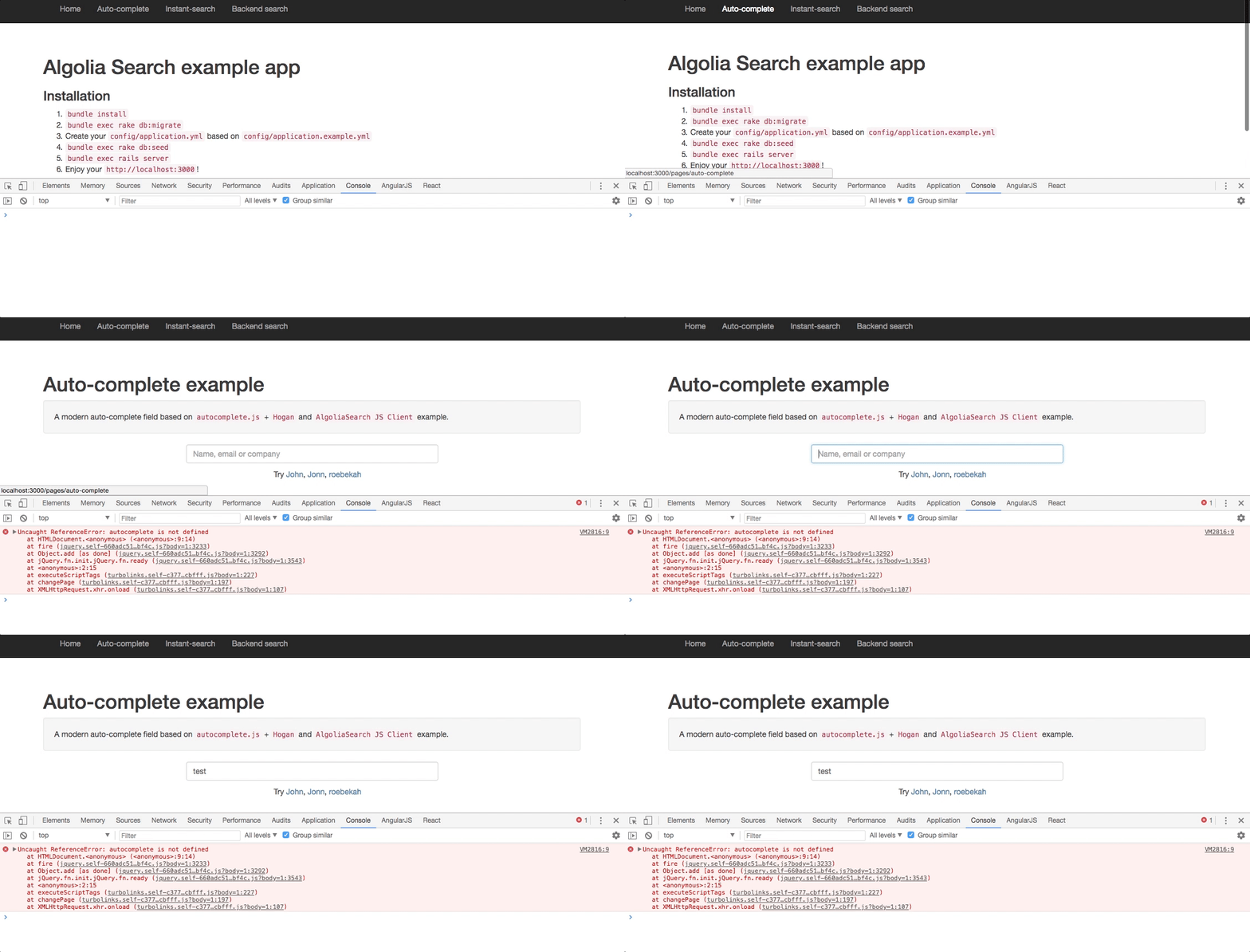
To replicate:
1. Clone the repo and setup as per the instructions
2. On http://localhost:3000/ click 'Auto-complete' in the navigation
3. http://localhost:3000/pages/auto-complete will load but there will be a JS error preventing use of the form (ie the auto-completion does not function)
4. The auto-complete form can be used if you refresh the page or navigate to http://localhost:3000/pages/auto-complete directly via the address bar in the browser
This occurs in Chrome and FF.
I believe this is because Turbolinks does not rerun $(document).ready(function()) when navigating between app pages via links. Disabling Turbolinks corrects the issue.
Thanks!
Contributor guide
No contributing guide indexed for this repository
Research direction
Reproduce the failure by navigating from the home page to the Auto-complete page, then inspect the JavaScript initialization for the autocomplete form and its interaction with Turbolinks navigation. Confirm the fix by checking that autocomplete works after both in-app navigation and a direct page load in Chrome and Firefox.
Written by the indexing model from the issue text.
Assessment
- Tech stack
- javascript, rails, ruby
- Domain
- frontend, web-dev
- Issue type
- Bug
- Difficulty
- 3/5
- Estimated time
- 1-2 days
- Activity status
- Stale
- Clarity
- Mostly clear
- Newbie friendliness
- 35/100