NbSearchComponent hangs when pressing Esc key full-screen
- Dominant language
- TypeScript
- Stars
- 8.1k
- Forks
- 1.5k
- PR merge metrics
- No merged PRs in 30d
Description
### Issue type
**I'm submitting a bug report**
* [x] bug report
* [ ] feature request
### Issue description
**Current behavior:**
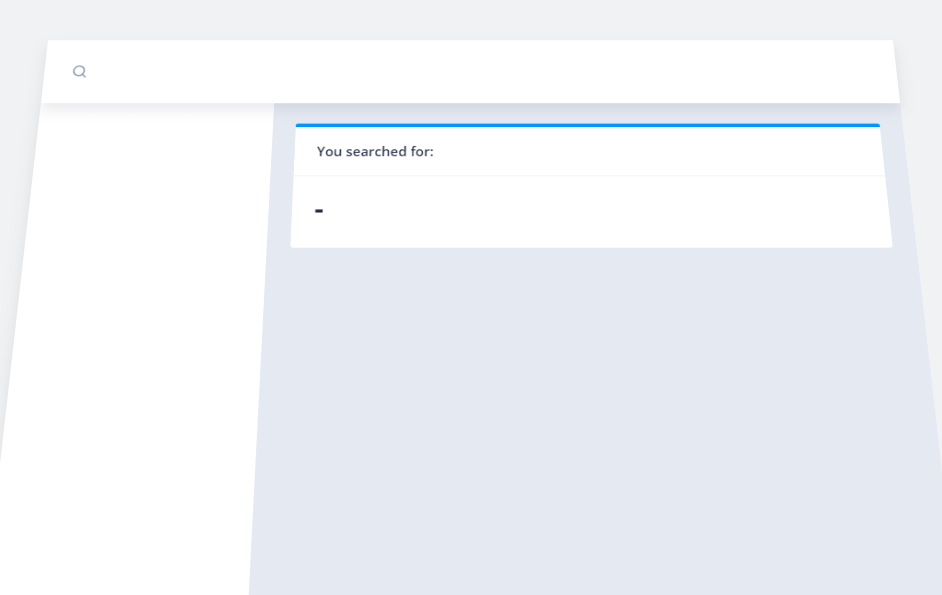
Pressing the Esc key while using the NbSearchComponent on a full screen page results in a hanged website.
When you press the Esc key the animation starts, but after a few milliseconds it hangs, leaving the entire site in a unusable 3D state. The only way to get out of this state is to refresh the page.
This bug also manifests itself on the [ngx-admin demo sites](https://www.akveo.com/ngx-admin/pages/dashboard?theme=corporate). Press on the search icon in the right upper part of the page, press Esc.
It doesn't work in Chrome and Brave. It works in the Edge browser.
Interesting enough it works in the [Documentation page](https://akveo.github.io/nebular/docs/components/global-search/overview#nbsearchcomponent), but doesn't work when you click on the Fullscreen button on that same page.
**Expected behavior:**
Pressing Esc key should have the same effect in terms of animation as pressing the Enter key: the page should return to a 2D state.
**Steps to reproduce:**
- Go to https://akveo.github.io/nebular/example/search/search-event.component
- Click on search icon
- Press Esc key
**Related code:**
See the example code from the Nebular documentation.
### Other information:
**npm, node, OS, Browser**
Node: v16.13.0
Npm: 8.1.0
OS: Windows 10
Browser: Chrome/Brave (works in Edge)
### Screenshot hanged state
Contributor guide
Assessment
This issue has not been assessed yet.