[Question] Video looks low colorfullnes (low color saturation, low contrast) when put into video sphere.
Nobody has claimed this yet.
- Dominant language
- JavaScript
- Stars
- 17.6k
- Forks
- 4.4k
- PR merge metrics
- No merged PRs in 30d
Description
Description:
we have video with normal contrast and hight color saturation, but wen apply to videosphere (set videoshpere video src), contrast and colors looks blurry and not full.
Please see this screenshot http://prntscr.com/pbpnhm
http://prntscr.com/pc6gwh
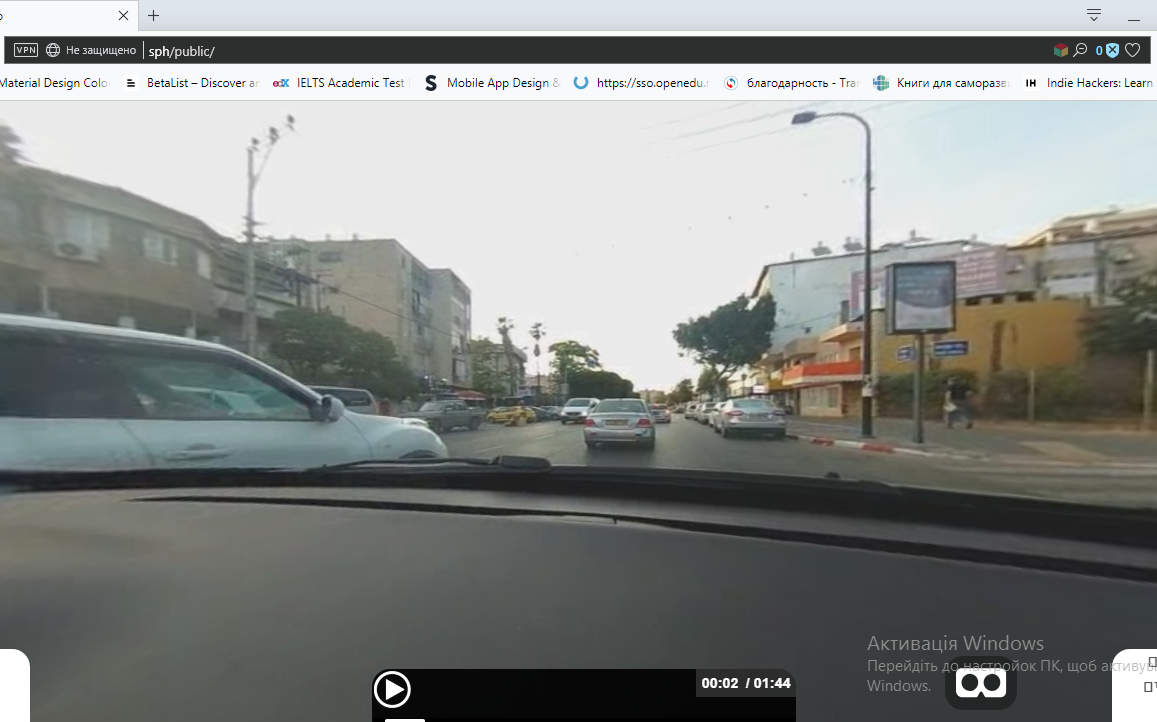
I wonder is it an issue with video and videoshpere, or i've missed some options like
gammaOutput, or color-space: but we need not brightness, but Color saturation (or at least more high contrast), video looks great in videoplayer but blurry when putting into videosphere.
-
A-Frame Version: 0.9.2
-
Platform / Device: window 10, Videosphere

</a-assets>
Contributor guide
First steps
- Read the whole issue, then the project's contributing guide.
- Comment on the issue to say you are picking it up — it saves two people doing the same work.
- Fork the repository and make your change on a branch.
- Open a pull request that references the issue number.
Research direction
Start by reproducing the supplied A-Frame 0.9.2 markup with the referenced high-contrast MP4, comparing it with the normal video-player rendering. Investigate whether the color difference is caused by the videosphere path or a missing color-space/gamma option; done means identifying the cause and documenting a confirmed fix or limitation.
Written by the indexing model from the issue text.
Assessment
- Tech stack
- javascript, three.js
- Domain
- computer-graphics
- Issue type
- Bug
- Difficulty
- 4/5
- Estimated time
- 3-5 days
- Activity status
- Stale
- Clarity
- Needs clarification
- Newbie friendliness
- 25/100