adoptium / adoptium/adoptium-support
ΗiDPI applications have zoomed text elements when run as an application created by jpackage
- Dominant language
- No language data
- Stars
- 59
- Forks
- 13
- PR merge metrics
- No merged PRs in 30d
Description
* **Platform and architecture (e.g. Linux/x64**:
Windows 10 Pro x64
HiDPI settings of 150%
* **Java version (from "java --version") e.g. 1.8.0_181, 11.0.4+11 etc.**:
14.0.1" 2020-04-14
* **Variant e.g. HotSpot or OpenJ9**:
HotSpot
* **Have you tested it with other vendors' java**:
Yes, all of them
* **Steps to reproduce**:
Create a java package with a command similar to
```
jpackage --name Jubler --input .\lib\ --add-modules java.datatransfer,java.desktop,java.logging,java.prefs,java.rmi,java.xml,jdk.charsets --main-class Jubler --main-jar jubler.jar
```
Then run the produced EXE and see it's visuals
* **Error messsage and/or description of what is not working as expected**:
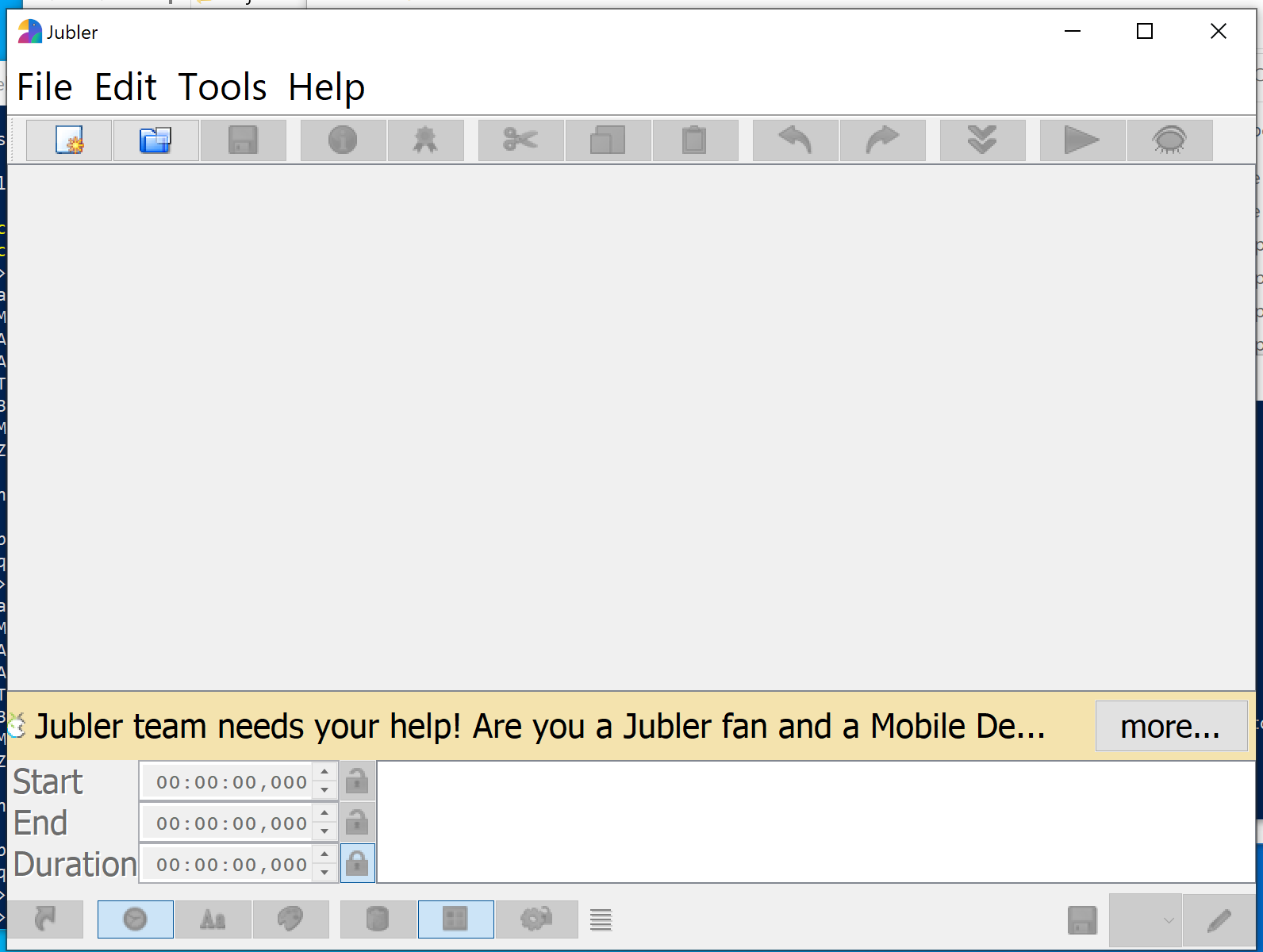
When I create an installer package (or even app-image target) of a GUI application, then the menu items and all text elements are double-zoomed when launched from the produced EXE.
Exactly the same application, if run as `java -jar myjar.jar` then the application is correct.
For reference I upload the two screenshots.
With jpackage:
With java -jar ... :
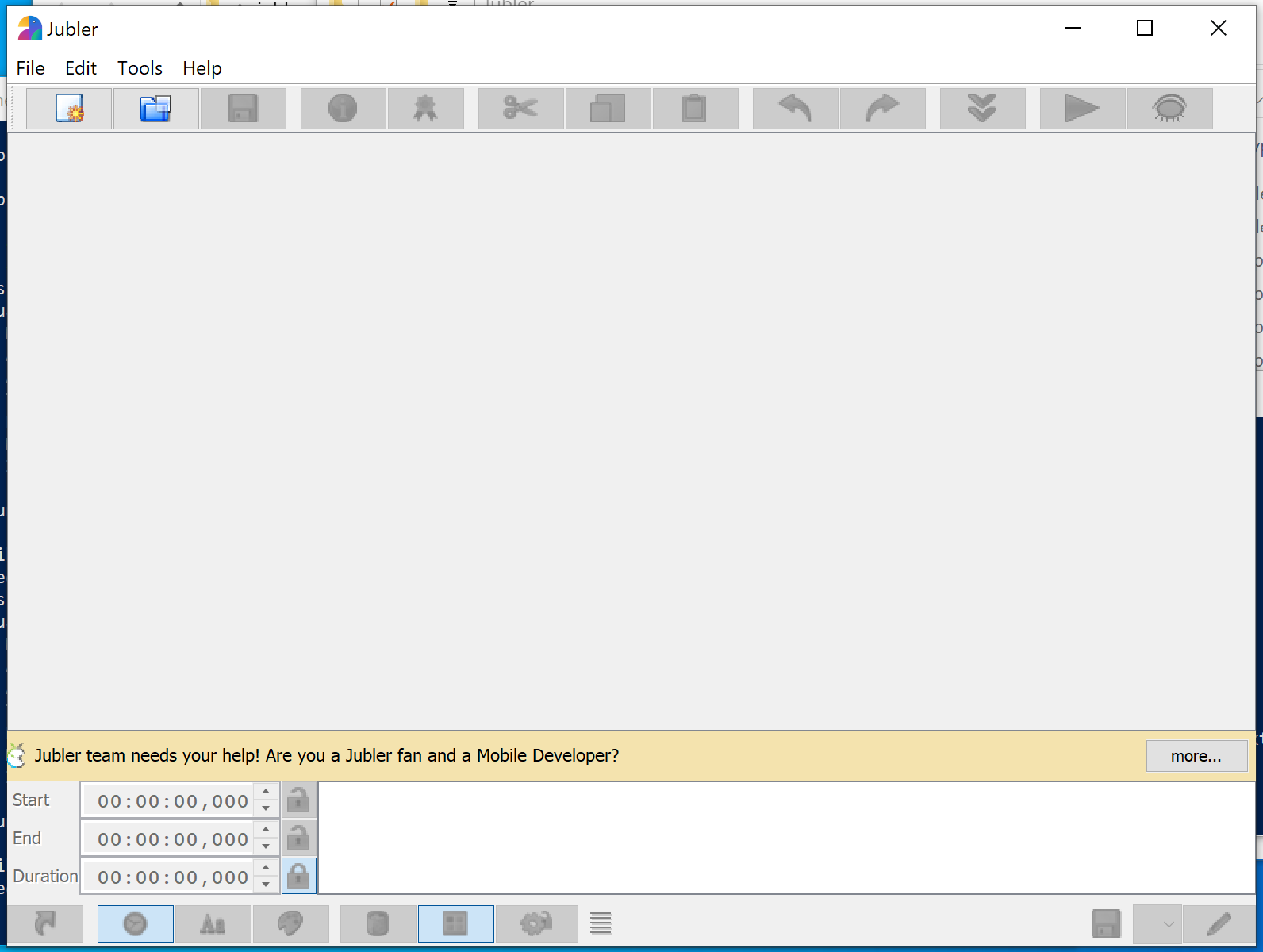
The expected visuals are from the java -jar one (the second one), in case github resizes the images.
This is not the same as https://github.com/AdoptOpenJDK/openjdk-support/issues/20 , since I also tried adding the `–Dsun.java2d.uiScale=1.0` option. When I do so, the menus are fine but all other visuals are too small instead.
Contributor guide
Assessment
This issue has not been assessed yet.