It seems that the most recent git timestamp is always the current time
Open
Nobody has claimed this yet.
- Dominant language
- TypeScript
- Stars
- 8.9k
- Forks
- 2.8k
- PR merge metrics
- No merged PRs in 30d
Description
Hi! My project needs to use git timestamp, but I noticed that using the command "git log -1 --format=%at filepath" in a github action always gets the current timestamp. But it seemed to be working fine a few months ago.
name: test

on:
  push:
    branches:
      - dev

jobs:
  build-deploy:
    runs-on: ubuntu-latest
    steps:
      - uses: actions/checkout@v2
      - run: git log -1 --format=%at setup.py
Then I get this.
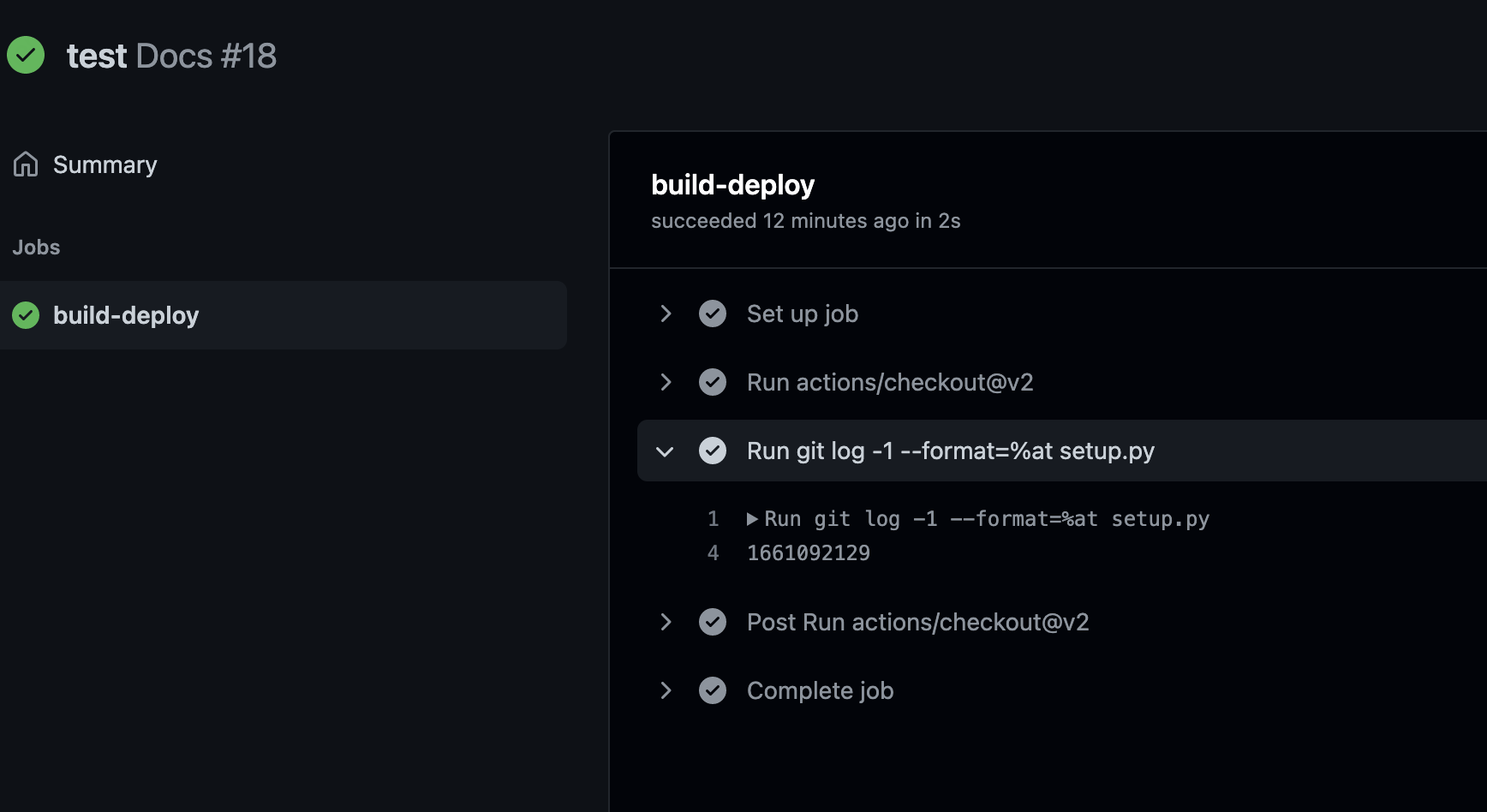
It's current timestamp.
How can I get a correct git timestamp?
Contributor guide
First steps
- Read the whole issue, then the project's contributing guide.
- Comment on the issue to say you are picking it up — it saves two people doing the same work.
- Fork the repository and make your change on a branch.
- Open a pull request that references the issue number.
Research direction
Start with the provided GitHub Actions workflow and reproduce the output of git log -1 --format=%at setup.py after actions/checkout@v2. Check the checkout step and the repository history available to the workflow, then verify that the command reports the intended timestamp rather than the current time.
Written by the indexing model from the issue text.
Assessment
- Tech stack
- git, github-actions
- Domain
- ci-cd, devops
- Issue type
- Bug
- Difficulty
- 2/5
- Estimated time
- 1-3 hours
- Activity status
- Stale
- Clarity
- Mostly clear
- Newbie friendliness
- 35/100