Allow ordering of Lesson Plan Topic and Audience tiles on landing page
Nobody has claimed this yet.
- Dominant language
- PHP
- Stars
- 333
- Forks
- 127
- Avg merge
- 1d 7h
- Merged PRs (30d)
- 11
Description
Admins need to be able to reorder the Lesson Plan Topic and Audience taxonomies so that they are displayed in a particular order on https://learn.wordpress.org/lesson-plans/
The Topic tiles now use the shared topic taxonomy and the original wporg_lesson_category taxonomy has been deprecated. During migration we found that the General topic was no longer being displayed first so some custom logic has been added to ensure this. See: https://github.com/WordPress/Learn/blob/trunk/wp-content/themes/pub/wporg-learn-2020/functions.php#L1211
If custom ordering is implemented this logic should be replaced.
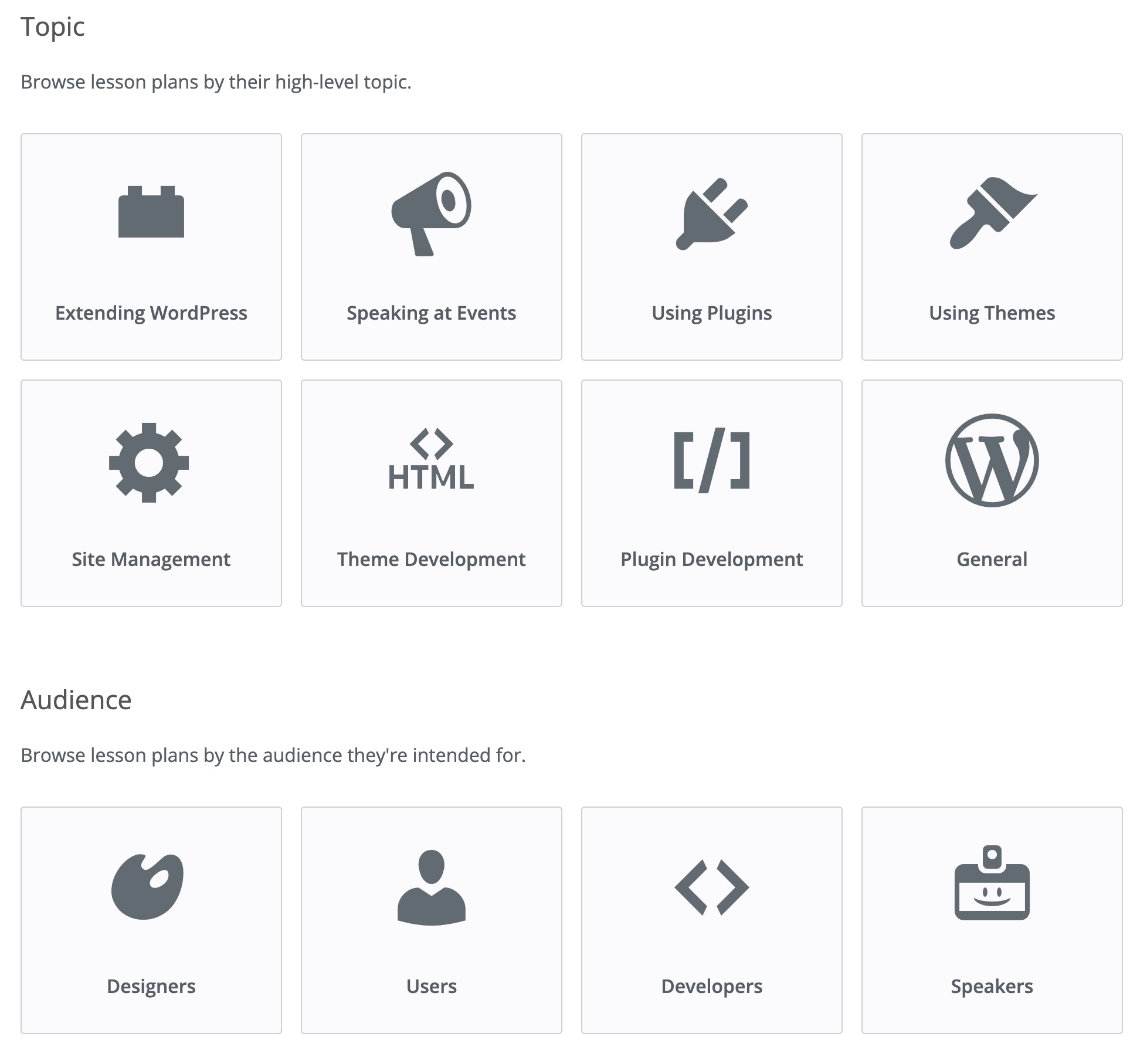
See design for rough order: https://www.figma.com/file/UtmG8KQv3Csy8hNtuAWkwZ/Learn-WordPress?node-id=1094%3A671
Contributor guide
No contributing guide indexed for this repository
First steps
- Read the whole issue, then the project's contributing guide.
- Comment on the issue to say you are picking it up — it saves two people doing the same work.
- Fork the repository and make your change on a branch.
- Open a pull request that references the issue number.
Research direction
Start by reviewing wp-content/themes/pub/wporg-learn-2020/functions.php around line 1211 and the Lesson Plans landing page at learn.wordpress.org/lesson-plans/. Use the linked Figma design to understand the intended order for the Topic and Audience tiles. Done means admins can control both taxonomy orders and the existing General-topic workaround is replaced.
Written by the indexing model from the issue text.
Assessment
- Tech stack
- php, wordpress
- Domain
- content, frontend
- Issue type
- Feature
- Difficulty
- 4/5
- Estimated time
- 3-5 days
- Activity status
- Stale
- Clarity
- Mostly clear
- Newbie friendliness
- 45/100