ValveSoftware / ValveSoftware/Proton
Super Robot Wars V (1031500)
Nobody has claimed this yet.
- Dominant language
- C++
- Stars
- 32.8k
- Forks
- 1.6k
- PR merge metrics
- PR metrics pending
Description
Compatibility Report
- Name of the game with compatibility issues: Super Robot Wars V
- Steam AppID of the game: 1031500
System 1 Information
- GPU: 2080 TI Gaming FTW
- Driver/LLVM version: 520.56.06
- Kernel version: 6.0.5
- Link to full system information report as Gist: N/A
- Proton version: Experimental (2022/11/12)
System 2 Information
Steam Deck (512GB) on Beta Channel (2022/11/12)
I confirm:
- that I haven't found an existing compatibility report for this game.
- that I have checked whether there are updates for my system available.
Symptoms
System 1 (Linux Desktop): No issues
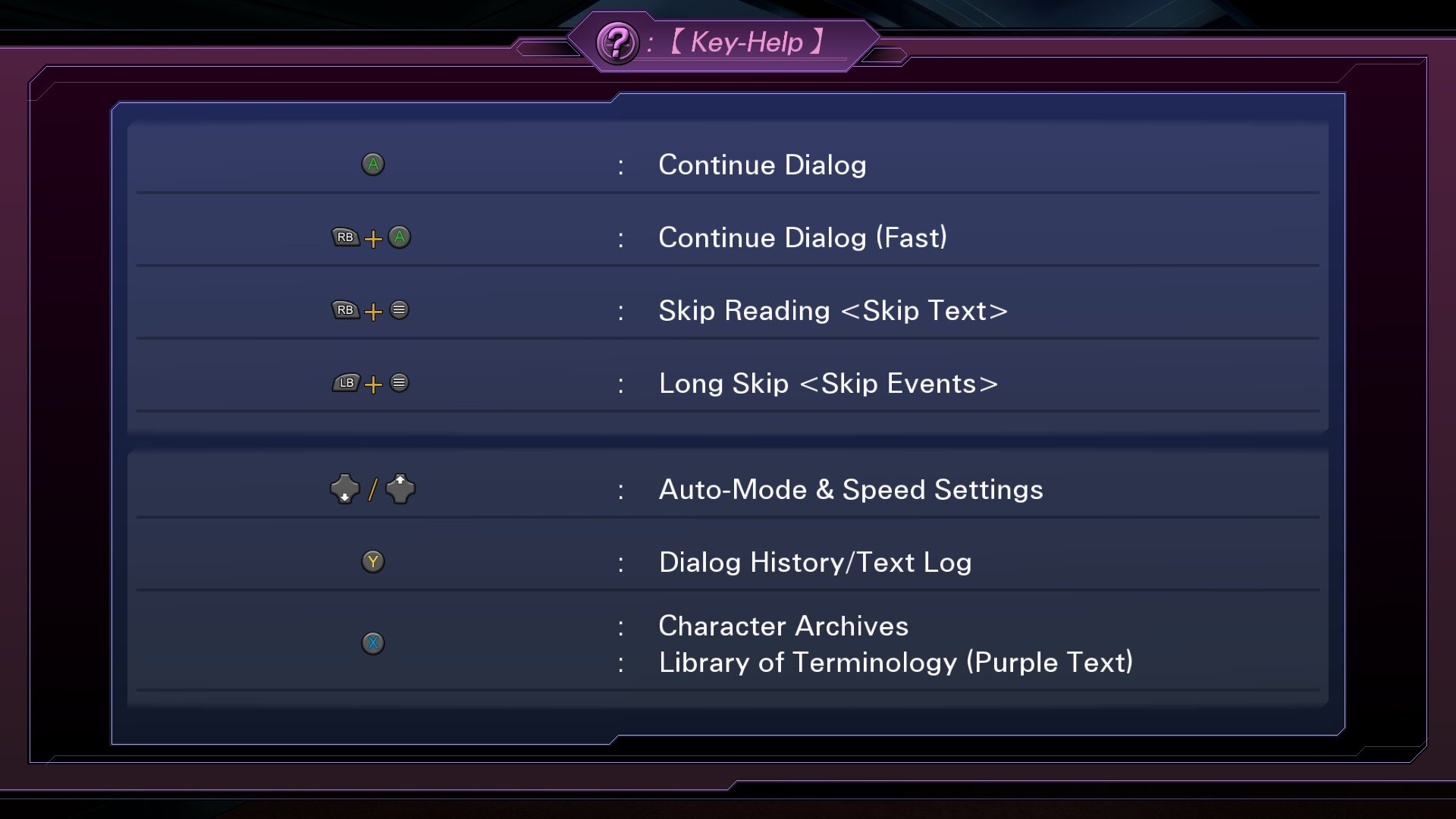
System 2 (Steam Deck): Controller hotkeys for cutscenes don't quite map correctly. See below for further details.
Reproduction
-
Launch Super Robot Wars V on Steam Deck. At time of writing both Stable and Experimental branches can replicate
-
Launch an Operation. During the talk dialogue press Start/Select which will bring up a hotkey cheat sheet. It should look like this with all hotkeys' icons binding to ( ▶ ).

-
Open up Super Robot Wars V on a Linux Desktop with a controller. Repeat step 2. It will correctly show different icons (A, B, etc buttons) for each action
Update Steam Deck Compatibility Rating
Currently Super Robot Wars V is rated 'Unplayable'. It should be changed to 'Playable'. After playing it for 7 operations and about 4 hours, the cheatsheet during the dialogue is the only issue I've had. All types of video scenarios and game and menu audio, text size, etc work perfectly out of the box on the Steam Deck.
Given Valve is in the process of courting Japanese market and game devs with the Steam Deck, it is in Valve's interest to accurately reflect game playability of Japanese developed games on Steam Deck to broaden sales of games (for devs) and the number of titles playable on Steam Deck (for general consumers)... particularly one like the SRW series where SRW V is limited to the SE Asia market on Steam.
Contributor guide
No contributing guide indexed for this repository
First steps
- Read the whole issue, then the project's contributing guide.
- Comment on the issue to say you are picking it up — it saves two people doing the same work.
- Fork the repository and make your change on a branch.
- Open a pull request that references the issue number.
Research direction
No source file or test is named. Start by reproducing the dialogue hotkey behavior on the Steam Deck with Proton Experimental, then compare it with the Linux desktop controller behavior described in the report. Done means the cutscene cheat sheet shows the correct controller icons on Steam Deck and the compatibility status reflects the reported playability.
Written by the indexing model from the issue text.
Assessment
- Tech stack
- linux
- Domain
- operating-systems
- Issue type
- Bug
- Difficulty
- 4/5
- Estimated time
- 3-5 days
- Activity status
- Stale
- Clarity
- Mostly clear
- Newbie friendliness
- 35/100