ValveSoftware / ValveSoftware/Proton
Jurassic World Evolution 2 (1244460)
Nobody has claimed this yet.
- Dominant language
- C++
- Stars
- 32.8k
- Forks
- 1.6k
- PR merge metrics
- PR metrics pending
Description
Compatibility Report
- Name of the game with compatibility issues: Jurassic World Evolution 2
- Steam AppID of the game: 1244460
System Information
- Device: Steam Deck
- GPU: AMD Custom APU 0405
- Driver version: Mesa 22.0.2
- LLVM version: 13.0.0
- Kernel version: 5.13.0-valve21-1-neptune-02209
- Full system information report: https://gist.github.com/Lizardon09/c0b3020eb5437f920dc7250165e8b31b
- Proton version: any
I confirm:
- that I haven't found an existing compatibility report for this game.
- that I have checked whether there are updates for my system available.
Proton Logs:
- 6.3-8: Proton_6.3-8.zip
- 7.0-3: Proton_7.0.3.zip
- experimental-7.0-20220805: Proton_experimental-7.0-20220805.zip
Symptoms
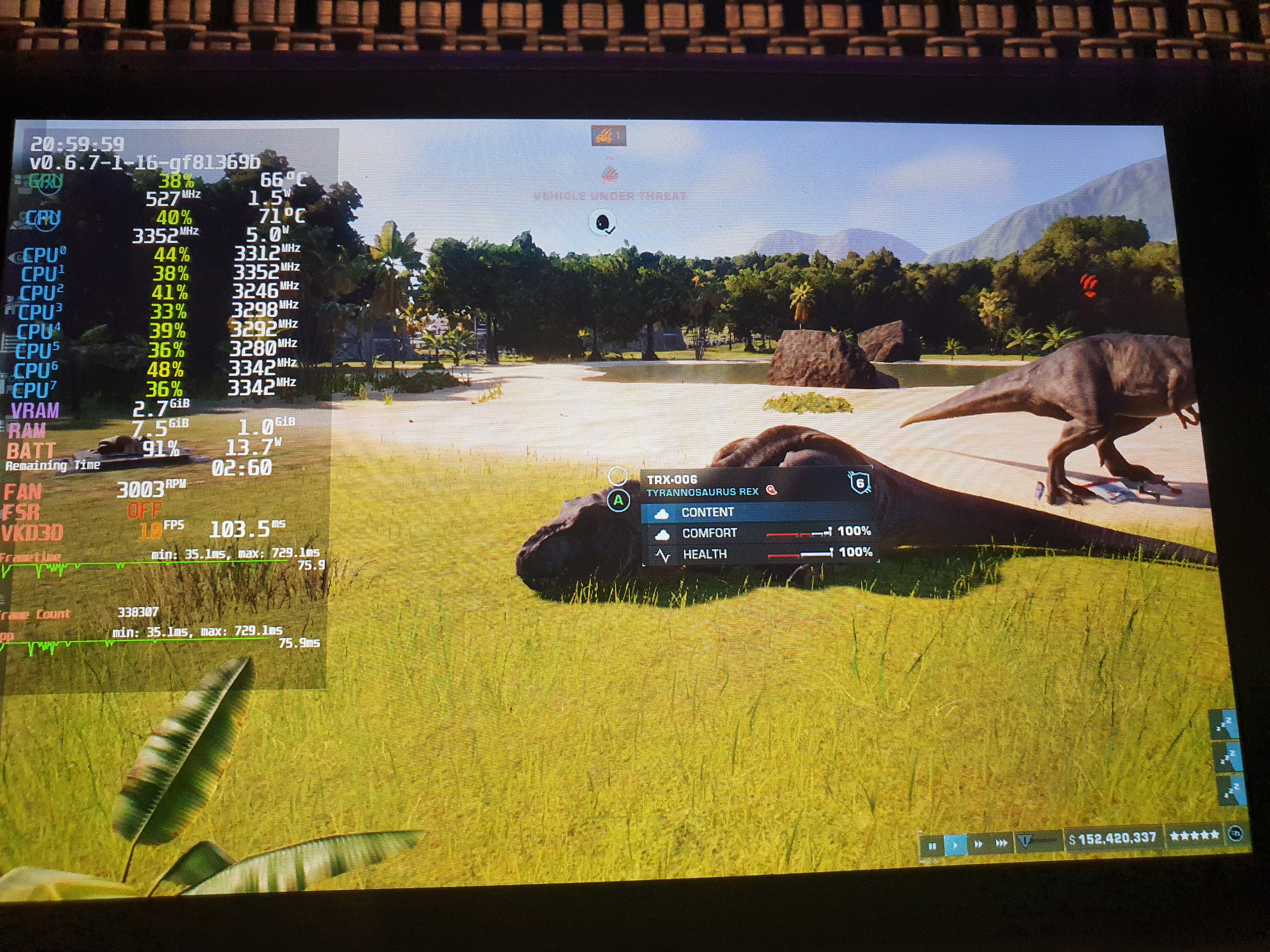
Playing the game on any proton version (using a save-game where there is a lot of stuff on the map and a lot of dinosaurs will yield more effective results, as when you launch the game and play the map, the GPU and CPU utilization will start at high percentages).
As you zoom in close to the ground - the GPU and CPU utilization drops from a certain point and even goes bellow 50% causing the game to run at very low performance even on low settings, the closer you are to the ground. When you zoom out, the utilization goes back up to what it should be when your close to the ground.
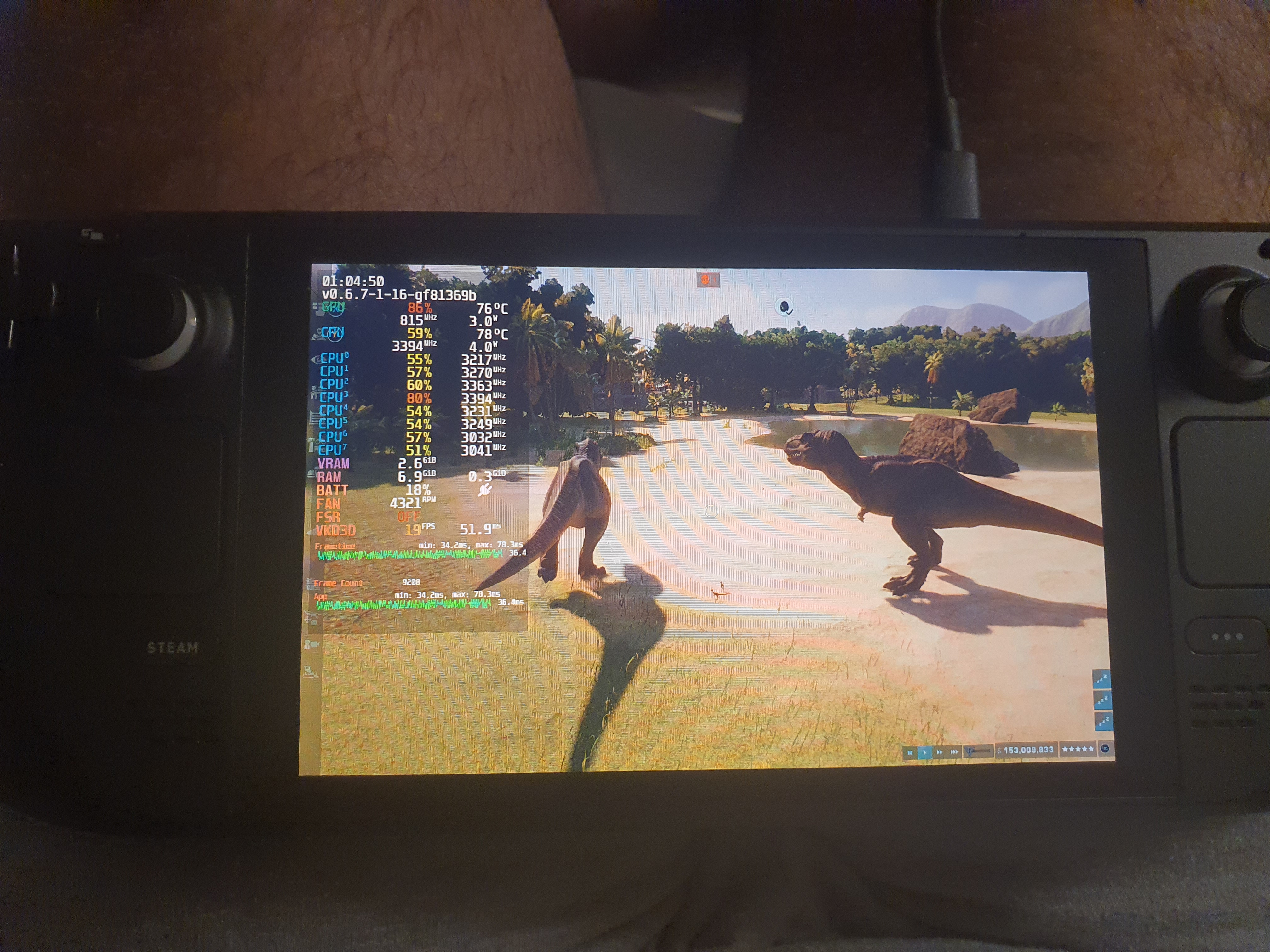
This happens with every proton version, EXCEPT Proton 6.3-8 (which is getting the desired rectified performance results for the symptom situations)
Cant use 6.3-8 to play the game because the pause menu does not work on that version, so would really really want this fixed :(
Following picture is using other Proton versions, that shows the problem:
Following picture is using proton 6.3-8, that shows the desired and proper performance situation that it should be:
Reproduction
- Play the game on any settings.
- Play the game using any proton version EXCEPT 6.3-8 (which has the desired working performance result).
(using a save-game where there is a lot of stuff on the map and a lot of dinosaurs. Will yield more effective results, as when you launch the game and play the map, the GPU and CPU utilization will start at high).
Contributor guide
No contributing guide indexed for this repository
First steps
- Read the whole issue, then the project's contributing guide.
- Comment on the issue to say you are picking it up — it saves two people doing the same work.
- Fork the repository and make your change on a branch.
- Open a pull request that references the issue number.
Research direction
Start by reviewing the attached system information and Proton logs for versions 6.3-8, 7.0-3, and experimental-7.0-20220805, then reproduce the zoom-related utilization drop with a populated save. Compare behavior with Proton 6.3-8 and later versions; done means restoring close-ground performance without losing the working pause menu.
Written by the indexing model from the issue text.
Assessment
- Tech stack
- linux
- Domain
- operating-systems, performance
- Issue type
- Bug
- Difficulty
- 5/5
- Estimated time
- Over a week
- Activity status
- Stale
- Clarity
- Mostly clear
- Newbie friendliness
- 35/100