ValveSoftware / ValveSoftware/Proton
Gabriel Knight 3: Blood of the Sacred, Blood of the Damned (497360)
Nobody has claimed this yet.
- Dominant language
- C++
- Stars
- 32.8k
- Forks
- 1.6k
- PR merge metrics
- PR metrics pending
Description
Compatibility Report
- Name of the game with compatibility issues: Gabriel Knight 3: Blood of the Sacred, Blood of the Damned
- Steam AppID of the game: 497360
System Information
- GPU: AMD Radeon RX 5600 XT
- Driver/LLVM version: Mesa 21.3.9
- Kernel version: 5.18.11-100.fc35.x86_64
- Link to full system information report as Gist: https://gist.github.com/joshas/fbbe8949478e67d552888c4bacca35f0
- Proton version: 7.0-3
I confirm:
- that I haven't found an existing compatibility report for this game.
- that I have checked whether there are updates for my system available.
Symptoms
- Game does not start without physical CD/DVD drive, stops with "Please Insert CD 1" message. As a workaround I mounted an ISO with Linux installer (any other CD image probably works too). Interesting enough, that subsequent launches after reboot when no ISO is mounted, do not require CD drive. There might be some setting set by the game after first launch, but I have not looked into it. Same issue on Windows.
- Software and DirectDraw HAL renderers produce very dark images. Issue seems to be similar to one observed in #798 and #623 . Changing "Gamma" setting in game options makes things even worse. Some visual artifacts can be observed too, e.g. alternating black squares in bottom right corner.
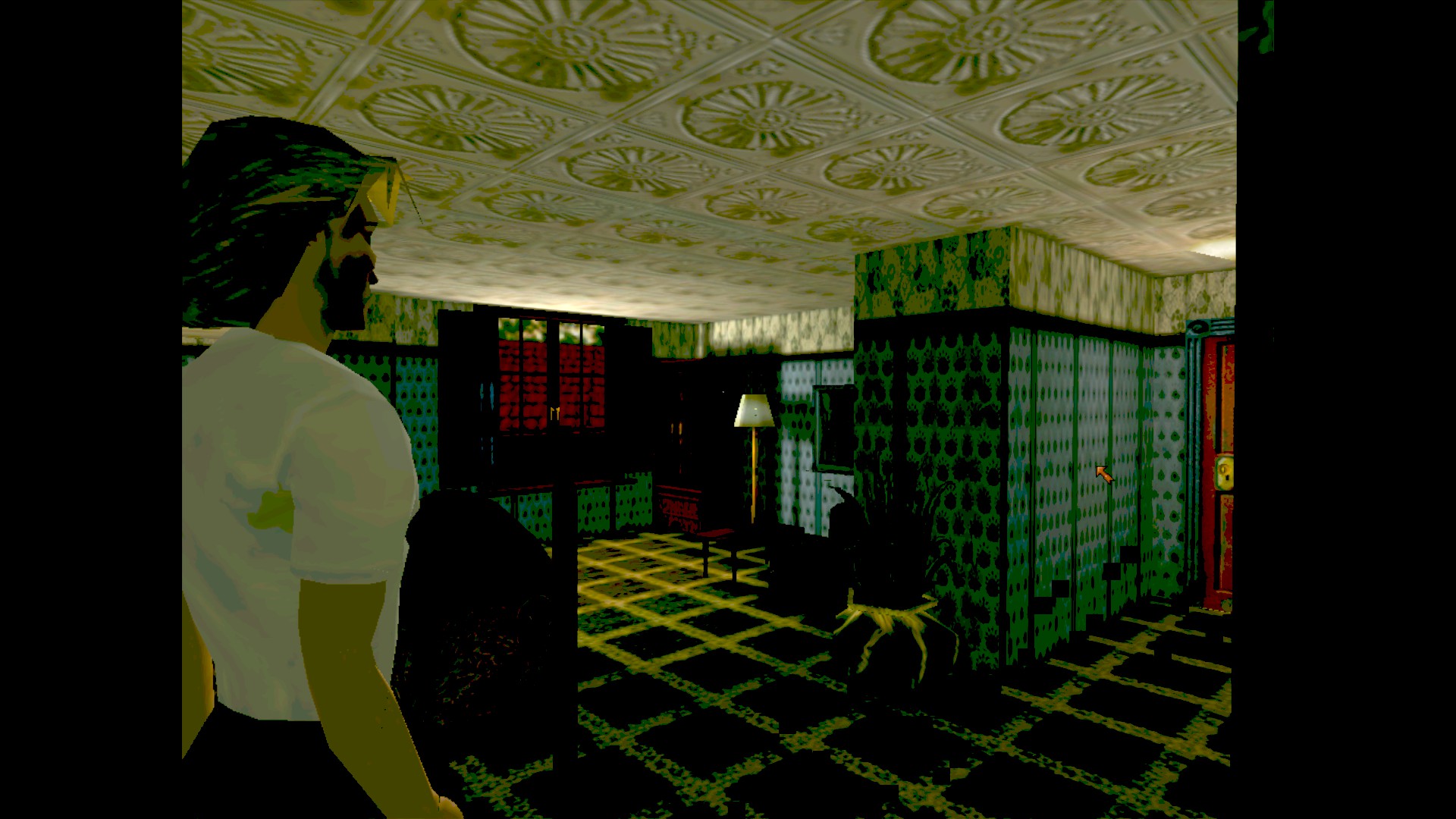
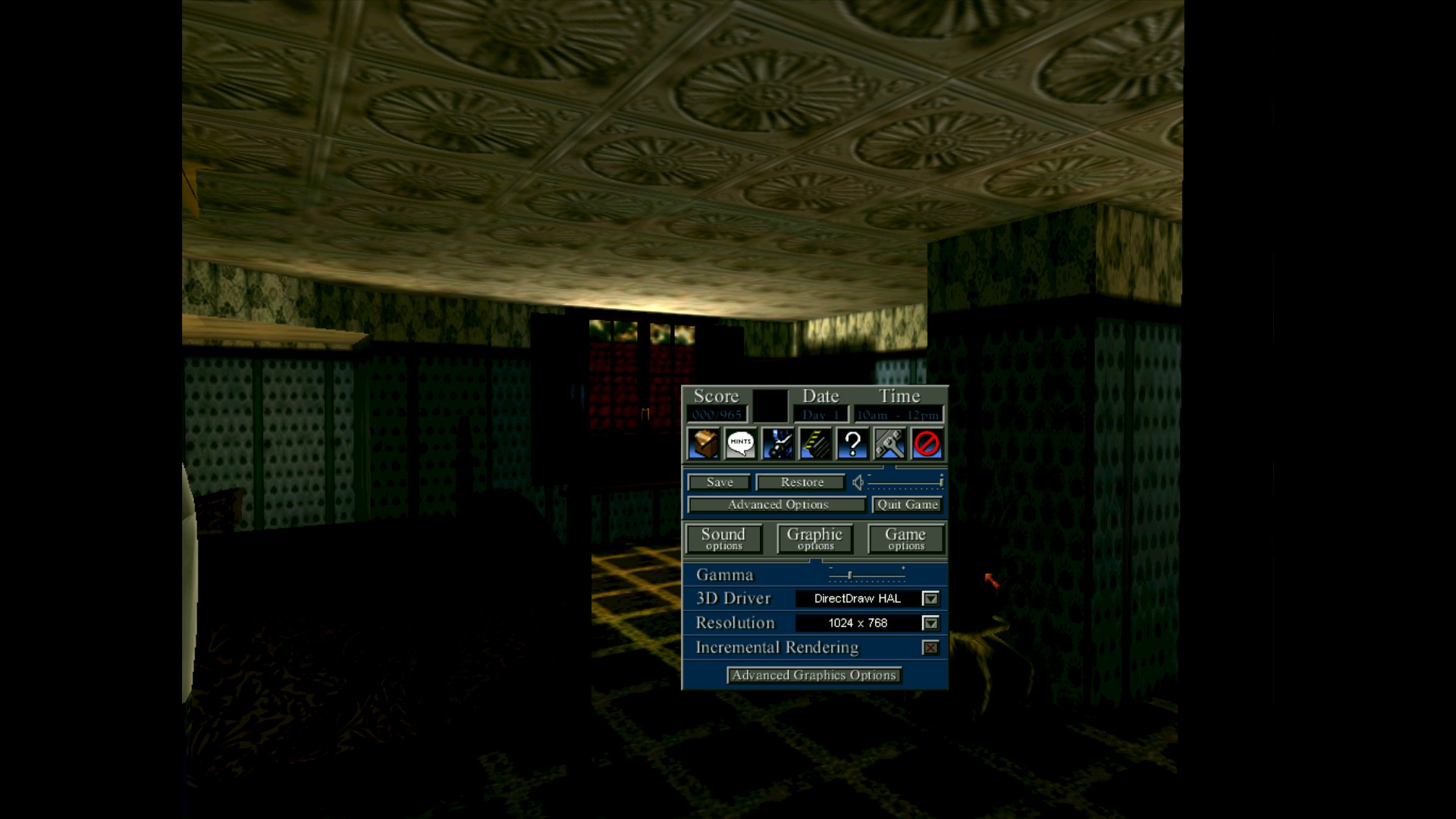
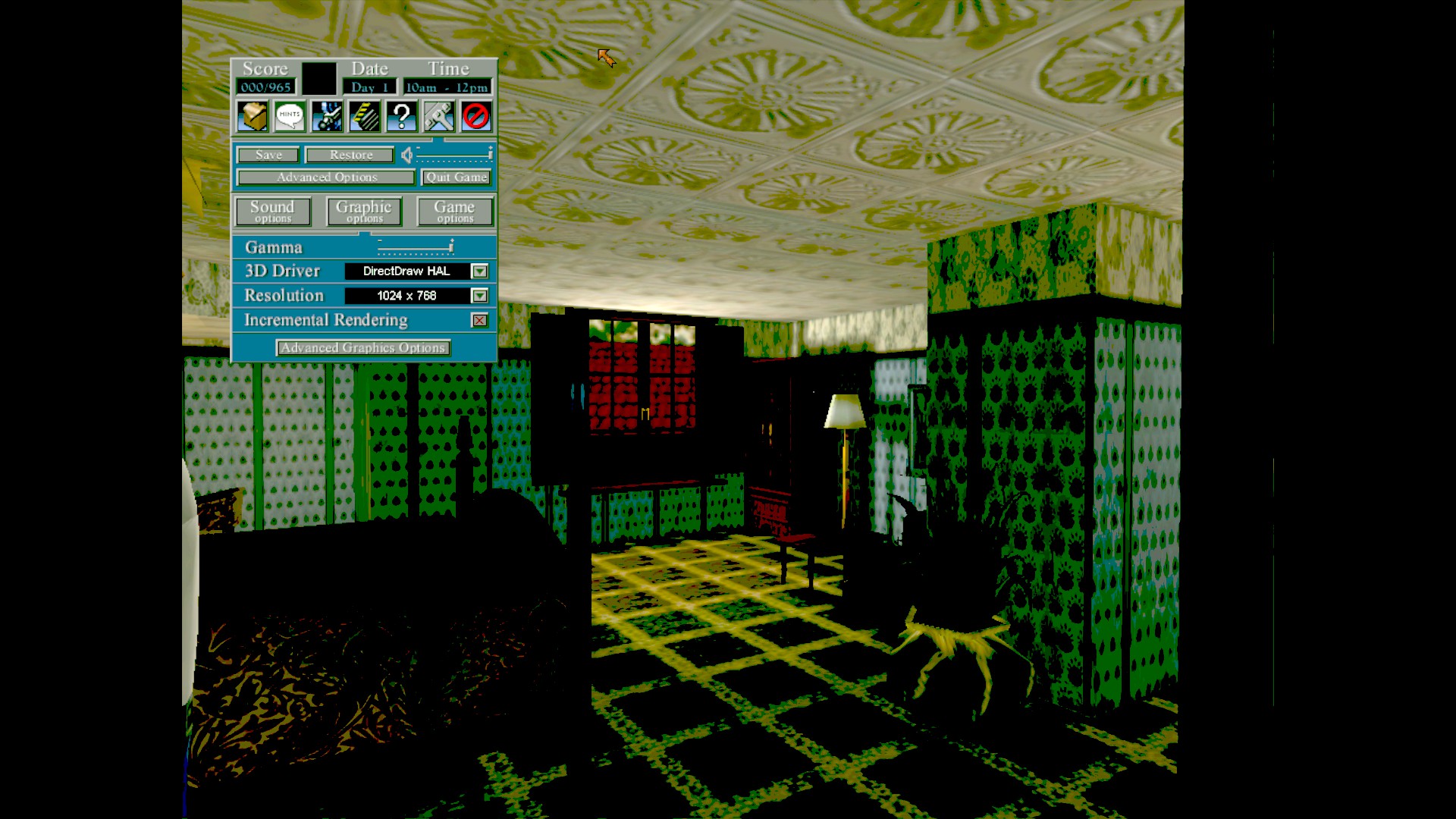
My workaround was to use dgVoodoo2, which renders all graphics correctly. - AVI videos compressed with "Microsoft RLE" codec does not play correctly, "TV test screen" is displayed instead. Intro video works correctly, as it uses different, "Cinepak video" codec.
Reproduction
Issue 1 can be reproduced right away after first launch of the game. Issue 2 appears after skipping intro and starting to play. To reproduce issue 3 you need to play for quite a while to reach point where AVI videos for fingerprints and map are used in "SIDNEY".
I've completed the game using mounted ISO method to bypass "Please Insert CD 1" error message and dgVoodoo2 to solve graphical issues. Game froze only once.
Contributor guide
No contributing guide indexed for this repository
First steps
- Read the whole issue, then the project's contributing guide.
- Comment on the issue to say you are picking it up — it saves two people doing the same work.
- Fork the repository and make your change on a branch.
- Open a pull request that references the issue number.
Research direction
Start by reproducing the three reported symptoms for Steam AppID 497360 with Proton 7.0-3, using the attached steam-497360.zip log and the listed system information. Compare the rendering behavior with related issues #798 and #623; completion would require a verified resolution for the CD check, dark or corrupted rendering, and Microsoft RLE AVI playback.
Written by the indexing model from the issue text.
Assessment
- Tech stack
- linux
- Domain
- computer-graphics, operating-systems
- Issue type
- Bug
- Difficulty
- 5/5
- Estimated time
- Over a week
- Activity status
- Stale
- Clarity
- Needs clarification
- Newbie friendliness
- 25/100